I have noticed I can’t print screen and paste images.
I suggest print screen should copy into clipboard so we can then directly ctrl+v to paste into things
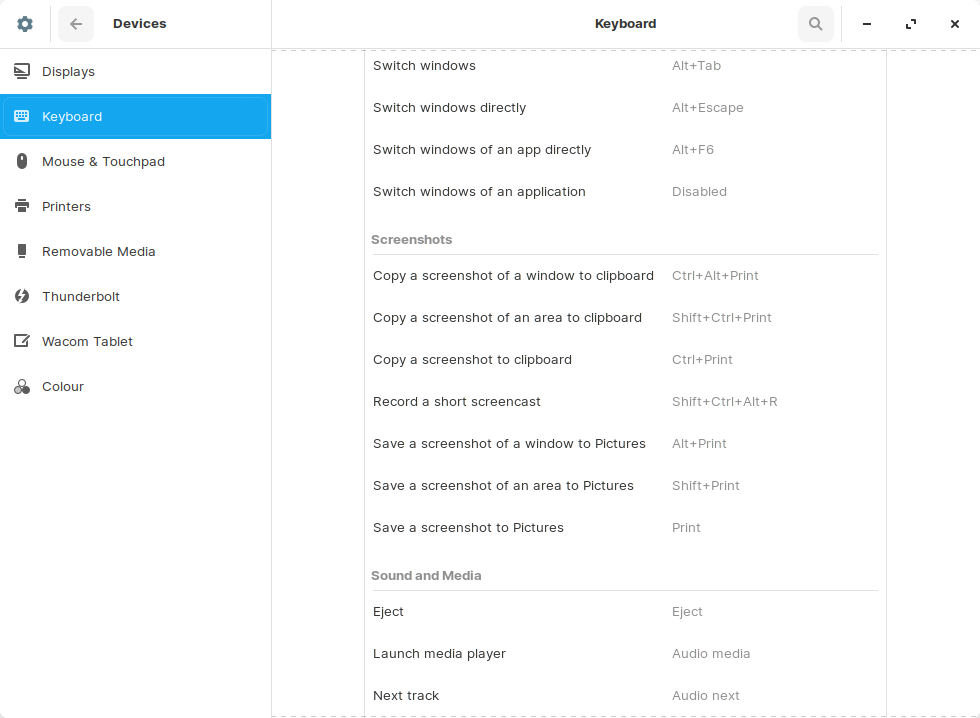
These are the standard shortcuts.
For example copy screenshot of a window to clipboard is Ctrl+Alt+Print etc.
Clicking on a shortcut enables you to edit it. So I assume you can alter the default print button to copy to clipboard.
Standard for Linux or Windows?
I know that print screen copies the whole screen in windows to the clipboard.
I’m not sure about ctrl+alt+print as I have never used it on windows.
Edit: also thankyou for the info on how to change the shortcuts
I think standard for Gnome. Using Oracle Linux, Alt+Print creates a screenshot file in home.
Ah I see.
Maybe an option for windows shortcuts would be a good thing to have in Zorin.
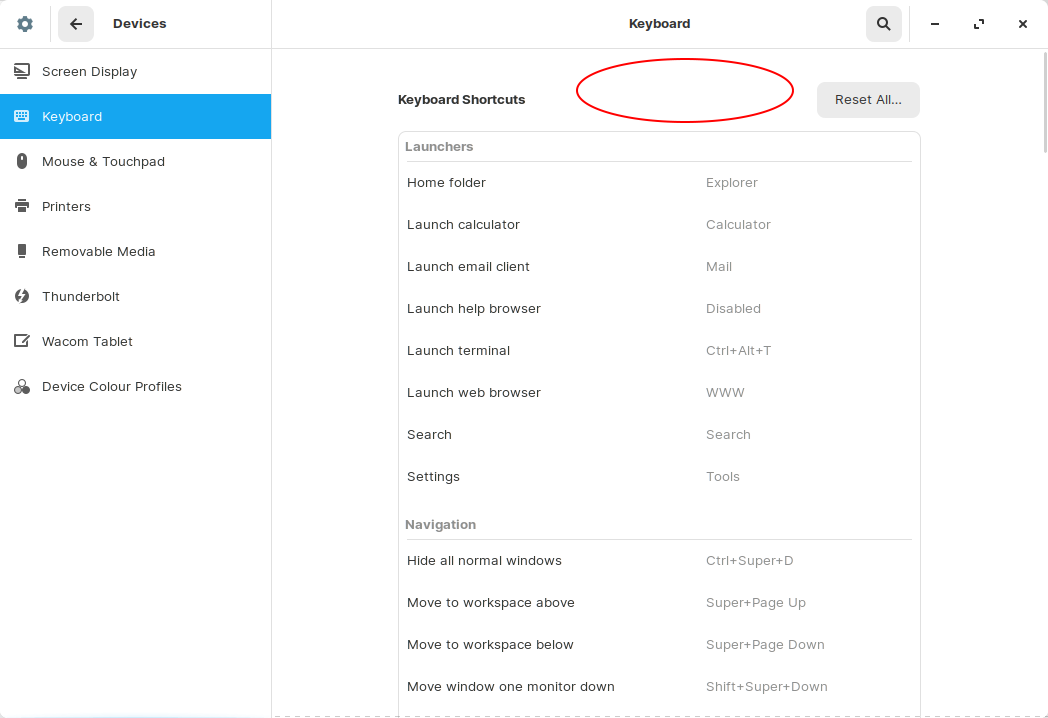
It could be a preset setting right here…
There is a screenshot utilitiy in Zorin. You should be able to use that to captue and save screenshot then attach that file to forum post using the [picture] icon in the forum reply toolbar. Simples.
1 Like
I am opening a new feedback topic about this It is not about adding a shortcut preset option and I can’t find the edit option for the title.
EDIT: wait this isn’t github. can someone change the title to add shortcut preset option for windows?
Done.
1 Like
Why do we not have this 