No you do it yourself, just click on the switches.
Provided you backup all your data first. Probably easier. You could easily delete everything using your install media using the 'siomething else' method which uses GParted. Or you could run the option to erase disk for an automatic install if you are not comfortable partitioning. (I am 69 by the way).
Well you are obviously a genius...
It would take me 2 days to try and read and compare what is supposed to be on the Repository.
Was not sure how to back up so I copied everything in Docs, Pictures , Downloads, & Desktop and transferred it to thumb drive.
1 Like
I've never partitioned anything before but I installed new 4TB hard drive and upgraded the RAM and had never done that before either, LOL
1 Like
Good afternoon
The zorin 17.3 ios is on a thumb drive and has been ready to go for days. The "setup password" blocks the BIOS & I can't: a) change the order of the boot b) disable the secure boot
I purchased this computer new from HP and if they looked it up (which they won't do), they will see I was the registered purchaser. I have the "power on password" but never made one for "setup". I can't boot from the CD/DVD player as it quit functioning within 3 months of purchase.
I didn't want to bother you anymore. But I'm stumped. My God all this work especially for you just to set up a printer?
I did not watch the video you set up for me because I'm no closer to getting the printer working and now it's gone. Aaargh!
Sorry to hear of your troubles. I did some searching and got this A.I. result:
Bypass HP Laptop Setup Password
Bypassing a setup password on an HP laptop can be challenging, especially if you are the legitimate owner and HP does not provide support for this issue. However, there are several methods you can try:
-
Password Removal Tool : Using a password removal tool can help bypass the setup password. EaseUS Partition Master is one such tool that can bypass the password without effort.
-
Password Reset Disk : If you have a password reset disk, you can use it to reset the password.
-
Hidden Administrator Account : Accessing the built-in hidden administrator account can allow you to reset the password.
-
Windows Installation Disk : Using a Windows installation disk, you can reset the password by entering the command prompt and using specific commands to change the password.
-
HP Recovery Manager : If your HP laptop has the HP Recovery Manager, you can use it to reset the password.
-
System Recovery : Using a system recovery tool, you can reset the password by reformatting the system drive and reinstalling Windows, but this will erase all data on the system drive.
If you are unable to implement these solutions yourself, you can contact a local HP store for technical support, though you may need to provide proof of purchase and ownership.
It's important to note that attempting to bypass security measures can be risky and may lead to data loss or other issues. Always ensure you have backups of important data before attempting any of these methods.
AI-generated answer. Please verify critical facts.
If you are confident at taking the base of your HP Notebook off and can access the CMOS battery and are able to disconnect it for 20 minutes then reconnect, hopefully this will clear all BIOS settings.
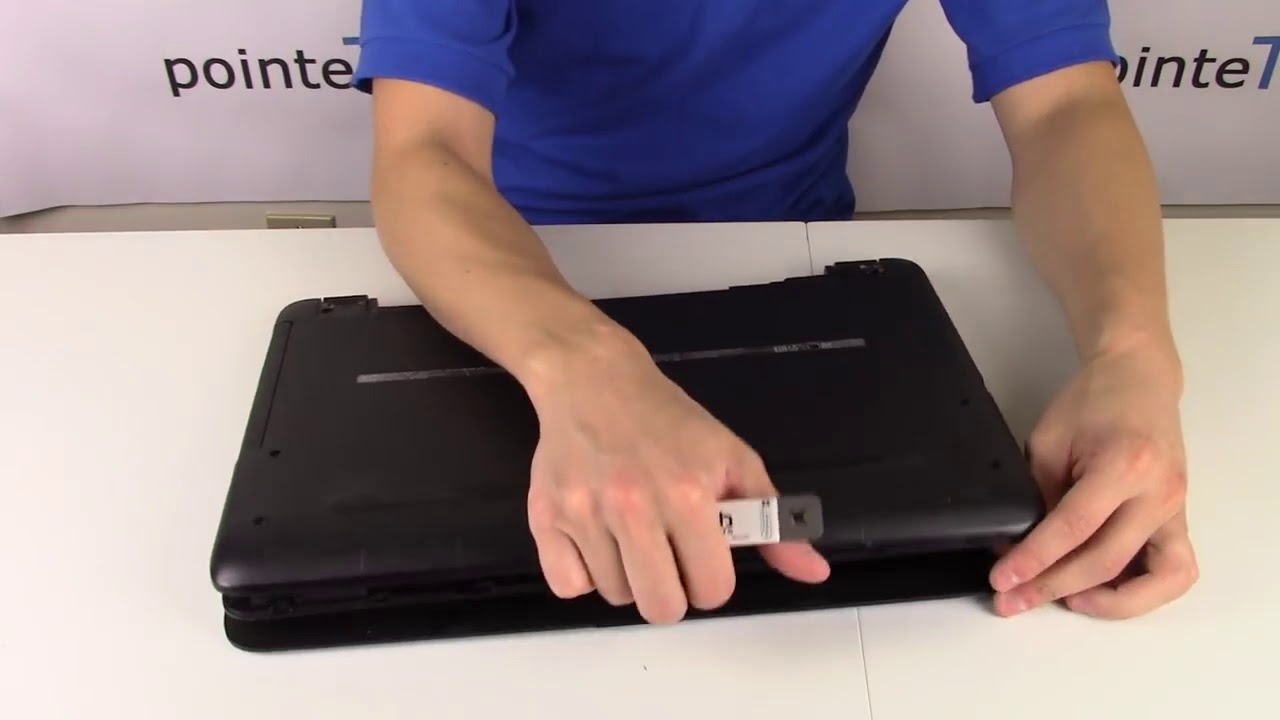
On further investigation it won't clear the setup password:
Delete BIOS-Passwords on Notebooks
Don't clear the CMOS of your Notebook, because it will not reset any BIOS-Boot password or BIOS-Setup password! Notebooks have better theft protections like an additional (tiny, hidden) IC-integrated module that contains the password. Some manufacturers store the password on a hidden hard disk sector. So, the only solution is a direct contact to the manufacturer's support, where they proof that you are the legal owner of the notebook. Depending on the manufacturer, you have to send him the serial number of the notebook and you'll get (in many cases free of charge) an individual master password to unlock the notebook. Some other manufacturers even offer only the replacement of the notebook's mainboard - which will be really expensive!
(Source: BIOS Passwords - Bios setup- and master passwords | www.biosflash.com
This might be the solution if HP are being unhelpful:
1 Like
LOL!
There's a problem. I don't have Windows on my computer. Just Zorin. Also I don't have a laptop, I have an HP all-in-one
I talked to HP until I was blue. They won't help me. I might as well give up.
Do not give up my friend. Here is what I would do.
-
Format the USB stick with Ventoy.
-
Download Hiren's Boot CD .iso and drag it to the open window of the Ventoy stick. Hiren's Boot CD is the Swiss Army knife for sorting out issues and the current version has a WinPE version of Win 11 so you could use the Power Shell scripts I linked you to in my previous post. Boot options for HP can be accessed by pressing F10 function key during boot up. If your all in one comes up with 2 Ventoys in the list you need to select the UEFI labeled one or Hiren's Boot CD will not run.
Get latest Hiren's Boot CD .iso from here:
I have been trying to reach you on the forum by cell phone. Nightmare x's 10! Didn't you mention something about "grub"?
On my screen right now:
Minimal BASH-like line editing is supported. For the first word, TAB lists possible command completions. Anywhere else TAB lists possible device or file completions.
grub》-
GNU GRUB version 2.06
Hey unruly I have DM'd you but not had a response on your HP all-in-one computer issues. (Are there any members here from Florida that could physically visit unruly to help him out?)
This topic was automatically closed 90 days after the last reply. New replies are no longer allowed.