I looked at the link, am have to say, I do get flatpaks from community projects I use to run some of the equipment I have. They do have a copy on Flathub, but I download from the communities GitHub. I just looked, and I guess they have started pushing Flathub, but then also have a flatpak or appimage to download. So, I guess that project is moving toward Flathub, so that is kind of meh.
Indeed. I did look into Kubuntu, but I don't really like it that much, so I am still running Zorin. I don't mind it, my biggest problem is I can't get my printer to work for the life of me. I installed all the drivers, but can't get the system to assign the driver to the printer. This is important because the photo printing application I use needs a driver to it to actually do anything. So, I just get to fight this printer, and software...
What is your printer, perhaps I can help.
Ya @swarfendor437 is the man to talk to about printers...he is our unoffical printer guy.....lol
1 Like
Well I do make a point of it in my profile.
2 Likes
It is a Canon Pixma TS3722. I have tried installing the drivers from the Canon website, but that caused a Kernal Panic, so I installed the necessary drivers over the command line (well actually I guess it is a terminal, as this is Linux). It was the "cnijfilter2" driver package.
OK. I will launch my VM of 18.1 and do a video.
What you need to remember is that sadly Canon does not do a GNU/Linux version of Image Garden for Borderless Prints. When I need those I have to boot up Windows! 
1 Like
Well here it is, errors in finding the driver included at start! Please be sure to read the description below the video. (And don't forget to 'Like' please).
1 Like
I do have windows on my machine, with Zorin OS. The thing with borderless printing, is I no longer use windows, as last time I had to print something I wasted a good hour trying to get borderless printing to work on the last printer. I do not use Image Garden, except on mobile. On my computer I have been running VibePrint Studio, one of the best kept secrets in the world of Linux photo processing and printing. The software needs a printer driver to actually work, and also allows for ICC profiles and some rather advanced professional things. I have had this set-up working rather well on my Arch Machine. I just don't have the time, to start from scratch in Arch, as it would take me at least a week, and I would not get to do much with my computer for that time. It also doesn't help I am behind on projects, and stuff as this laptop came in late. I have got the drivers installed, but my Software won't hand the job to CUPS. I am annoyed as I really need to print these photos, and can't.
2 Likes
Now that you have given more information I searched for your issue using Ubuntu 24.04 in the search criteria as that is what Zorin 18 is based on.
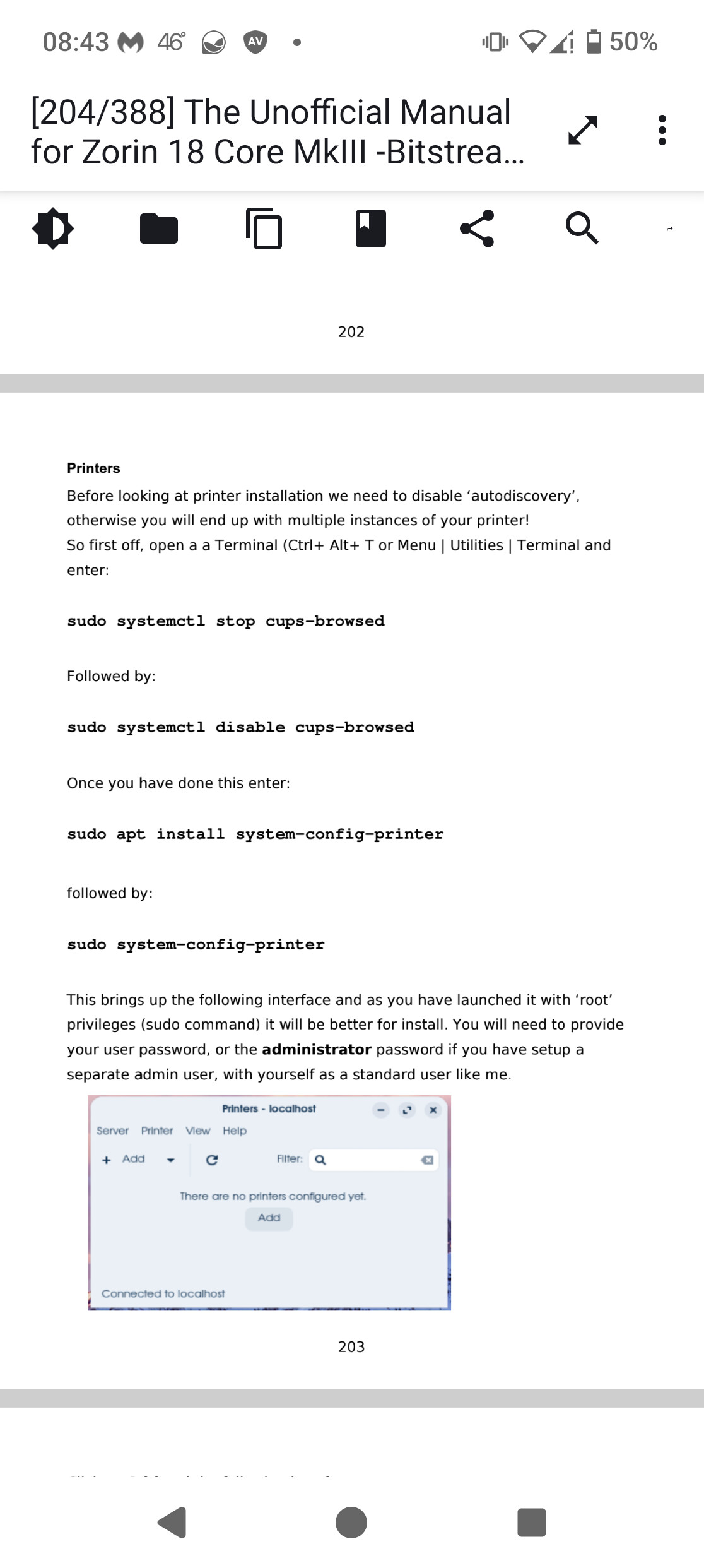
Before I add the result from Brave A.I. is the printer networked? Additionally, before following the video I would delete any entries in printers and perhaps reinstall CUPS and VibePrint Studio. If networked you need to stop CUPS autodiscovery, then disable it:
Here is the Brave A.I. search result via Mojeek:
" The issue likely stems from CUPS defaulting to monochrome or VibePrint Studio ignoring system color settings due to the specific driver limitations of the Canon Pixma TS3722 on Ubuntu 24.04 .
Immediate Troubleshooting Steps:
-
Verify CUPS Default Color Mode:
- Open a browser and go to
localhost:631 .
- Click on your Canon Pixma TS3722 printer.
- Go to Maintenance > Modify Printer or check Properties .
- Ensure the Color Model is set to RGB or CMYK (not Monochrome/Grayscale).
- If the default is set to monochrome, change it to Color and save. Some applications (like Chrome or VibePrint) may ignore dialog choices and stick to the CUPS default.
-
Check VibePrint Studio Settings:
- Inside VibePrint Studio , look for a Printer Properties or Preferences button before printing.
- Ensure Color is selected, not Grayscale or Black & White .
- If the option is grayed out or missing, the driver may not be exposing color controls correctly to the application.
-
Driver Installation (Critical for Ubuntu 24.04):
- Ubuntu 24.04’s built-in CUPS driverless support may be incomplete for the TS3722 .
- Download the official Linux driver (
.deb ) from the Canon Support website for your specific model.
- Install the driver and restart the CUPS service (
sudo systemctl restart cups ).
- Re-add the printer using the Canon-specific driver rather than the generic CUPS driver.
-
Alternative Workaround via Terminal:
- If the GUI settings fail, you can force color via the command line:
lpadmin -p PRINTER_NAME -o print-color-mode-default=color
If the problem persists, consider using CUPS directly (localhost:631 ) to print test pages, which helps isolate whether the issue is with VibePrint Studio or the CUPS/Driver configuration.
AI-generated answer. Please verify critical facts."
I have it connected over Wifi, I have the color set-up set to color, not grayscale. The ink is good, they are new cartridges. It is literally the software goes not send stuff over to the printer, I can print documents, but I bought the printer for pictures. As I use an old Epson for documents, as ink is LOT cheaper than the canon. The thing also is still good enough for my massive technical manuals and what-not that I print. It just does not print photos right, which is why I own a Canon printer now.
Hi, Can we narrow it down a bit more? Is the issue with colour pictures coming from VibePrint Studio?
Yes, I can't manage to print images with vibe print. I set everything up, hit print, and nothing happens, no photos are printed.
Next question, are you using the Wayland Display protocol?
Yes, as I believe that is Zorin's default. As I have yet to mess with much, as I have been wasting hours trying to print a few photos.
That is the problem then:
"Vibeprint Studio is an application designed to automatically layout and print images in an ICC-aware environment, specifically supporting raw image printing from tools like Darktable.
For Linux users, the software is available as an unofficial AppImage maintained by @Link4Electronics, which bundles all dependencies and runs without requiring FUSE.
Key features and details include:
-
Compatibility: The AppImage works on most Linux distributions, including older and musl-based systems.
-
Printing Support: It detects printers via the CUPS API and supports ICC profile monitoring (currently in X11, with no Wayland support).
-
Updates: The package includes a self-updater that prompts for permission to check for new releases.
-
Installation: Users can download the AppImage directly from the pkgforge-dev/Vibeprint-Studio-AppImage GitHub repository.
AI-generated answer. Please verify critical facts."
I have emphasised in bold the key bit - Wayland not supported with VibeStudio.
Huh, I used it successfully on Arch with Wayland on KDE Plasma. So that is interesting, as it worked perfect there. I just looked it up, and the only thing that is not supported on Wayland is the ICC Profiles, which I don't use.
My only other thought is it might be the fact it is an AppImage - an AppImage basically runs in its container without any contact with the OS it is sitting in - just a possibility, not definite.
Did another search which came back with:
" Yes, VibePrint Studio relies on ICC profiles to function correctly within its ICC-aware environment . The software is explicitly designed to support monitor ICC profiles (specifically in X11 environments) and utilizes the CUPS API to manage printer properties and ensure accurate color reproduction.
Key details include:
-
Core Functionality : The app is described as being designed to "automatically layout and print images in a ICC aware environment."
-
User Intent : The developer aims for the software to utilize ICC profiles, noting a desire for it to work with Lua scripts in darktable to ensure profiles are applied when printing RAW images.
-
Technical Implementation : The software parses printer properties and relies on the system's color management infrastructure to interpret color data accurately.
AI-generated answer. Please verify critical facts."
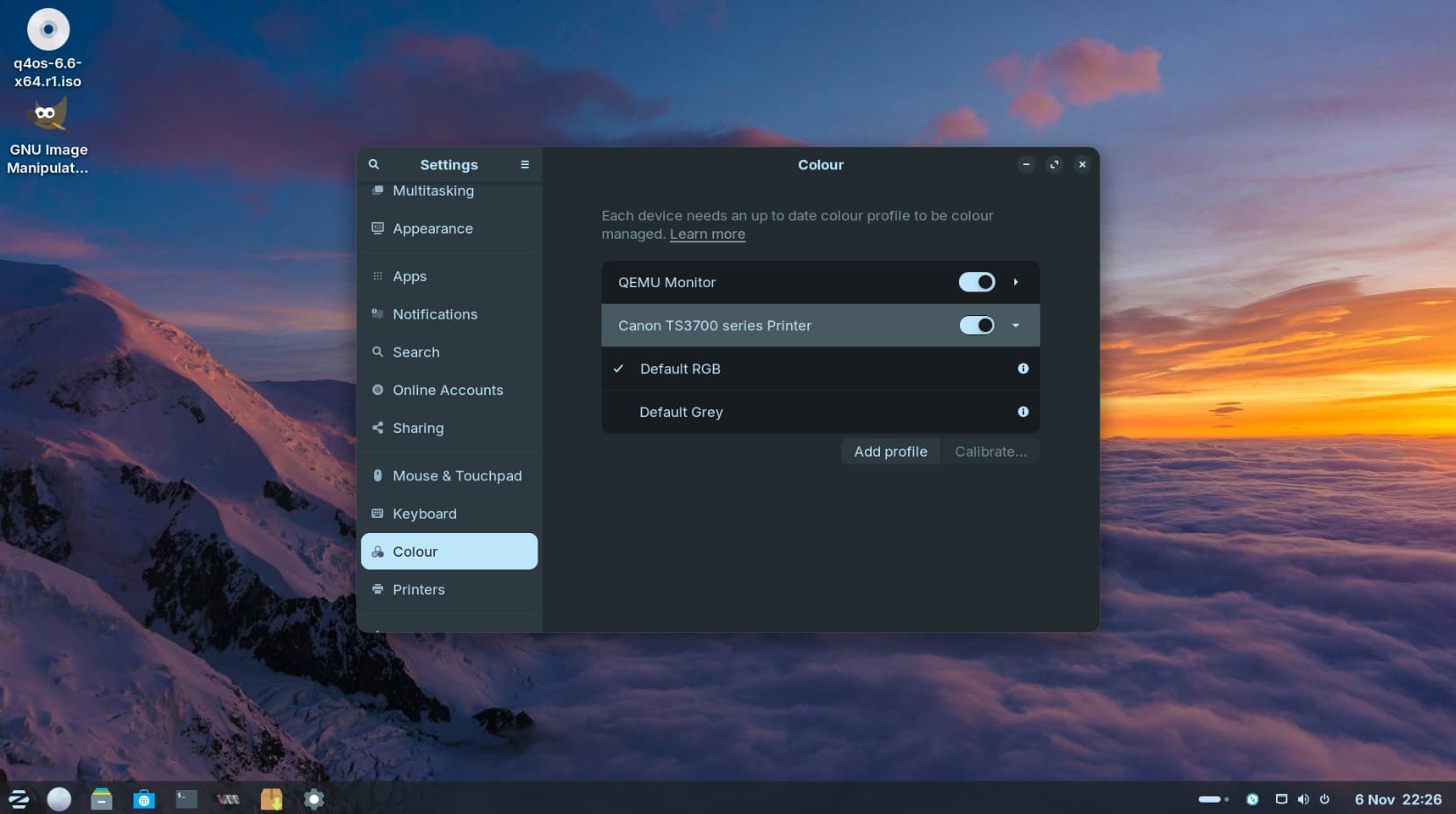
Have you checked profile settings in Zorin as well?:
1 Like
Okay, I am thinking it is just something with Zorin OS, as I can't access the printer's settings in the settings menu anymore. So I guess I will have to set up Catchy OS at some point...
1 Like
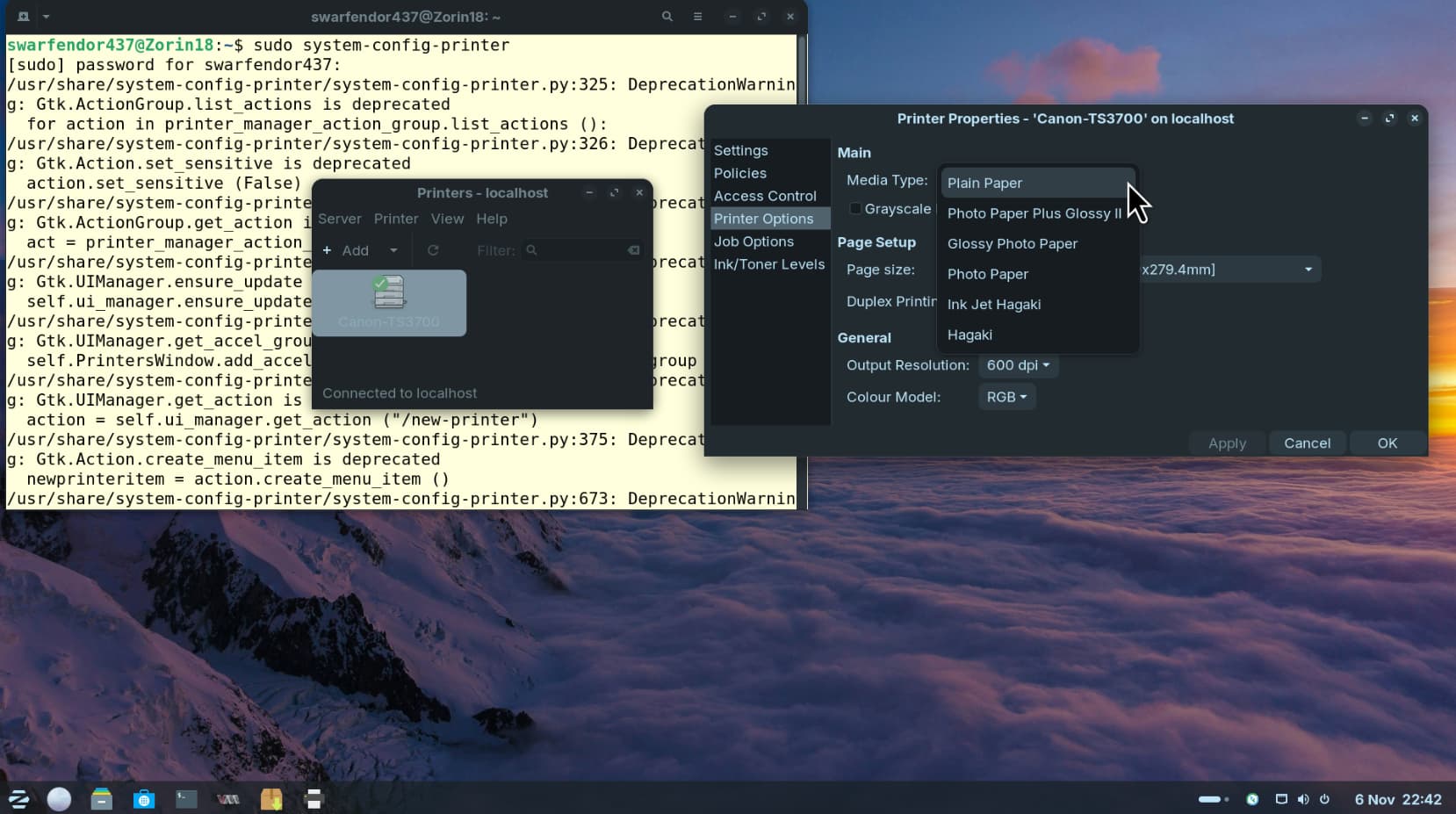
It is much better if you use system-config-printer as I pointed out in my video:
I don't use SystemSettings | Printers in Plasma either.
2 Likes
Ya, it is a lot better, but I will likely just switch operating systems. As I have spent too much time trying to get one printer to print a photo. Thank you for all the help!
2 Likes