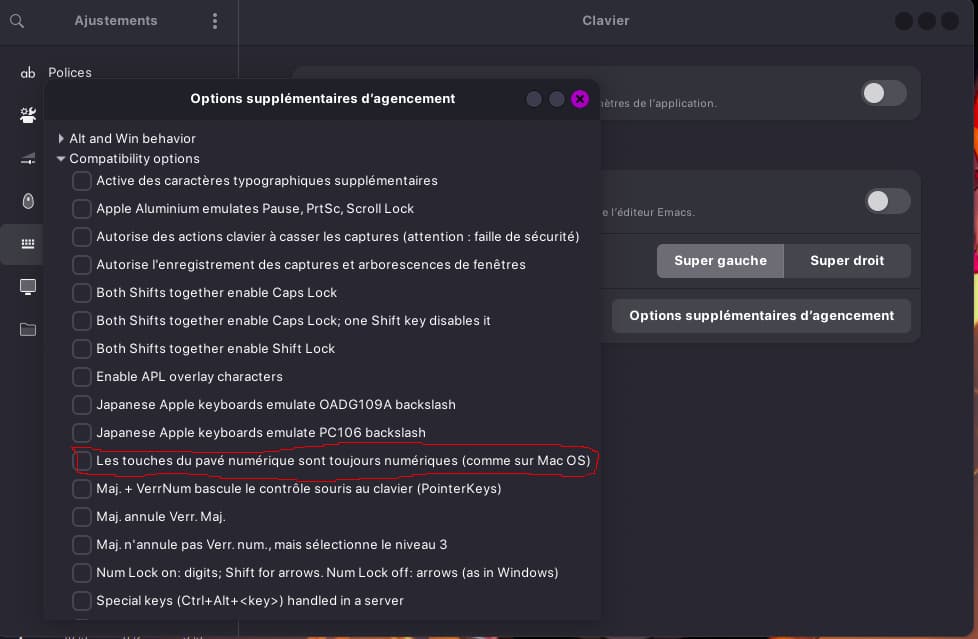
Would you be able to rebind those keys in the keybinds settings in those games? So for instance, rebind whatever 2 would be to... 2 again, but it might register it as the other key that it's actually reporting, so that it should hopefully work? I haven't run into this problem in regards to language, but key function sometimes in the same sense.
SHould work fine for you.
For me It only partially solved my issue. Key 2 work, but not the first key (left of 1) which is ² on the belgian keyboard. It does nothing. When I try with fr_BE its even worst, the key 2 doesnt work anymore.
This + :
the fact that Bottles just do nothing whatever I try (and I tried!!!!!)
that I can't just double-click on an exe to launch wine
that I cant even find wine in the "open with" menu
and neither specify a "open with other app...."
makes my whole gaming experience absolutely horrible.
And the more I am searching, the more I think it comes from all this additional layers that Zorin Os added for running Windows app "the simple way", which just dont work at all for me. Yes the game run fine. But all the steps I have to do to just launch a game totally ruins my experience. I switch accounts and servers all the time on wow and I a missing my responsive and straightforward systems.