I'm trying to install WinBoat, and it says here in pre-requisites that I need to have Docker, Docker Compose v2 and other things installed for it to run properly. so I tried installing Docker but I first need to set up Docker's apt repository, but I have this issue in terminal and I can't go further with the process because of it. what do I do? I don't know the commands necessary to disable this via terminal

Using Brave A.I. search engine I used Ubuntu 24.04 in the search criteria as Zorin 18 is a fork of Ubuntu 24.04. I strongly advise you back up any crucial data before messing with System Settings:
" To bypass the restriction on installing from an unofficial repository in Ubuntu 24.04, you can temporarily allow insecure repositories using APT configuration. This is typically done when working with local or unsigned repositories, but it poses a security risk and should only be used if you trust the source.
Step-by-step workaround:
- Create a configuration file to allow insecure repositories:
sudo nano /etc/apt/apt.conf.d/99insecure-repo.conf
- Add the following lines to the file:
Acquire::AllowInsecureRepositories "true";
Acquire::AllowDowngradeToInsecureRepositories "true";
- Save and exit (
Ctrl+O,Enter,Ctrl+Xin nano). - Update APT with the new settings:
sudo apt update --allow-insecure-repositories
- Install packages from the repository:
sudo apt install <package-name>
Warning : This disables security checks for the specified repository. Only use this if you are certain of the repository’s source and integrity. For long-term use, add the repository’s GPG key via
apt-keyorgpgto avoid bypassing security.
Alternative (recommended):
Instead of bypassing, add the repository’s official GPG key :
gpg --keyserver keyserver.ubuntu.com --recv-keys <KEY_ID>
gpg --export --armor <KEY_ID> | sudo apt-key add -
Then run sudo apt update normally.
Note : Ubuntu 24.04 disables insecure repos by default for security. The
--allow-insecure-repositoriesflag is a temporary override and may be deprecated in future versions.
AI-generated answer. Please verify critical facts."
Your output shows that the repository you are using lacks any files for the Noble (Ubuntu 24.04) series.
I do not recommend following the A.I. generated content above.
Instead, remove that repository as it is unneeded. In Zorin OS, the packages are already in the repository.
Once you have removed that download.docker.com/linux/debian repo. Once removed, in terminal, run:
sudo apt install docker.io docker-compose-v2
how do I remove the repository?
I am not sure how you added it... But,
Launch software & Updates
Does it show up listed in the "Other Software" tab?
If so, select it, then click the "Remove" button.

I'm not sure if I even added it.. is this the one?
That is the one.
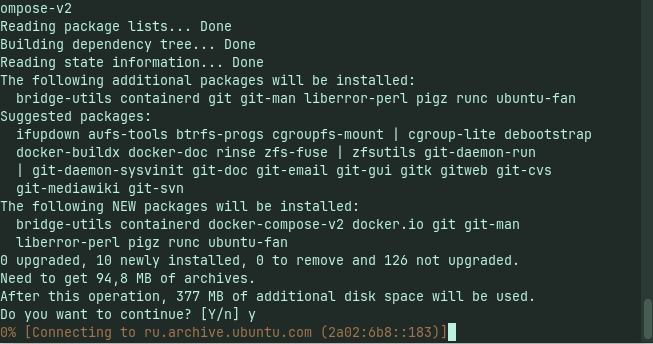
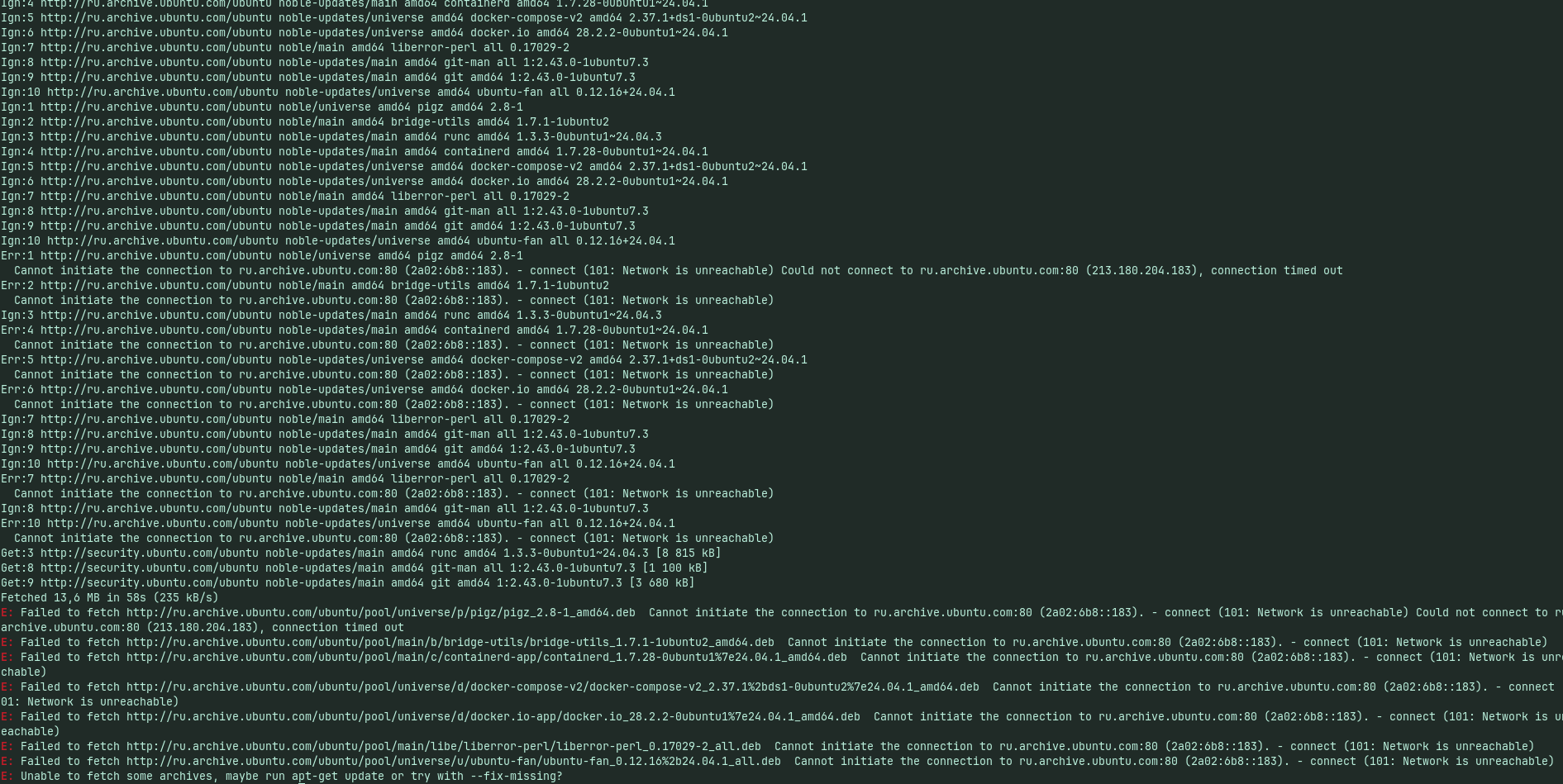
In Software & Updates app, switch "Download From" to Main Server.
It looks like the Russian mirror supplying the packages is unreachable...
Once done,
In terminal run:
sudo apt update && sudo apt --fix-broken install
Then
sudo apt install --reinstall docker.io docker-compose-v2
1 Like
it worked, thank you so much!!
1 Like
Run sudo apt update && sudo apt --fix-broken install after moving your repository to Main Server, and then reinstall Docker using sudo apt install --reinstall docker.io docker-compose-plugin.