Hello!
Can someone please help me?
I am trying to download ZorinOS 18.1 Core to my brand new Geekom A8 Max mini PC which I haven’t used yet and came preinstalled with Windows 11 Pro (which I refuse to use).
If everything works properly, I want to immediately upgrade to ZorinOS 18.1 Pro.
However, I am having issues regarding balenaEtcher. I installed it successfully on my iPad (since my 2019 iMac is unable to boot up at the present), but when I doubleclick on that file to launch the app, NOTHING HAPPENS.
This could be because there is no app on my iPad to open it, but I am not certain about this.
Any helpful advice would be much appreciated.
Thank you so much!
Welcome to the Forum!
I've read that You refuse to use Windows, but could it be an Option for You to use it to create a Bootstick with Rufus? It is a good Program in my Experience.
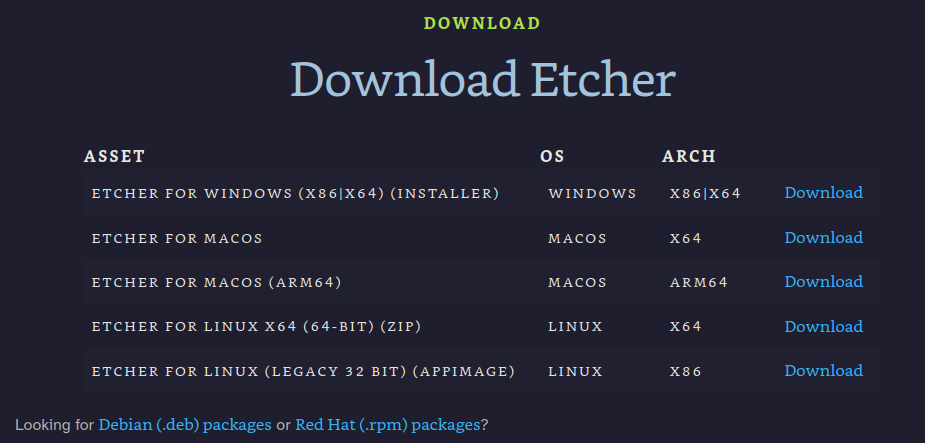
According to the balenaEtcher website, they only provide downloads for Windows, Mac, and Linux. It looks like there is no iOS / iPad app.
https://etcher.balena.io/#download-etcher
Apparently, the app USBZile has an iOS version which lets you flash bootable USB sticks, but I have never heard of it before and don't have any iOS devices of my own to test it.
Personally, I'd use the iPad to download the Windows versions of Rufus or Ventoy along with the Zorin ISO onto your USB stick, boot up the mini PC without connecting it to the Internet, and use that to flash the stick.
If you haven't already been through the initial Windows setup you can dodge the Internet connection requirement like so:
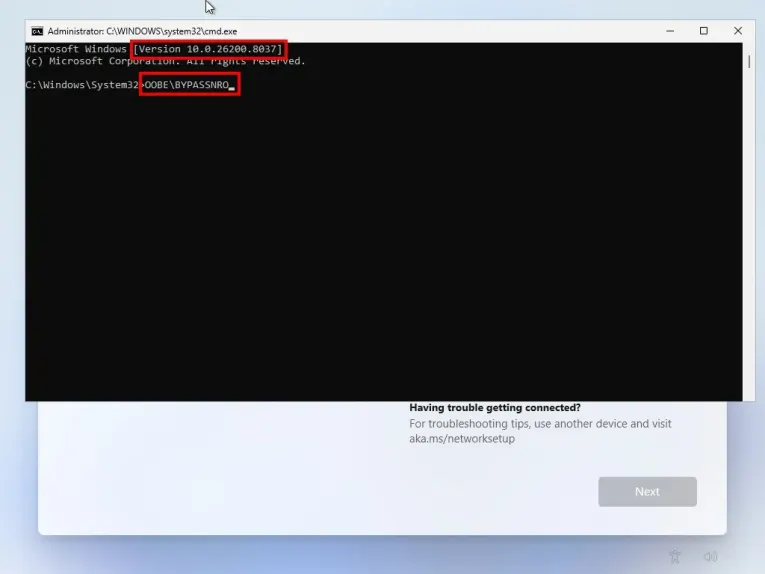
- on the network connection screen, use the keyboard shortcut
Shift + F10 to open a command line window
- type
OOBE\BYPASSNRO (all O are the letter, not the number) then hit Enter
- the computer will restart automatically
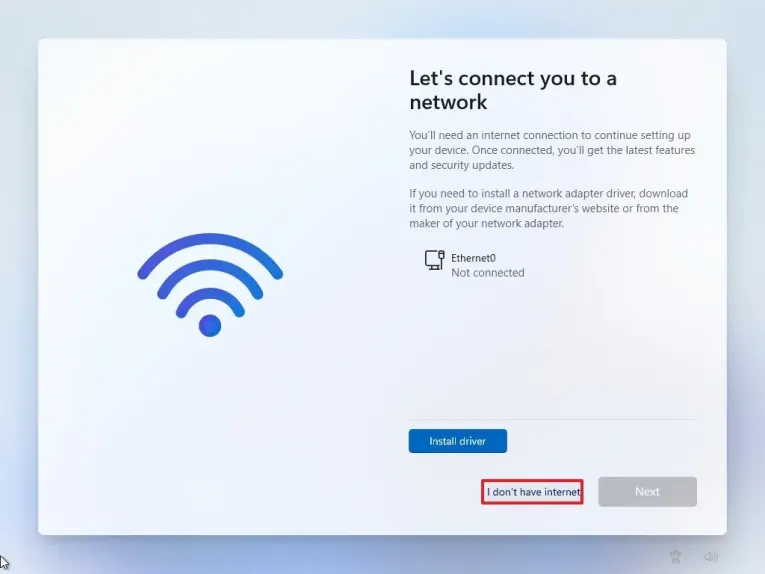
- go through the initital setup again, and when you get back to the Internet connection screen it should now have an "I don't have Internet" button to skip connecting
(from step 17 of this guide: https://pureinfotech.com/bypass-internet-connection-install-windows-11/)