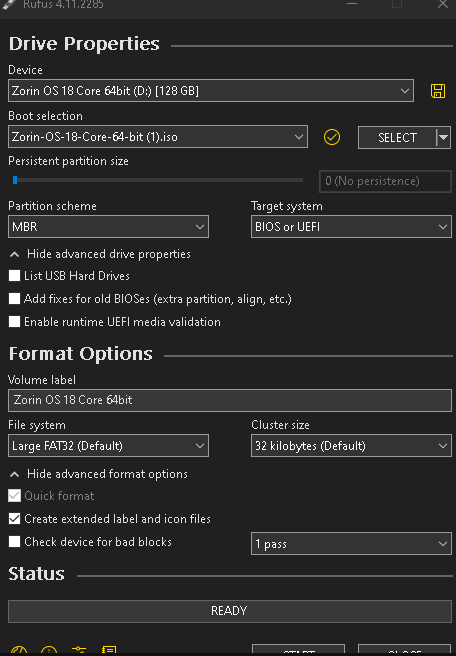
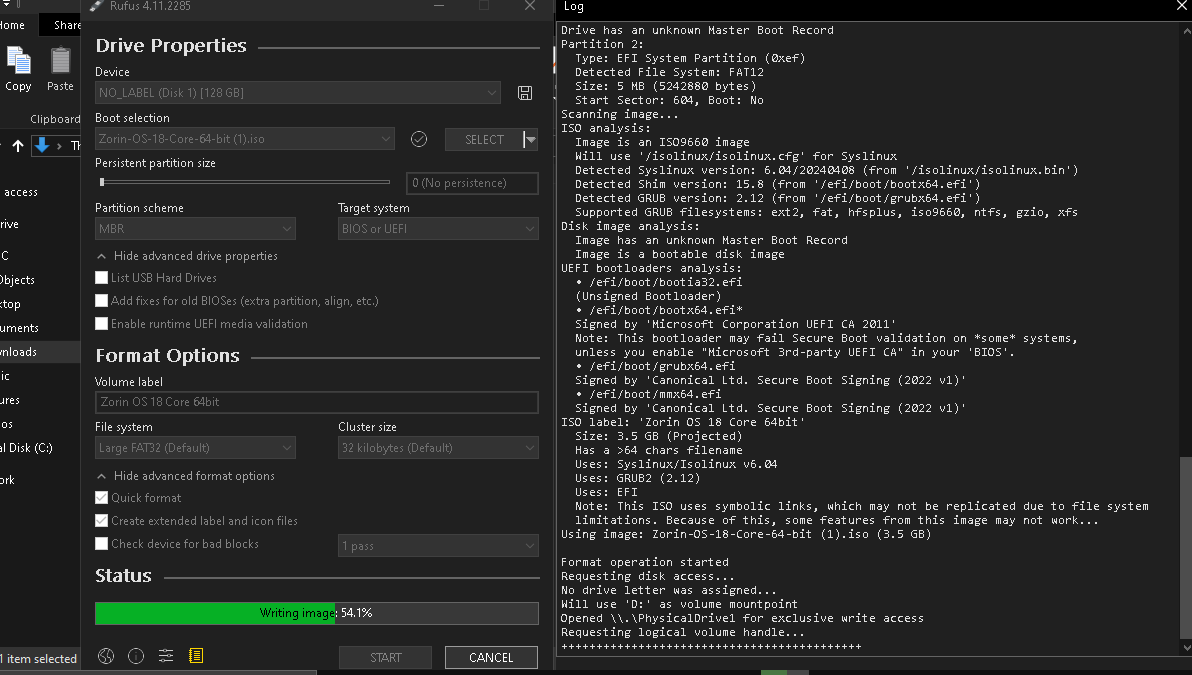
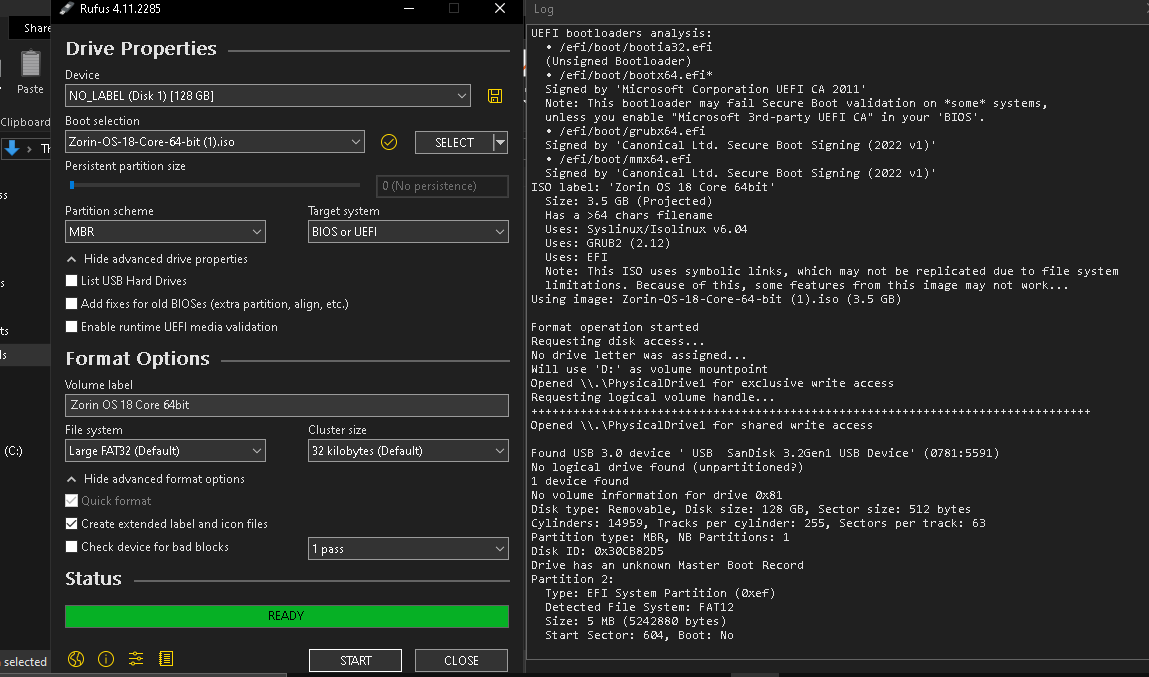
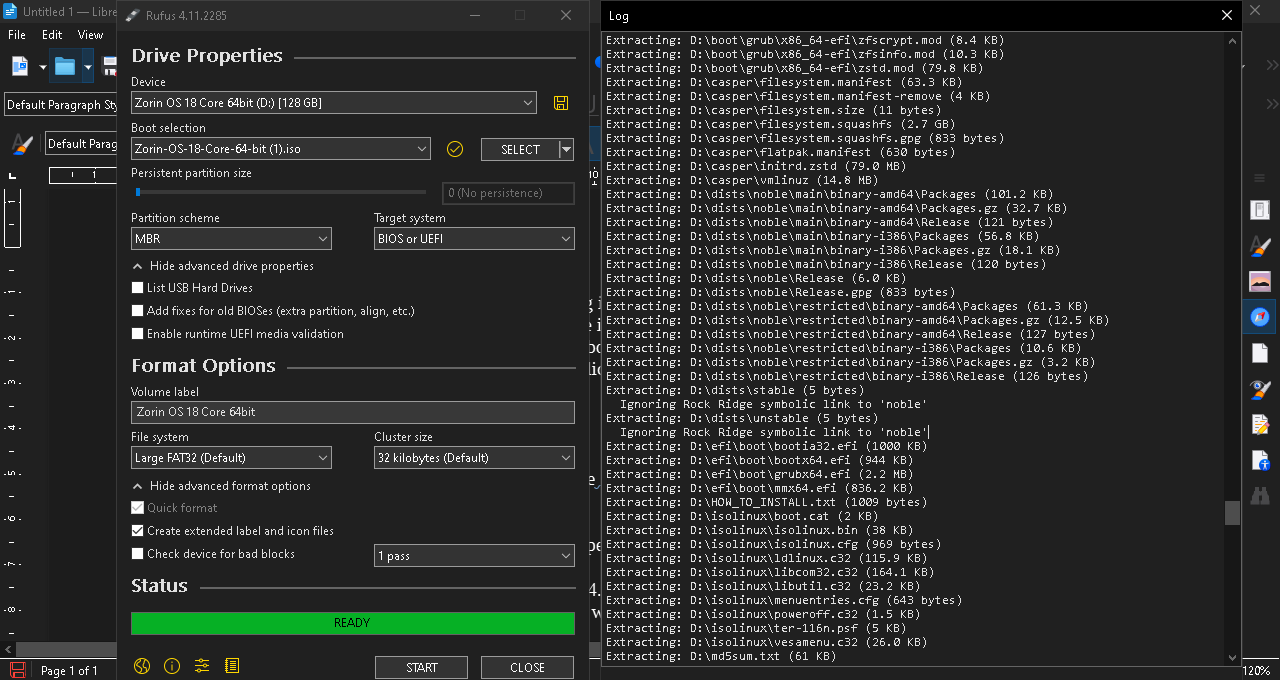
I'm trying to create a Zorin OS installation USB stick [using Rufus 4.11 on Windows 10 Pro] but I quickly ran into a problem with Rufus Ignoring "Rock Ridge symbolic link to 'noble' " during installation process and I also noticed to quote the log from Rufus 4.11, quote: "This ISO uses symbolic links, which may not be replicated due to file system limitations. Because of this, some features from this image may not work... Using image: Zorin-OS-18-Core-64-bit (1).iso (3.5 GB)" end quote.
I did try following the tutorials on the Zorin OS website and a few walk-through videos on YouTube from various users who made the installation process seem fairly straight forward, only for me to quickly run into technical difficulties myself.
Can someone please explain what any of this means? & can someone tell me how to fix it? Although please be patient with me as I'm just average windows user & complete Linux noob!
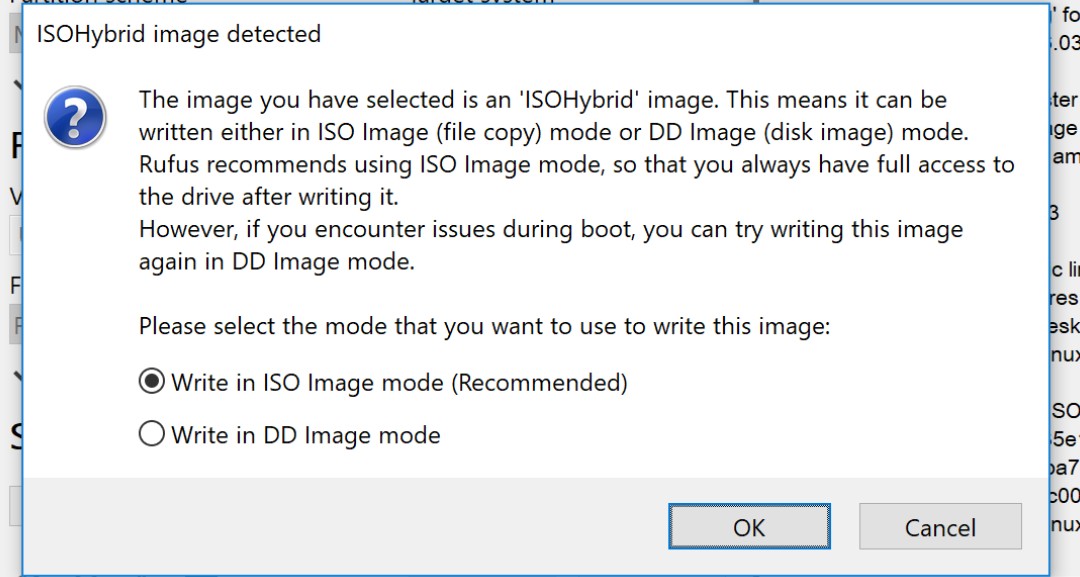
Thank you so much for your prompt reply. Please forgive me for my ignorance but how exactly do you that? I loaded Rufus and inserted the bootable USB stick but I cannot find a way to select "DD mode".
It should in a Drop Down Menu on the right side of the option for Writing the image.
If you do not see it at all... (If, maybe Rufus has made changes and that option is no longer present); Another option would be to use another etcher. I prefer Ventoy.
Unfortunately Rufus doesn't appear to have a "DD Mode" I've tried just about every option available in every drop down menu. I think that you are correct, I think that Rufus may have removed it.
Thank you so much, I don't know how I missed that but I found the "write in DD Mode" just like you photo. I followed both Aravisian's & your instructions and created the bootable usb stick in "DD Mode".
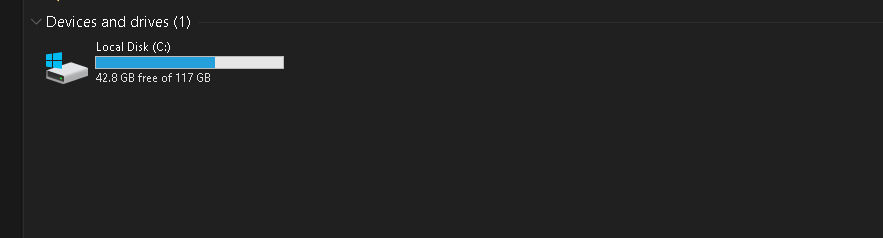
The only thing is now it isn't showing up as a usb stick in the drive folders anymore and Rufus says that it doesn't boot. Is that meant to happen?
I have never used this mode, so unfortunately I don't know. When I created a stick with ventoy today, it was no longer visible after creation and I had to unmount it and remount it to be recognized.
Unfortunately unmounting/remounting the usb stick after using Rufus didn't do anything apart from make the usual windows unmounting/remounting sound. It still isn't recognized by Windows 10 Pro as a drive.
I also tried reformating the usb stick in NTFS as opposed to Large FAT32 in DD Mode but it makes no difference the drive doesn't show up and isn't bootable once finished.
I think it's safe to say I've hit a brick wall with Rufus 4.11 on Windows 10 Pro.
Apologies but I've never used cmd to do that before and I ran into technical difficulties. I downloaded that .iso file from the Greek mirror as opposed to the Irish mirror I used last time. I think I got the path wrong for cmd but I don't know what it's meant to look like. Could you please show me how to correct the path? I've never used "certutil -hashfile PATH/TO/FILE SHA256" before and I feel like I've been asked to drive in the deep end when I can barely swim [no offense intended].
C:\Users\Owner>certutil -hashfile PATH/TO/FILE SHA256 C:\Users\Owner\Downloads\Zorin-OS-18-Core-64-bit(2).iso
Expected no more than 2 args, received 3
CertUtil: Too many arguments
Usage:
CertUtil [Options] -hashfile InFile [HashAlgorithm]
Generate and display cryptographic hash over a file
Options:
-Unicode -- Write redirected output in Unicode
-gmt -- Display times as GMT
-seconds -- Display times with seconds and milliseconds
-v -- Verbose operation
-privatekey -- Display password and private key data
-pin PIN -- Smart Card PIN
-sid WELL_KNOWN_SID_TYPE -- Numeric SID
22 -- Local System
23 -- Local Service
24 -- Network Service
CertUtil -? -- Display a verb list (command list)
CertUtil -hashfile -? -- Display help text for the "hashfile" verb
CertUtil -v -? -- Display all help text for all verbs
Did you happen to check the log after creating the install drive in Rufus 3.22?
It's just when I tried creating the install drive in Rufus 4.11 as ISO, it was bootable but it was missing 10 bytes of data. As it ignored two files during creation.
I'm not sure about anything to be honest, my pc isn't do what you are tell me to do.
C:\Users\Owner>certutil -hashfile C:\Users\Owner\Downloads\Zorin-OS-18-Core-64-bit (2).iso SHA256
Expected no more than 2 args, received 3
CertUtil: Too many arguments
Usage:
CertUtil [Options] -hashfile InFile [HashAlgorithm]
Generate and display cryptographic hash over a file
Options:
-Unicode -- Write redirected output in Unicode
-gmt -- Display times as GMT
-seconds -- Display times with seconds and milliseconds
-v -- Verbose operation
-privatekey -- Display password and private key data
-pin PIN -- Smart Card PIN
-sid WELL_KNOWN_SID_TYPE -- Numeric SID
22 -- Local System
23 -- Local Service
24 -- Network Service
CertUtil -? -- Display a verb list (command list)
CertUtil -hashfile -? -- Display help text for the "hashfile" verb
CertUtil -v -? -- Display all help text for all verbs
cmd starts with C:\Users\Owner> by default and it wont let me remove it from the terminals path before imputing certutil -hashfile C:\Users\Owner\Downloads\Zorin-OS-18-Core-64-bit (2).iso SHA256
Hence why it was imputed as C:\Users\Owner>certutil -hashfile C:\Users\Owner\Downloads\Zorin-OS-18-Core-64-bit (2).iso SHA256