Hello everybody
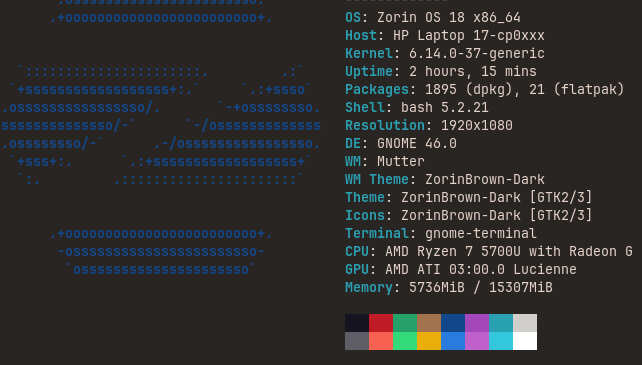
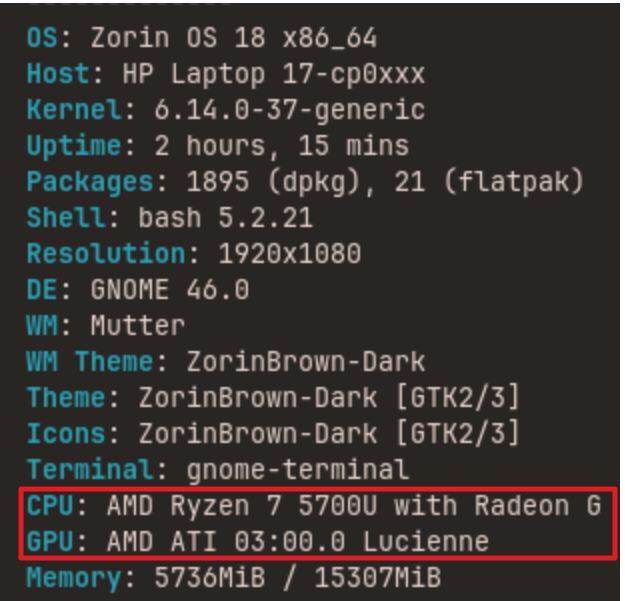
Idk if other people tend to have it or maybe I just don't have the most compatible drivers but I often can have some light lags of my mouse cursor (happens with the mouse or the touchpad). Basically sometimes it kind of freeze a little bit for no reason
Idk if you have some ideas of what I could do to improve it or what because it can be very bothering when playing.
I know it's not something from memory or what, it happens on Wayland and Xorg, from install reboot or what, with tabs on or not.
All input seeing lag suggests either GPU or CPU hang - when a process gets stuck.
You are using AMD and Intel, but are you using a balanced graphic setting, or staying only on as dedicated card?
If Balanced, do you see mouse cursor lag only when on one GPU?
You might try the following parameters in order to manage both GPU actions:
You can follow this guide, but do not use nomodeset at all. Just use i915.enable_psr=0 amdgpu.dc=0
After adding the parameters and ensuring it is correct spacing and no typo's,
Tap ctl+o to overwrite, enter key to save current config, then ctl+x to eXit the editor.
Run
sudo update-grub
You must reboot for the changes to take effect and test if this eliminates mouse stuttering.
Thanks!
It seems to have done most of the job. The issue's still there kind of but rarer and shorter it feels like
I'll buy a wire mouse tomorrow and I'll see how it goes with it
So I've tried, it seemed to make stuff better
However then, I had to reboot my laptop for some reason… and the screen froze on the zorin logo on starting. I had to reinstall a new zorin os to make it work (thanksfully I didnt have any critical folder/file on my laptop)
Since I've tried to install the latest Mainline kernel and it seems to have fixed all of the bug or 99% of it so tada lol