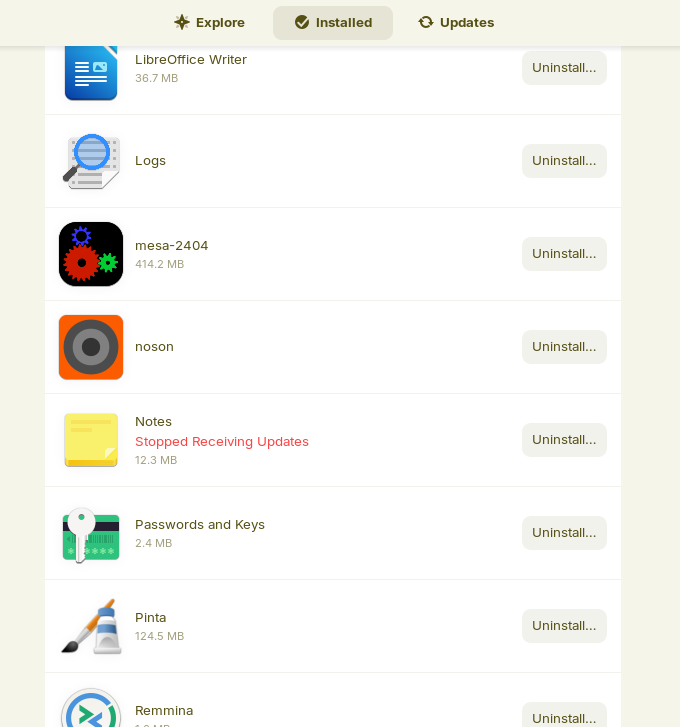
Hi. I'm hoping someone can help me here. I'm trying to remove an app icon of a non existent app, Noson. All indications are that the Noson app is no longer installed on my laptop but the icon still shows up in All Apps, Show Apps & Software>Installed (where it has an "Uninstall" button that does nothing). And even though the Noson app no longer exist, Software Updater continually tries to update it!
The sudo app remove cmd returns: "No apt package "noson", but there is a snap with that name.
But then the sudo snap remove cmd returns: "snap "noson" is not installed"
It's a minor thing I know but it's one I'd like to get rid of if possible especially the attempts to try and update a non existent program. Any suggestions or questions would be appreciated.
It is probably a residual .desktop file.
Elevate to Root
nautilus admin:/
Then navigate to /usr/share/applications and remvoe the noson .desktop file if present there.
If not present, close the Admin Nautilus and open it normally as your user and tap ctl+h to see hidden system files in your home directory.
Navigate to /.local/share/applications and check and remove if there.
Alternatively, you can use the Main menu app to disable seeing it in the menu by unchecking its box. This will not remove the file, just set it to not show up.
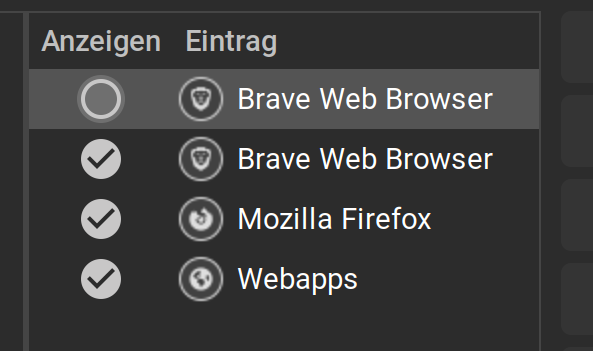
Thanks. I tried all three methods and Noson shows up only in Main Menu > Sounds & Video. It has check mark but to the right is a menu with a Delete button. Unchecking it removes the icon from only All Apps and at restart Software Updater still tries to up date it.
Do you think Delete would remove it without affecting anything else?
If it was there, as far as I can tell it's not now. I could post the results if that would help. But a search for Noson in Software indicates it's installed as either a flatpak or snap. I think I tried both ways because I couldn't get either one to work correctly.
Back to my other question, how about just Delete it? My concern is would it delete the all checked apps or just the unchecked & highlighted Noson app?
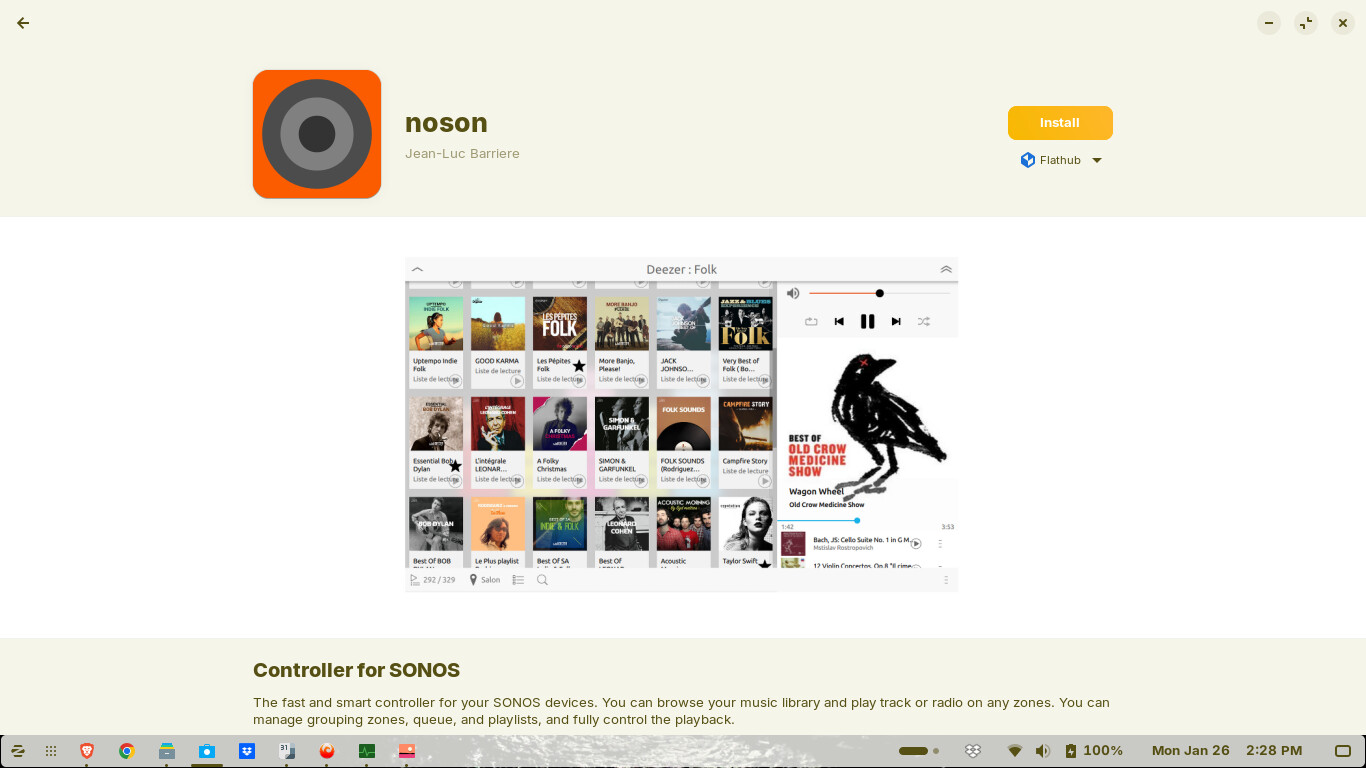
Sorry, I can see how I worded that my cause confusion. No, the Softwae store shows that both the flatpak and snap versions have the "Install" button so apparently the Software store some how knows Noson is not actually installed.
But, I took the easy way out, Delete! Thanks Ponce -De-Leon for the encouragement! And problem solved, almost. I say almost because there is still the Noson app icon left in Software > Installed with an Uninstall button that as before does nothing. Clicking on the app opens Loading App Details page where you can click the Install button!
I'll consider this really solved as long as Software Updater doesn't keep trying to update a non existent program and so far so good. Thanks for all the input.
The first shot is Software > Installed apps & the second shot is the Apps Detail page after clicking the icon. I did notice this time that as soon as this page opens it displays an Uninstall button which almost immediately changes to Install!
As far as I can tell this is the only Noson app icon left and it apparently does nothing which is ok. My main interest was trying to stop the update attempts which so far appear to have stopped!
Did You checked in Main Menu if Noson maybe have more than one Entry? I mean that it maybe has in several Categories existing Entries but disabled.
Also: When Gnome Software is open, open System Monitor, search for the gnome-software Process and end it. The Gnome Software Window will disappear. That is intended. Then open Gnome Software again and check if the Noson Entry is gone.
I'd deleted Noson from Main Menu a while ago and I've looked through every single line a few times, I don't see it any where else in Main Menu. The only place it still shows up now is in Installed Software, still with Uninstall button that does nothing. And still, if I double click the icon it opens the Software page (photo) that allows you to Install the app. And still, when that page opens it initially opens with an Uninstall button that quickly changes to the Install button!
Also, I've tried your suggestion of ending the gnome-software process in System Monitor a few times and the icon never goes away, just always there!
And, much to my dismay, Software Updater did again try and update Noson. The next time that happens, if I'm quick enough, I'll try and get a screen shot of the process details because I'm pretty sure I noticed a few lines in the process indicating it going through what appeared to be an "install", not just an update!
One question: how would I go about searching the entire "C" drive in Files for anything related to "Noson" ( like in Windows Explorer )? Is "Home" the same as the "C" drive?
EDIT:
I am going away for a while. @Forpli included the Snap and Flatpak variant commands.
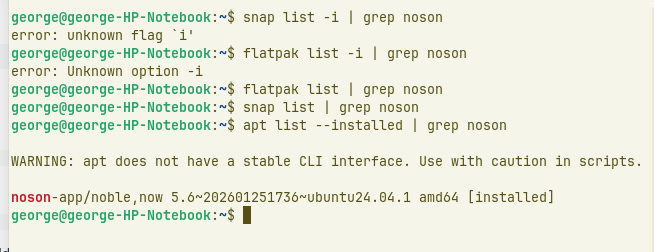
If the dpkg command above shows any noson files, run:
sudo apt purge noson
Then kill Gnome Software
killall gnome-software
Then run:
sudo appstreamcli refresh-cache --force
Reboot and test if Gnome Software is still showing it as installed. If it is not, it is a safe bet that the updater will not try to update it any longer.
If you want to search for noson in nautilus, press ctrl+h to show the hidden files, enter / in the adressbar of nautilus (maybe you need to press ctrl+L first to be able to) and then in the search field type noson.
Apparently -i doesn't work so I tried some other cmds I found and "apt list -- installed" found essentially the same Noson app that cmd dpkg -l | grep found.
Please let me know any of this makes any sense to you or questions, etc.
Thanks for the help.