Report: Visual Artifacts in System Settings and Context Menus

Bug Report: Visual Artifacts in System Settings and Context Menus

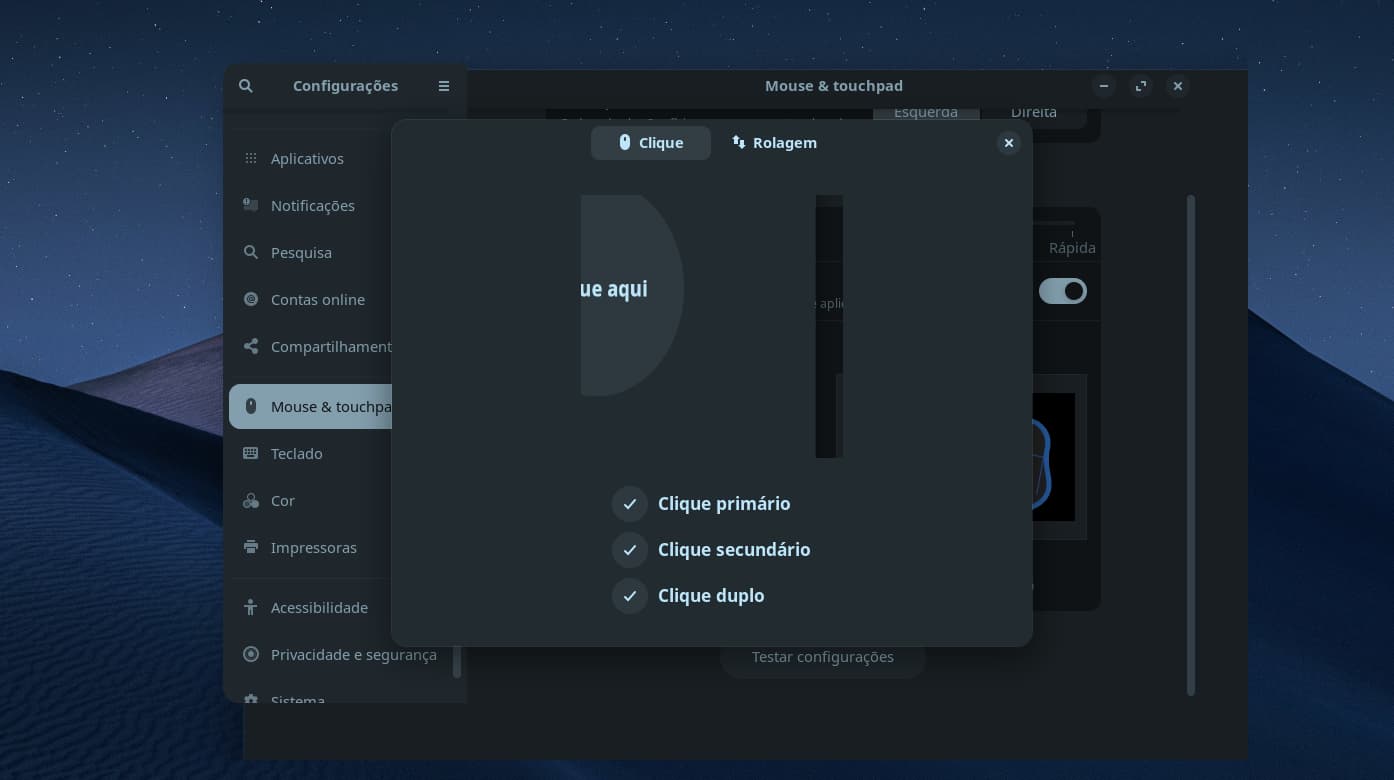
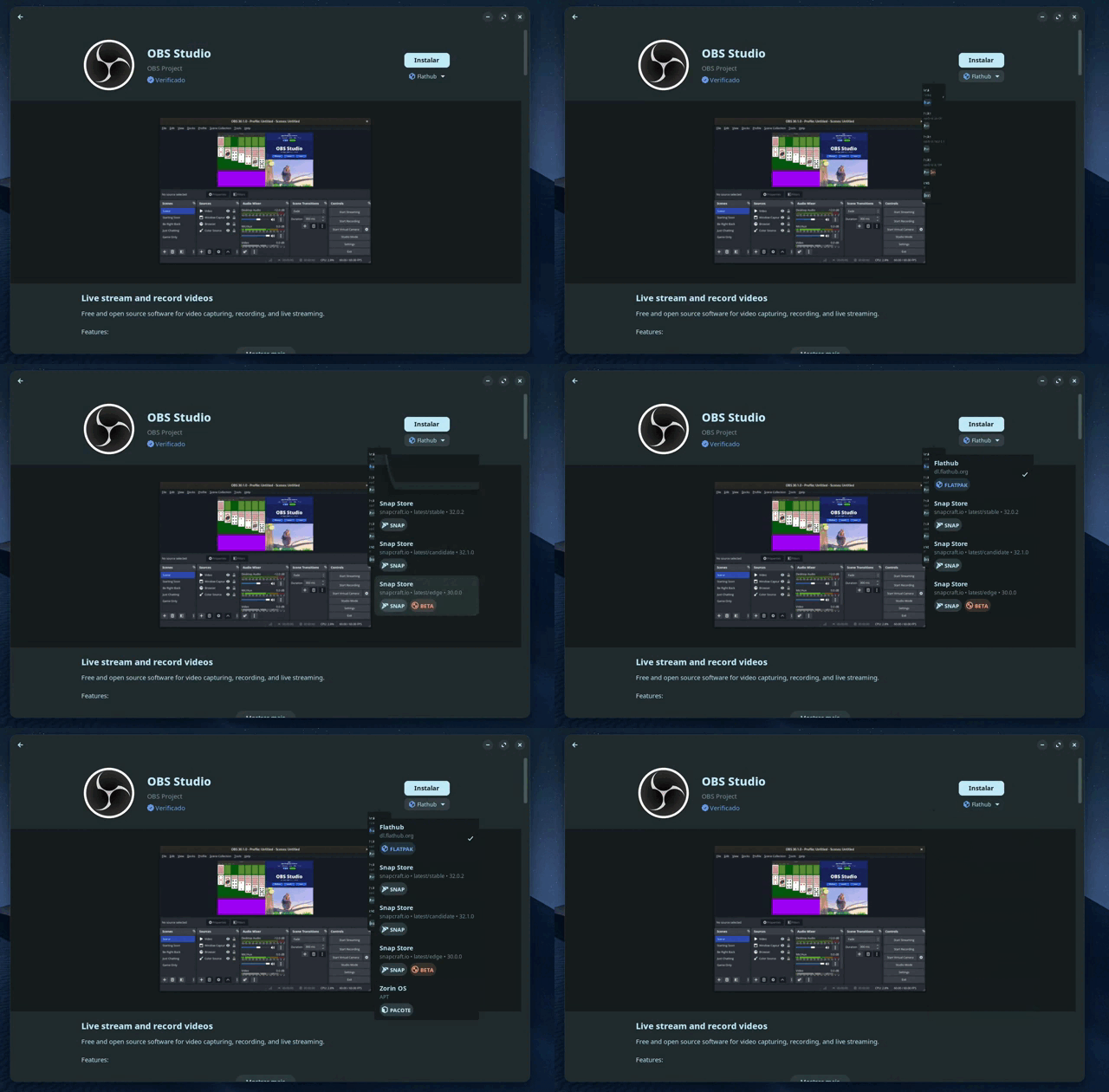
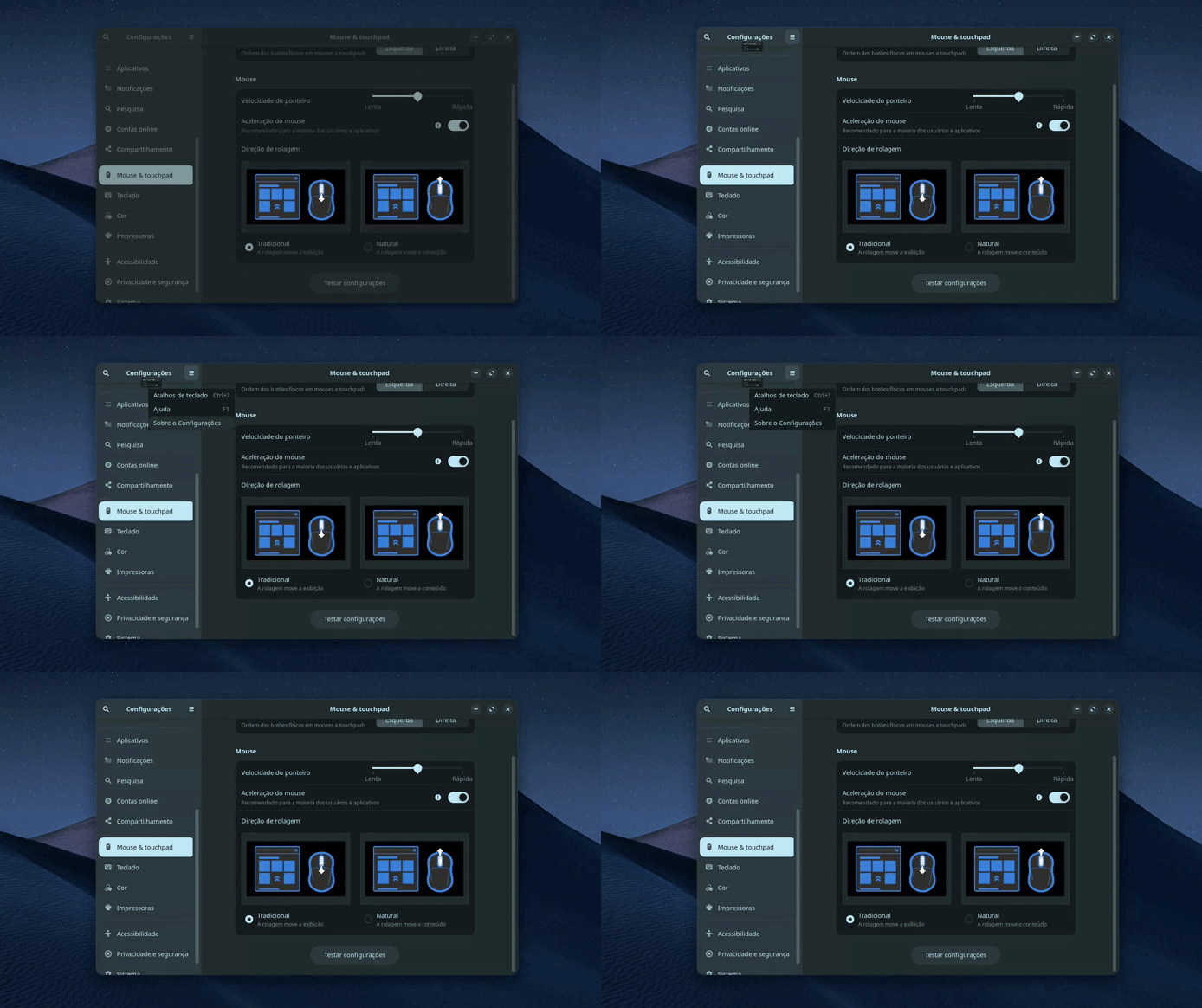
Summary: Visual glitches occurring in toggle switches, dropdown menus, and selection boxes. The issue is not universal across all applications; it is primarily observed within native system configuration screens and GNOME-based interfaces.


System Information (Environment)

  • OS: Zorin OS 18.1 (Noble)
  • Kernel: 6.17.0-20-generic x86_64
  • Desktop Environment: GNOME v: 46.0 (Zorin Desktop)
  • Display Server: X11 (X.Org v: 21.1.11)
  • CPU: 12th Gen Intel Core i3-12100F
  • GPU: NVIDIA GT218 [GeForce G210]
  • Driver: nouveau (v: kernel)

Description of the Error

Since I started using Zorin OS on my workstation, I have noticed specific graphical glitches:

  • Location: "Settings" panels, file selection menus, and various list options (e.g., Search, Accessibility).
  • Behavior: Toggle switches and dropdown menus exhibit strange shadowing, element duplication (ghosting), or failures in border rendering.
  • Observation: The problem appears to be restricted to elements of the OS's native interface or GTK-based GNOME components.

Supporting Media
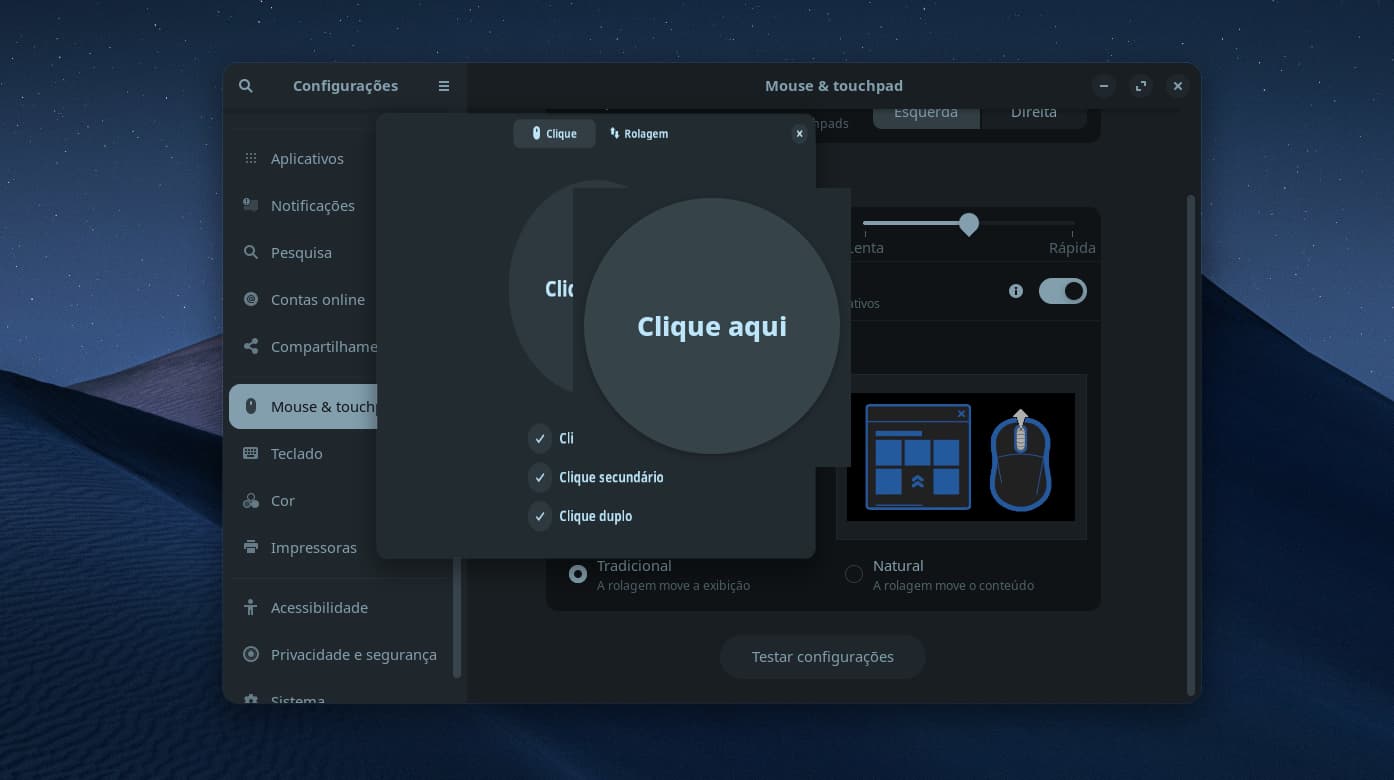
Gravação de tela de 2026-04-15 11-43-40

Gravação de tela de 2026-04-08 14-47-06


Troubleshooting & Questions

Has anyone else experienced this or is there a known incompatibility with specific video drivers?

I am looking for suggestions on:

  1. How to properly debug these rendering failures (specific logs or terminal commands).
  2. Known fixes for GTK theme rendering issues on specific hardware.
  3. Whether this is a known issue related to hardware acceleration.

This card was released in 2009 as an ultra low end card.
What driver does the system show in use?

sudo lshw -C video

1 Like

Yes, it really is quite old.

The installed driver is nouveau. Here is the configuration line from the output:

configuration: depth=32 driver=nouveau latency=0 mode=1920x1080

It seems Nvidia doesn't always get alongwell with the Xorg compositor.

Suggestion:

Try running nvidia-drm.modeset=1 first. It is a core system change that improves how the driver handles display buffers.

Reboot.

If problem persists, turn on
"Force Full Composition Pipeline" in the NVIDIA Settings app.

1 Like

Thanks for the tips. This old hardware is really complicating things.

I can’t actually use the NVIDIA Settings app or the modeset flags because I’m running the nouveau driver. NVIDIA pretty much killed support for this card on modern Kernels. What I’ve Tried launching with GSK_RENDERER=cairo, gl, and ngl. None of them fixed the weird shadows or the ghosting on the switches. Since I’m on nouveau, the NVIDIA-specific tweaks just don't do anything.

Did a bit more research and have a few more suggestions (after setting a Timeshift restore point of course! )

  1. You might try be able to force GTK to ignore the GPU entirely by running:

GDK_DEBUG=nocairo,vulkan,opengl

This is a debugging flag, but it sometimes bypasses the driver-specific glitches that the standard renderer flags miss.

  1. Another idea:

a) Since ghosting on switches and weird shadows often stem from how Nouveau handles Anti-Aliasing or Anisotropic Filtering, and you can't use the NVIDIA Settings app, let's talk to Mesa directly. Try launching your app by running:

allow_rgb10_configs=false vblank_mode=0 [your-app-name]

b) Or, specifically for shadows and ghosting, run:

export MESA_EXTENSION_OVERRIDE="-GL_ARB_shadow"

That command tells the app that the GPU doesn't support the specific shadow-mapping extension, forcing it to use a simpler, likely less-buggy method.

  1. Sometimes the ghosting is actually a text/border rendering issue, in which case you can try forcing GTK to use a different hinting style via gsettings by running:

gsettings set org.gnome.settings-daemon.plugins.xsettings antialiasing 'none'

(Note: You can change 'none' to 'grayscale' or 'rgba' to see if the ghosting on switches changes behavior.)

  1. If your card is "modern" enough to support even basic Vulkan (some older cards do via Nouveau), you can try Zink, which runs OpenGL on top of Vulkan. It sounds counter-intuitive, but Zink is often better maintained than the native Nouveau Gallium driver. Here's the command:

__GLX_VENDOR_LIBRARY_NAME=mesa MESA_LOADER_DRIVER_OVERRIDE=zink [your-app-name]

  1. If your card is stuck in its lowest power state (which Nouveau often does by default), the "ghosting" you see might literally be the GPU failing to update the framebuffer fast enough because it's running at ~100MHz.

Check to see if you can manually "boost" the clock speed by running:

sudo cat /sys/class/drm/card0/device/pstate

If it says 01 or 0a (lowest), the driver might just be too slow to handle GTK4's heavy use of Gaussian blurs (shadows).


Remember also that with hardware issues, powercycling after changes can make all the difference.

Good luck!

1 Like