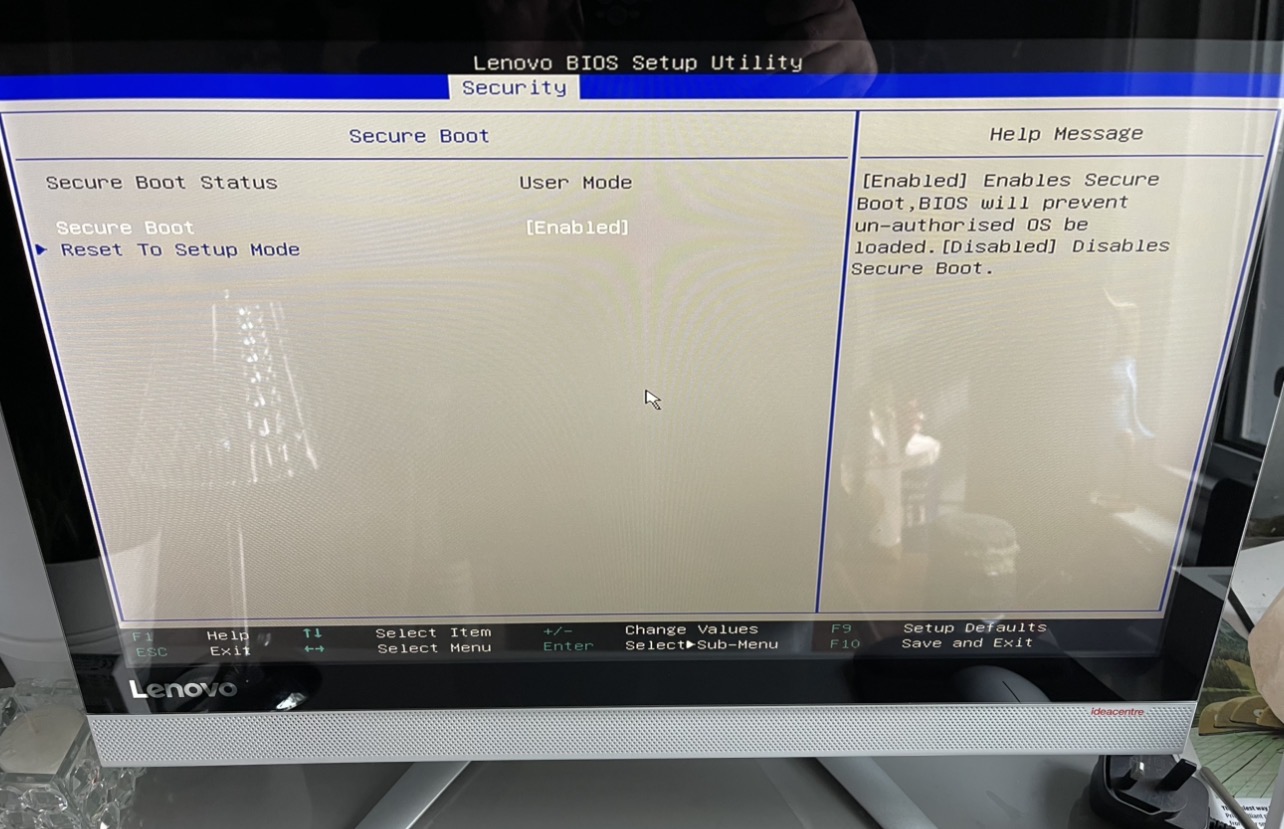
Please click on secure boot at tab security and post a screenshot.
1 Like
Okay, here I can see that the Boot Mode is UEFI. So, when using Rufus, it would be good to choose on the ''Partition Sheme'' Option GPT.
Also You have there the Option ''Primary Boot Sequence''. Press Enter on this to show more Details.
And here You have the ''Secure Boot'' Option (the last one). Choose that and show the Details.
You're faster than I type, hahaha! Okay, Secure Boot is enabled. Click on it and choose Disabled.
Done that
Saved and exited but no change.
What is with this:
1 Like
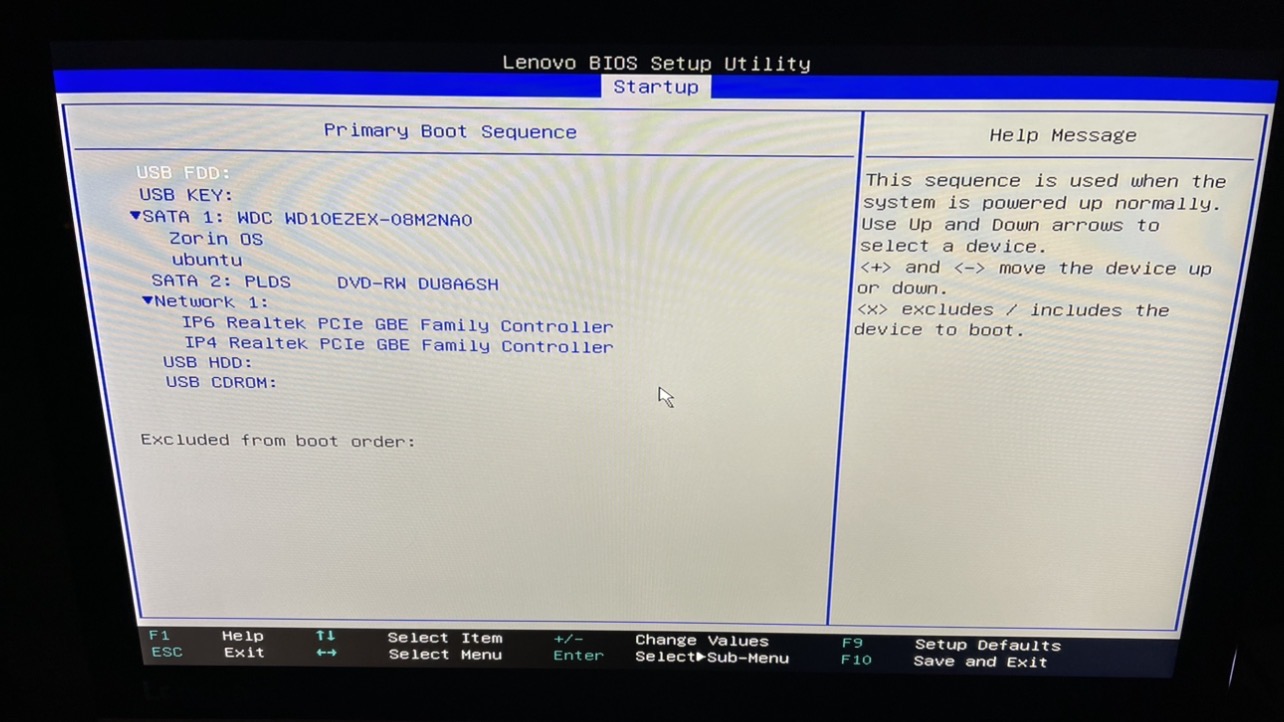
Okay, Zorin OS Entry is there ... So, based on this Info's now, I would suggest to create again a Bootstick with Rufus and choose on the Partition Sheme Option GPT and then create the Stick and install Zorin.
Thanks , is that simple to do?
You mean create the Bootstick? Or the Thing with the Partition Sheme Option? In Rufus it is here:
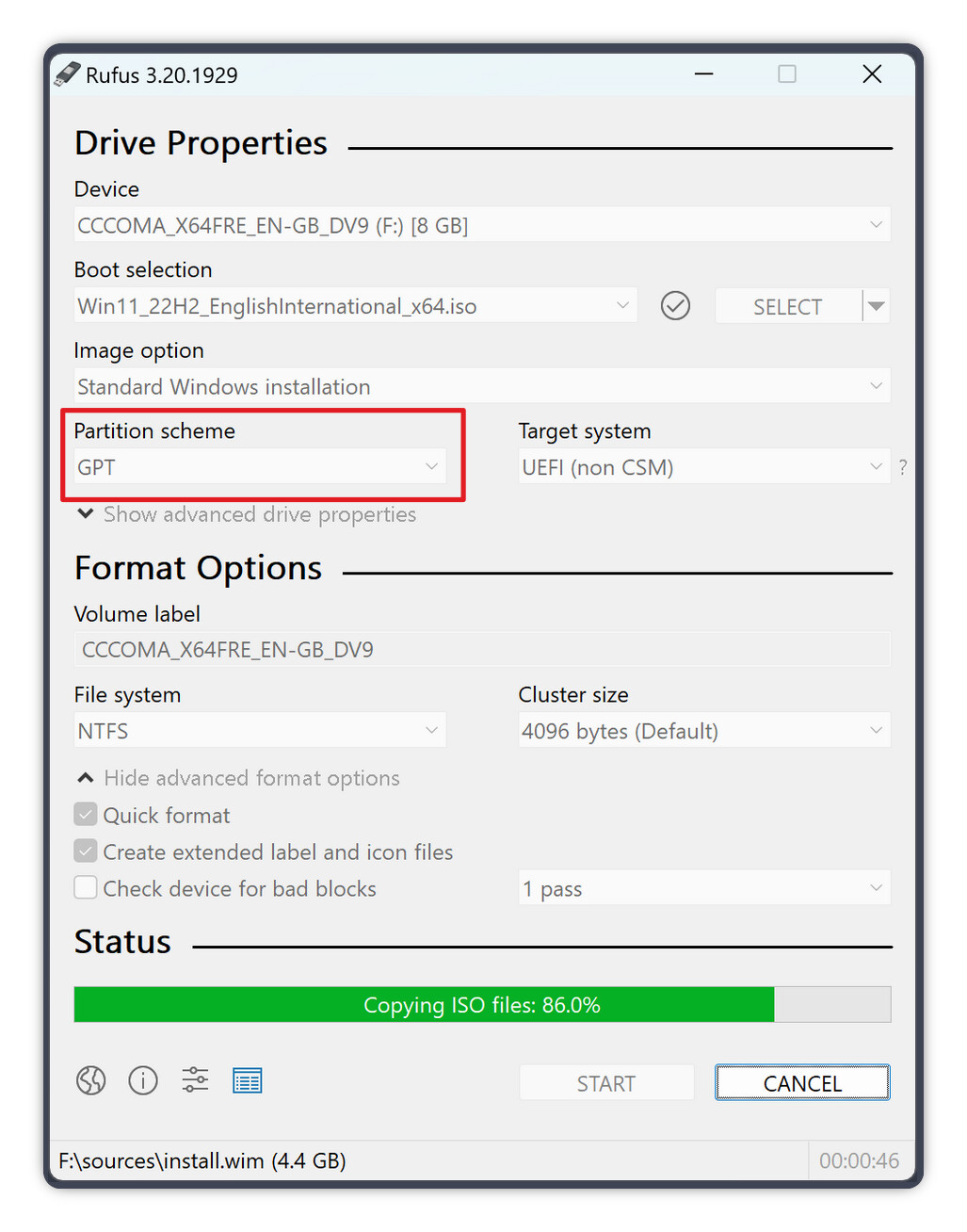
(see the red marked Area)
There choose GPT. And I would suggest to format the Stick to FAT32 if it is 32Gig's or smaller.
Thank you . So just follow the steps for a install?
Yes. Do You need for this some Advice, too or is all clear with that?
All good thanks. Thanks for the replies 
1 Like
Same thing happened to me (boots up to a black screen after installation)... I had to turn off secure boot to install and then re-enable it after installation.