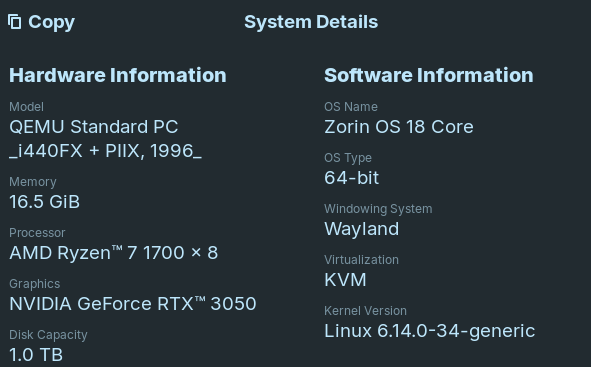
On Zorin OS 18, screen blanking only makes the screen blank and not actually off. Set to 1 min to double check. I.e. the monitor LED is green instead of orange.
In this case I just turn off the monitors for now until I figure it out.
GPU 3050 with hardware passthru in a Unraid VM. Keyboard/mouse hardware passthru. Set VM to 8 of 16 CPUs instead of pinning.
All software up to date.
Defaulted to Wayland.
Only can get Nvidia 535 driver to work, all other cause the screens to turn off and on and there is no login screen.
The first Thing, I would suggest id to switch to Xorg. To do that, go to the Login Screen, not the Lock Screen. simply roboot for that. On the Login Screen, click on Your Profile so that the Password Field appears. when it is appeared, You should see in the bottom right Corner a Gear Icon. Click on it and choose the Option ''Zorin Desktop on Xorg'' and then log in.