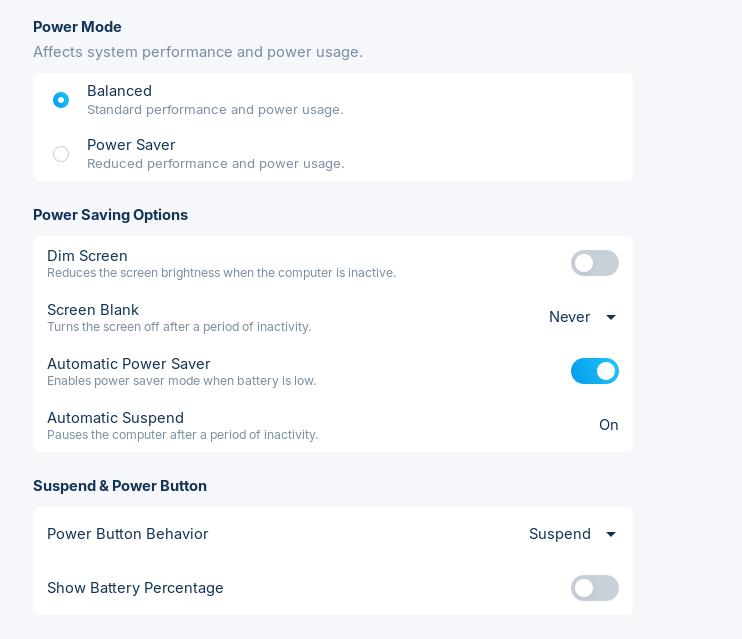
My screen dims after seconds of inactivity. I already adjusted the settings, but that hasn't solved the issue. Any suggestions?
Thank you,
My screen dims after seconds of inactivity. I already adjusted the settings, but that hasn't solved the issue. Any suggestions?
Thank you,
Welcome to the Forum!
echo $XDG_SESSION_TYPEalso check the panel power settings vs the monitor’s own eco/auto-dim, those fight each other a lot on zorin for me. if echo $XDG_SESSION_TYPE is wayland, try an xorg session once just to see if the dim timer behaves. laptop ambient light / auto-brightness can still yank brightness even when the idle slider looks fine.
Maybe the fix shown here can help:
You have already set this:
gsettings set org.gnome.settings-daemon.plugins.power idle-dim false
So, try to set this command, it sets the idle brightness to 100 percent. Not the best solution, but it should stop the dimming.
gsettings set org.gnome.settings-daemon.plugins.power idle-brightness 100
You can reset the last command to the default value with
gsettings set org.gnome.settings-daemon.plugins.power idle-brightness 30