I was on Xorg and on voice-call with friends on Discord, telling him about proton so they could play games. The problem occurred when I was taking a screenshot of the compatibility window.
Nature of the issue:
other than the Start menu, cannot exit out of screenshot or interact outside of it
can move and resize the selection panel
cannot interact with the screenshot options button
Actions taken:
tried desktop shortcut, nothing
tried opening system monitor through menu, nothing happened
tried log out and restart through menu, cannot interact with the selection tool
force shutdown and restart, solved
Now, either I will switch screenshot app or never use it. Also screencast does not work either
I'm not sure about the rest, but these two issues in particular are known but haven't been properly addressed yet. You can try gnome-screenshot to use the previous version of the screenshot utility, and use something else for screencasting like OBS. Both should be available through the Software Store.
gnome-screenshot --interactive doesn't work well with me, but after digging for some other commands, I went with gnome-screenshot -a for screenshot selection
Alright, that's a temporary fix for the screenshot issue. Though, the main concern is that if it happens again [The whole screen freezes and you can't close out of anything for using the built-in print screen feature], I tried pulling up a log of the error from syslog. I found some error logs that felt off for me.
Sure, maybe there's something that points to the issue but I can't make any promises. Like I said, these two issues are known and related to the default screenshot utility. Using something else shouldn't cause any problems.
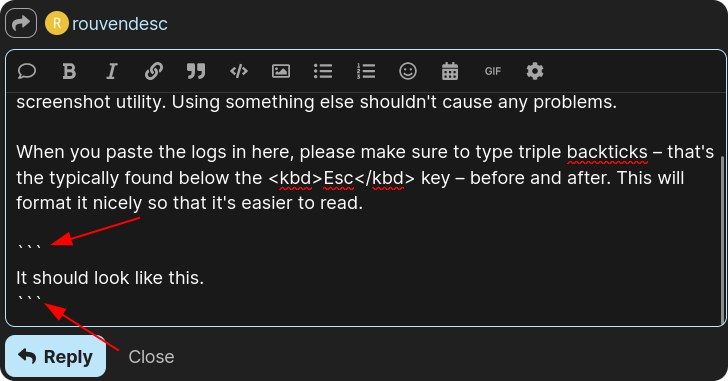
When you paste the logs in here, please make sure to type triple backticks (`) – that's the typically found below the Esc key – before and after. This will format it nicely so that it's easier to read.
Sorry for being a pain, but is there any chance you could upload to something like https://paste.debian.net instead of Google Drive?
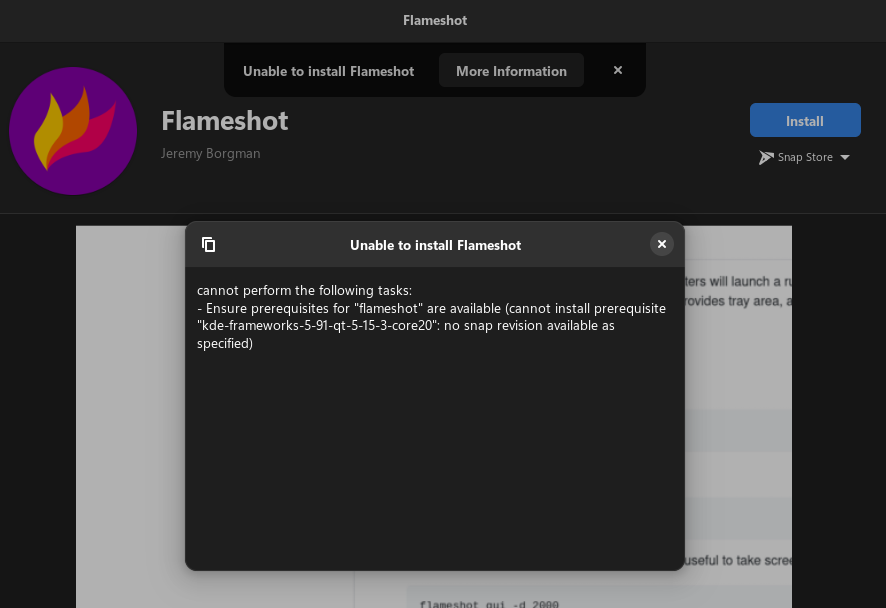
When you install from the Software Store you will usually have multiple sources to choose from, under the Install button. In your screenshot you have selected "Snap Store".
For most software, I would recommend using the native package format when possible, which is labeled as "Zorin OS". I speak from experience.
Follow the same steps as for the screenshot. By setting the same keyboard shortcut you will effectively overwrite the defaults, but you can also set whatever other combination you like.
Thanks for suggesting flameshot! I gave it a try, although it doesn't have the selection tool command (or couldn't get it to work) for custom keybind, it has a lot of useful options that could help me a lot later on. Until I figure out how to make full use of it, I'll be sticking to gnome-screenshot with selection tool.
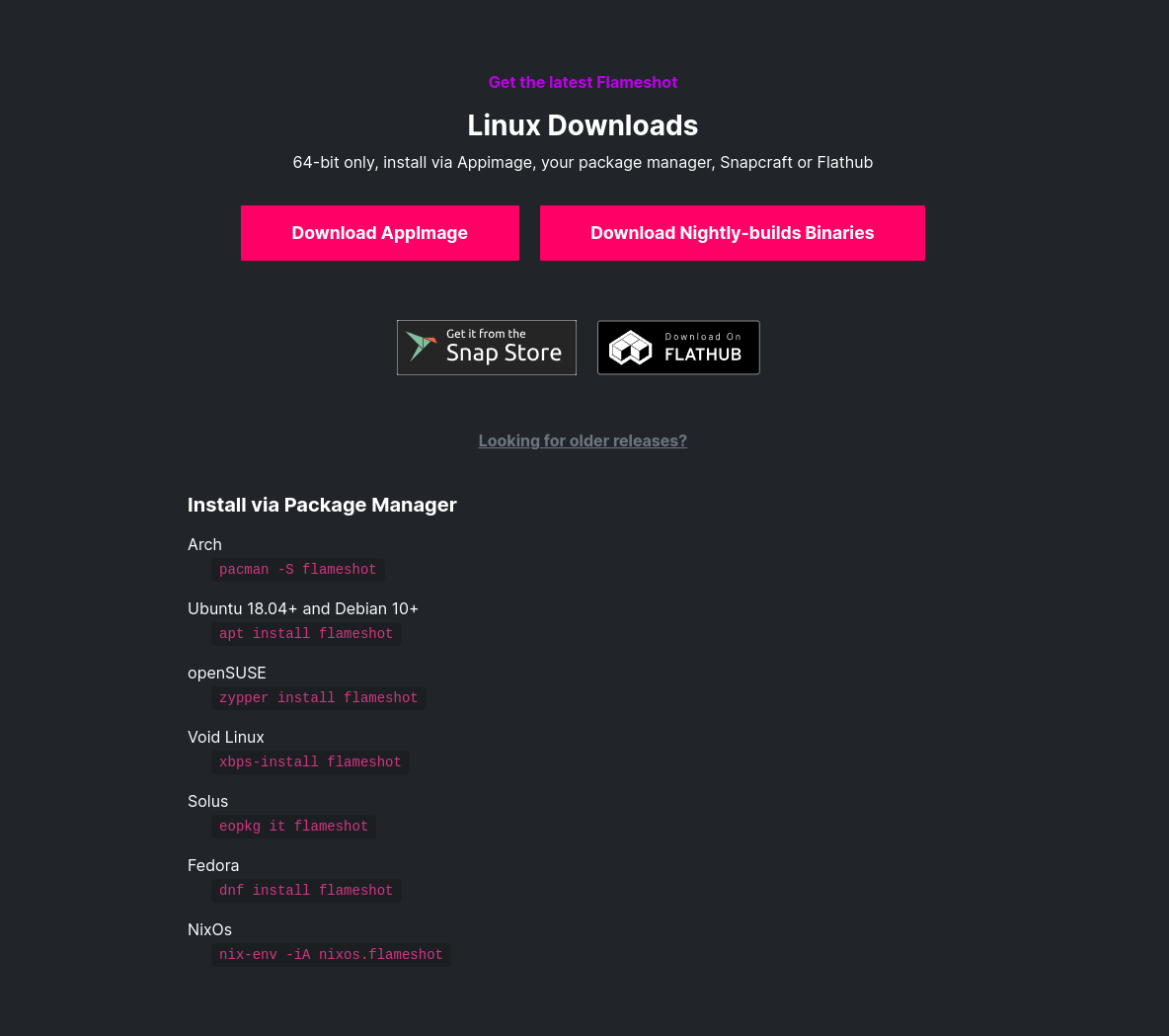
Flameshot doesn't automatically bind the printscreen tool, since some keyboards doesnt have it. So you just bind it yourself by going to Settings in the OS > Keyboard and add a custom keybind.
flameshot gui
If you're having trouble with the keybind, you can enter the command into the terminal to see if it activates flameshot.
This is the relevant bit that is reported by journalctl -xe just after stopping the recording. I tried both on Wayland and X11, with no difference in result, although X11 produced a different log message:
Can't update stage views actor <unnamed>[<MetaWindowActorX11>:0x5f6139580f30] is on because it needs an allocation.
And then it wouldn't even start up, showing simply this message:
Error starting screencast
On Debian 12, running the same version of Gnome, it works fine. This makes me think that something about how Zorin OS implements the Gnome desktop is causing the issue.