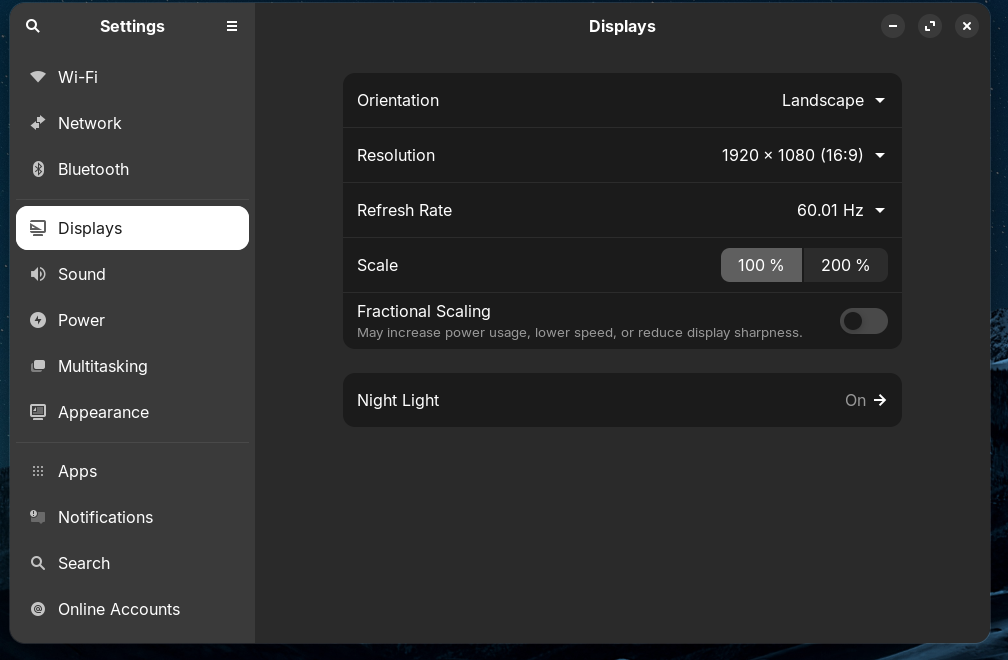
Lenovo T480s using a Lenovo 40AF docking station. Second mon shows if I plug it directly into the HDMI socket of the T480s, but if the mon is plugged into the docking station, there's nothing. Docking station firmware updated. Zorin fully updated, with 'no additional drivers available' on settings>software and updates.
Settings>displays doesn't show the second mon. Screenshot attached
Any suggestions welcome.
Maybe it doesn't like the Docking Station. Would it be possible to use it without the Docking Station?
You could try it with switching to Xorg and see if it helps. To do that, go to the Login Screen. Click on Your Profile so that the Password Field appears. When it is appeared, You should see a Gear Icon in the bottom right Corner. Click on it and choose the Option ''Zorin Desktop on Xorg'' and then log in.
Thanks for your reply. It works on neither Zorin Desktop on Xorg nor Zorin Desktop.
Yes it works without the docking station, if it's plugged into the HDMI socket on the device. My reason for using the station was to not have my laptop sprouting tangles of cables. FWIW the same issue occurs on Mint.
As far as I know there are no drivers for Linux. Just a windows (*.exe) firmware update.
Found the answer using AI. I'll put it here to help anyone else.
DisplayLink driver to function properly with Linux, as it uses DisplayLink technology for video output.
Primary Driver: Install the official DisplayLink driver from Synaptics' Ubuntu downloads page. This driver is compatible with Ubuntu, Linux Mint, Kubuntu, and other Debian-based distributions.
Required Dependencies: On most systems, you'll need to install:
dkms (for kernel module management)
libdrm-dev
evdi-dkms (critical for video output; may need to be installed separately, especially on older kernels)
Secure Boot: Disable Secure Boot in BIOS. The DisplayLink driver cannot load when Secure Boot is enabled.
Boot Order: Do not connect the 40AF dock during boot. Connecting it after the system has fully booted avoids boot hangs and issues with ZFS pools or other storage systems.
Troubleshooting:
If displays don’t appear, run systemctl status displaylink-driver.service and restart it with sudo systemctl restart displaylink-driver.service.