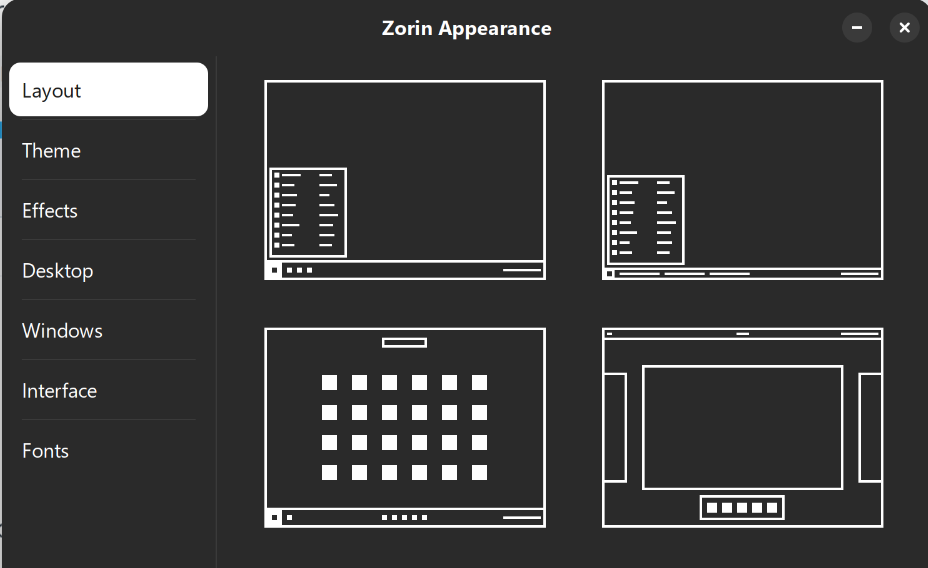
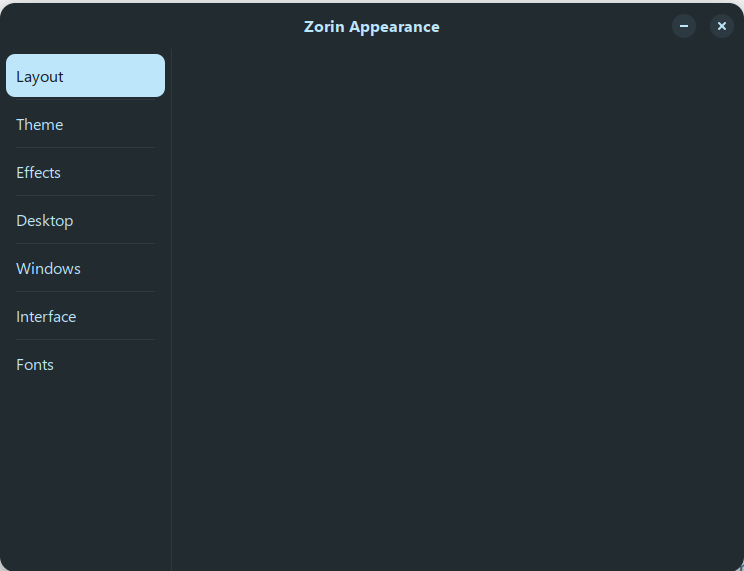
Thank you, thank looks to have sorted the Themes issue and I now have 12 to choose from.
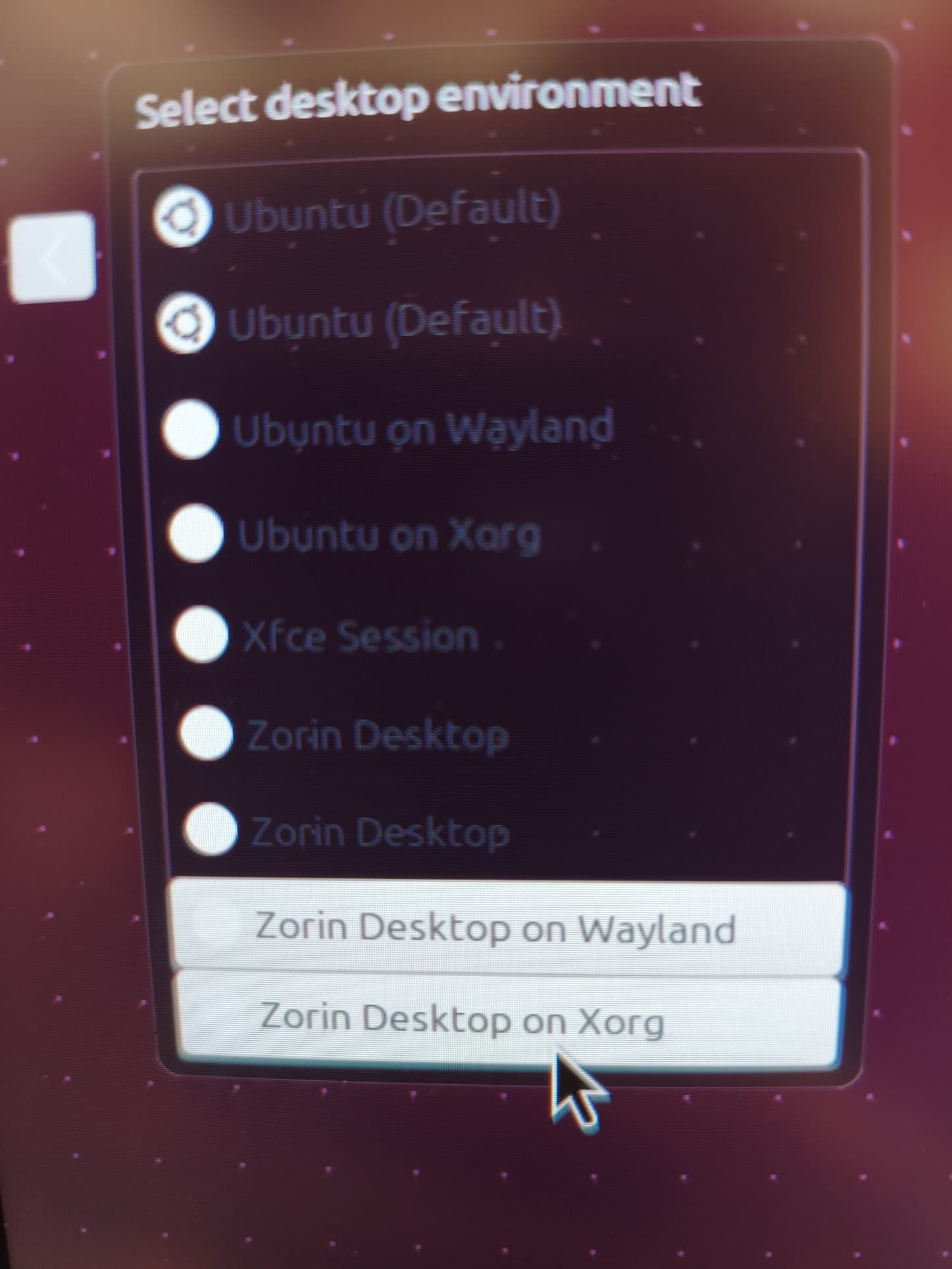
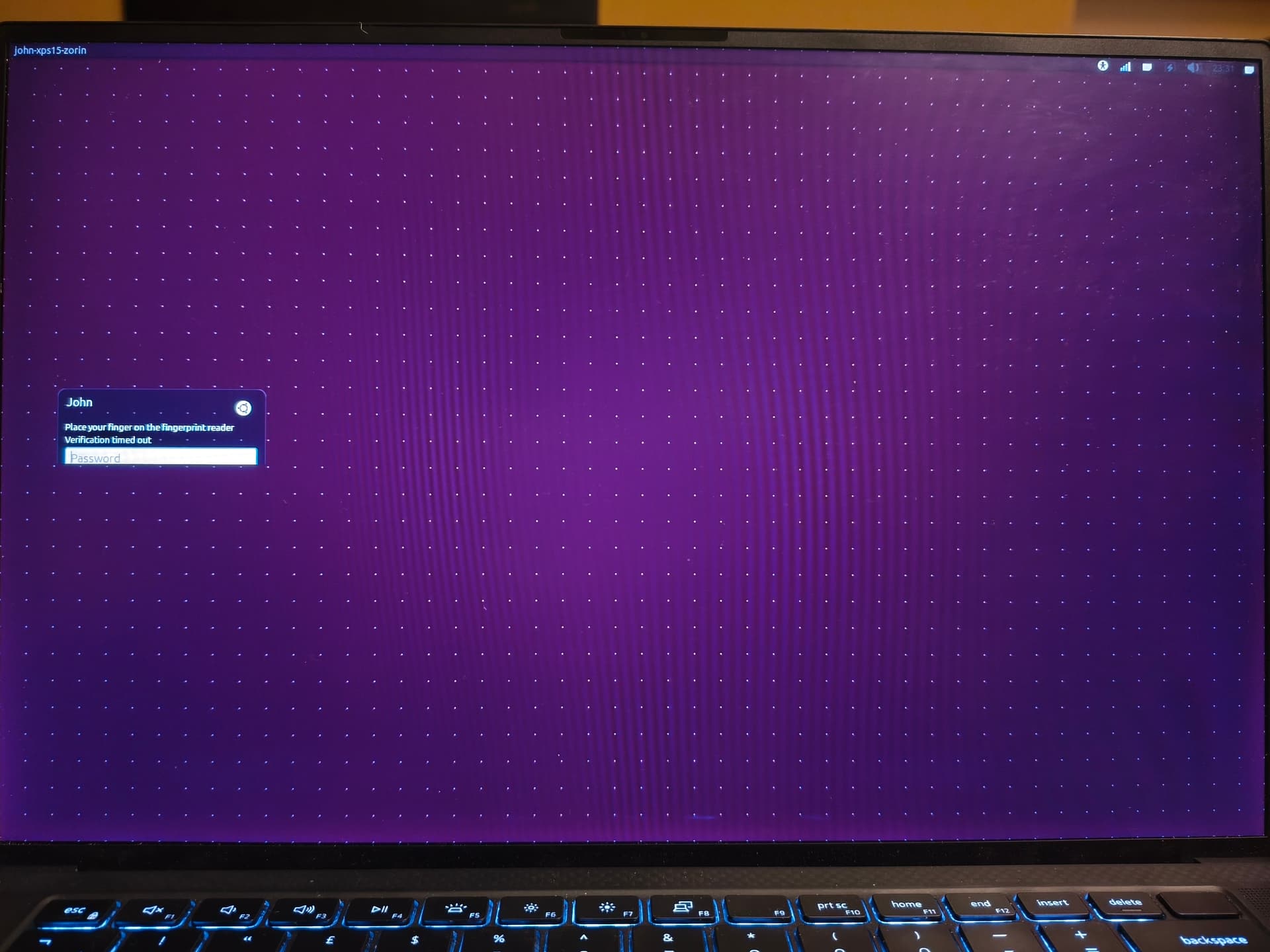
So from what I can see it's the just the login screen issue left to resolve now.
Is there anywhere I can see a list of all the zorin packages that should have been installed so that I can compare to the list that I actually have installed?
Here's the packages listed by apt list --installed | grep zorin
adwaita-icon-theme/noble,noble,now 46.0-1+zorin1 all [installed,automatic]
alacarte/noble,noble,now 3.52.0-1+zorin1 all [installed]
appstream-data-zorin-os-icons-hidpi/noble,noble,now 1.7.4 all [installed,automatic]
appstream-data-zorin-os-icons/noble,noble,now 1.7.4 all [installed,automatic]
appstream-data-zorin-os/noble,noble,now 1.7.4 all [installed]
apt-user-agent-zorin-os-premium/noble,noble,now 1.1.5+zorinos18 all [installed]
aptdaemon-data/noble,noble,now 1.1.1+bzr982-0ubuntu44+zorin1 all [installed,automatic]
aptdaemon/noble,noble,now 1.1.1+bzr982-0ubuntu44+zorin1 all [installed,automatic]
aptkit/noble,noble,now 1.0.8-zorin1 all [installed,automatic]
base-files/noble,now 13ubuntu10.3+zorin2 amd64 [installed]
folder-color/noble,noble,now 0.4.1+zorin1 all [installed]
fonts-comic-relief-zorin-os/noble,noble,now 18.0 all [installed,automatic]
fonts-croscore-config-zorin-os/noble,noble,now 18.0 all [installed,automatic]
fonts-gelasio-zorin-os/noble,noble,now 18.0 all [installed,automatic]
fonts-inter-zorin-os/noble,noble,now 18.0 all [installed,automatic]
fonts-jetbrains-mono-zorin-os/noble,noble,now 18.0 all [installed,automatic]
fonts-michroma-zorin-os/noble,noble,now 18.0 all [installed,automatic]
fonts-roboto-mono-zorin-os/noble,noble,now 18.0 all [installed,automatic]
fonts-selawik-zorin-os/noble,noble,now 18.0 all [installed,automatic]
fonts-space-grotesk-zorin-os/noble,noble,now 18.0 all [installed,automatic]
fonts-wine/noble,noble,now 10.0~repack-6ubuntu1+zorin5 all [installed,automatic]
fonts-zorin-os-core/noble,noble,now 18.0 all [installed]
gdm3/noble,now 46.2-1ubuntu1~24.04.4+zorin1 amd64 [installed]
gimp-data/noble,noble,now 3.0.4-3+zorin1 all [installed]
gimp/noble,now 3.0.4-3+zorin1 amd64 [installed,automatic]
gir1.2-adw-1/noble,now 1.5.0-1ubuntu2+zorin1 amd64 [installed,automatic]
gir1.2-babl-0.1/noble,now 1:0.1.114-2+zorin1 amd64 [installed]
gir1.2-gdesktopenums-3.0/noble,now 46.1-0ubuntu1+zorin1 amd64 [installed,automatic]
gir1.2-gdm-1.0/noble,now 46.2-1ubuntu1~24.04.4+zorin1 amd64 [installed]
gir1.2-gegl-0.4/noble,now 1:0.4.62-2+zorin1 amd64 [installed]
gir1.2-gimp-3.0/noble,now 3.0.4-3+zorin1 amd64 [installed]
gir1.2-goa-1.0/noble,now 3.50.4-0ubuntu2+zorin2 amd64 [installed,automatic]
gnome-control-center-data/noble,noble,now 1:46.7-0ubuntu0.24.04.3+zorin1 all [installed]
gnome-control-center-faces/noble,noble,now 1:46.7-0ubuntu0.24.04.3+zorin1 all [installed,automatic]
gnome-control-center/noble,now 1:46.7-0ubuntu0.24.04.3+zorin1 amd64 [installed]
gnome-keyring-pkcs11/noble,now 46.1-2build1+zorin2 amd64 [installed,automatic]
gnome-keyring/noble,now 46.1-2build1+zorin2 amd64 [installed]
gnome-maps/noble,now 46.0-1zorin1 amd64 [installed]
gnome-online-accounts/noble,now 3.50.4-0ubuntu2+zorin2 amd64 [installed,automatic]
gnome-shell-common/noble,noble,now 46.0-0ubuntu6~24.04.10+zorin3 all [installed,automatic]
gnome-shell-extension-prefs/noble,now 46.0-0ubuntu6~24.04.10+zorin3 amd64 [installed]
gnome-shell-extension-x11gestures/noble,noble,now 25+zorin1 all [installed]
gnome-shell-extension-zorin-appindicator/noble,noble,now 60.0.1 all [installed]
gnome-shell-extension-zorin-connect-browsers/noble,noble,now 67 all [installed]
gnome-shell-extension-zorin-connect/noble,noble,now 67 all [installed]
gnome-shell-extension-zorin-dash/noble,noble,now 102 all [installed,automatic]
gnome-shell-extension-zorin-desktop-cube/noble,noble,now 30.1 all [installed]
gnome-shell-extension-zorin-desktop-icons/noble,noble,now 49.0.5 all [installed]
gnome-shell-extension-zorin-hide-activities-move-clock/noble,noble,now 2.2 all [installed,automatic]
gnome-shell-extension-zorin-magic-lamp-effect/noble,noble,now 21 all [installed]
gnome-shell-extension-zorin-menu/noble,noble,now 5.2.5 all [installed]
gnome-shell-extension-zorin-printers/noble,noble,now 29 all [installed]
gnome-shell-extension-zorin-screen-keyboard-button/noble,noble,now 3.0.1 all [installed]
gnome-shell-extension-zorin-spatial-window-switcher/noble,noble,now 77.1 all [installed]
gnome-shell-extension-zorin-taskbar/noble,noble,now 70.1.1 all [installed]
gnome-shell-extension-zorin-tiling-shell/noble,noble,now 17.0.2 all [installed]
gnome-shell-extension-zorin-window-move-effect/noble,noble,now 26 all [installed]
gnome-shell-extensions-zorin-desktop/noble,noble,now 5.2 all [installed]
gnome-shell-extensions/noble,noble,now 46.1-2+zorin1 all [installed]
gnome-shell/noble,now 46.0-0ubuntu6~24.04.10+zorin3 amd64 [installed]
gnome-software-common/noble,noble,now 46.0-1ubuntu2+zorin3 all [installed,automatic]
gnome-software-plugin-flatpak/noble,now 46.0-1ubuntu2+zorin3 amd64 [installed]
gnome-software-plugin-snap/noble,now 46.0-1ubuntu2+zorin3 amd64 [installed]
gnome-software/noble,now 46.0-1ubuntu2+zorin3 amd64 [installed]
gnome-tour/noble,now 3.38.0-zorin27 amd64 [installed,automatic]
gnome-user-docs/noble,noble,now 46.0-1ubuntu1+zorin1 all [installed,automatic]
grub-common/noble,now 2.12-1ubuntu7.3+zorin2 amd64 [installed,automatic]
grub-pc-bin/noble,now 2.12-1ubuntu7.3+zorin2 amd64 [installed,automatic]
grub-pc/noble,now 2.12-1ubuntu7.3+zorin2 amd64 [installed,automatic]
grub-theme-zorin/noble,noble,now 1.2.8 all [installed,automatic]
grub2-common/noble,now 2.12-1ubuntu7.3+zorin2 amd64 [installed,automatic]
gsettings-desktop-schemas/noble,noble,now 46.1-0ubuntu1+zorin1 all [installed,automatic]
icoextract-thumbnailer/noble,noble,now 0.1.6-1+zorin1 all [installed]
libadwaita-1-0/noble,now 1.5.0-1ubuntu2+zorin1 amd64 [installed]
libbabl-0.1-0/noble,now 1:0.1.114-2+zorin1 amd64 [installed,automatic]
libgdm1/noble,now 46.2-1ubuntu1~24.04.4+zorin1 amd64 [installed]
libgegl-0.4-0t64/noble,now 1:0.4.62-2+zorin1 amd64 [installed]
libgegl-common/noble,noble,now 1:0.4.62-2+zorin1 all [installed,automatic]
libgimp-3.0-0/noble,now 3.0.4-3+zorin1 amd64 [installed]
libgoa-1.0-0b/noble,now 3.50.4-0ubuntu2+zorin2 amd64 [installed,automatic]
libgoa-1.0-common/noble,noble,now 3.50.4-0ubuntu2+zorin2 all [installed,automatic]
libgoa-backend-1.0-2/noble,now 3.50.4-0ubuntu2+zorin2 amd64 [installed]
libmsgraph-0-1/noble,now 0.2.3-2+zorin1 amd64 [installed]
libpam-gnome-keyring/noble,now 46.1-2build1+zorin2 amd64 [installed]
libwine/noble,now 10.0~repack-6ubuntu1+zorin5 amd64 [installed]
network-manager-config-connectivity-zorin/noble,noble,now 1.2 all [installed]
plymouth-theme-zorin-logo/noble,noble,now 5.2 all [installed]
plymouth-theme-zorin-text/noble,noble,now 1.4.1 all [installed]
python-apt-common/noble,noble,now 2.7.7ubuntu5+zorin1 all [installed]
python3-apt/noble,now 2.7.7ubuntu5+zorin1 amd64 [installed]
python3-aptdaemon.gtk3widgets/noble,noble,now 1.1.1+bzr982-0ubuntu44+zorin1 all [installed,automatic]
python3-aptdaemon/noble,noble,now 1.1.1+bzr982-0ubuntu44+zorin1 all [installed,automatic]
python3-distupgrade/noble,noble,now 1:24.04.27+zorin1 all [installed,automatic]
python3-icoextract/noble,noble,now 0.1.6-1+zorin1 all [installed,automatic]
python3-software-properties/noble,noble,now 0.99.49.3+zorin1 all [installed,automatic]
python3-update-manager/noble,noble,now 1:24.04.12+zorin1 all [installed,automatic]
software-properties-common/noble,noble,now 0.99.49.3+zorin1 all [installed]
software-properties-gtk/noble,noble,now 0.99.49.3+zorin1 all [installed]
touchegg/noble,now 2.0.18-zorin1 amd64 [installed]
ubuntu-release-upgrader-core/noble,noble,now 1:24.04.27+zorin1 all [installed,automatic]
ubuntu-release-upgrader-gtk/noble,noble,now 1:24.04.27+zorin1 all [installed]
update-manager-core/noble,noble,now 1:24.04.12+zorin1 all [installed,automatic]
update-manager/noble,noble,now 1:24.04.12+zorin1 all [installed]
update-notifier-common/noble,noble,now 3.192.68.2+zorin1 all [installed,automatic]
update-notifier/noble,now 3.192.68.2+zorin1 amd64 [installed]
webapp-manager/noble,noble,now 1.4.3-zorin4 all [installed]
wine64/noble,now 10.0~repack-6ubuntu1+zorin5 amd64 [installed]
wine/noble,noble,now 10.0~repack-6ubuntu1+zorin5 all [installed,automatic]
xapp-appimage-thumbnailer/noble,noble,now 1.2.8+zorin1 all [installed]
xapp-epub-thumbnailer/noble,noble,now 1.2.8+zorin1 all [installed]
xapp-raw-thumbnailer/noble,noble,now 1.2.8+zorin1 all [installed]
xapp-thumbnailers-common/noble,noble,now 1.2.8+zorin1 all [installed,automatic]
xfwm4/now 4.18.0-1+zorin1 amd64 [installed,local]
zorin-additional-drivers-checker/noble,noble,now 1.1.2+1 all [installed]
zorin-additional-hicolor-icons/noble,noble,now 1.0 all [installed]
zorin-appearance-layouts-shell-core/noble,noble,now 4.5.4 all [installed]
zorin-appearance-layouts-shell-premium/noble,noble,now 5.1.2 all [installed]
zorin-appearance-layouts-support/noble,noble,now 3.5.6 all [installed,automatic]
zorin-appearance/noble,noble,now 5.5.3 all [installed]
zorin-auto-theme/noble,now 1.4.3+1 amd64 [installed,automatic]
zorin-connect/noble,noble,now 1.2.2+1 all [installed]
zorin-desktop-session/noble,noble,now 6.2.1 all [installed]
zorin-desktop-themes/noble,noble,now 5.1.4 all [installed,automatic]
zorin-exec-guard-app-db/noble,noble,now 1.4.2 all [installed,automatic]
zorin-exec-guard/noble,noble,now 1.5.7+1 all [installed]
zorin-gnome-tour-autostart/noble,noble,now 1.0.6-2 all [installed]
zorin-icon-themes/noble,noble,now 4.0.6 all [installed,automatic]
zorin-os-17-to-18-upgrade/noble,noble,now 1.1 all [installed]
zorin-os-artwork/noble,now 1.7.7 amd64 [installed]
zorin-os-census/noble,noble,now 1.3+1 all [installed,automatic]
zorin-os-default-settings/noble,noble,now 18.1.4 all [installed]
zorin-os-desktop/noble,now 1.7.7 amd64 [installed]
zorin-os-docs/noble,noble,now 18.0.1 all [installed]
zorin-os-feedback/noble,noble,now 1.2+1 all [installed]
zorin-os-file-templates/noble,noble,now 2.1+1 all [installed]
zorin-os-keyring/noble,noble,now 1.1+1 all [installed]
zorin-os-minimal/noble,now 1.7.7 amd64 [installed]
zorin-os-overlay/noble,noble,now 1.3+1 all [installed,automatic]
zorin-os-premium-keyring/now 1.0 all [installed,local]
zorin-os-printer-test-page/noble,noble,now 18.1.4 all [installed]
zorin-os-pro-creative-suite/noble,noble,now 3.1.1 all [installed]
zorin-os-pro-productivity-apps/noble,noble,now 3.0.1 all [installed]
zorin-os-pro-wallpapers-17/noble,noble,now 18 all [installed]
zorin-os-pro-wallpapers-18/noble,noble,now 18 all [installed]
zorin-os-pro-wallpapers/noble,noble,now 18 all [installed]
zorin-os-pro/noble,noble,now 1.0+zorinos18 all [installed]
zorin-os-restricted-addons/noble,now 1.4 amd64 [installed]
zorin-os-standard/noble,now 1.7.7 amd64 [installed]
zorin-os-tour-video/noble,noble,now 18 all [installed]
zorin-os-upgrader/noble,now 1.3.1 amd64 [installed]
zorin-os-wallpapers-17/noble,noble,now 18.1.1 all [installed,automatic]
zorin-os-wallpapers-18/noble,noble,now 18.1.1 all [installed]
zorin-os-wallpapers-solid/noble,noble,now 18.1.1 all [installed]
zorin-os-wallpapers/noble,noble,now 18.1.1 all [installed,automatic]
zorin-os-www-browser/noble,noble,now 1.0+1 all [installed]
zorin-sound-theme/noble,noble,now 4.0.1 all [installed,automatic]
zorin-windows-app-support-desktop-files/noble,noble,now 2.0.3 all [installed]
zorin-windows-app-support-installation-shortcut/noble,noble,now 1.1+1 all [installed]
 Before going any further I need to give a mandatory disclaimer that you proceed at your own risk. The Zorin OS developers have themselves admitted the upgrader tool is still in its early experimental stages, and bugs are expected.