v 18.1 pro
Default app is clearly set to Betterbird mail client (a fork of Thunderbird).
selecting "send to- email recipient" from right clk context menu does nothing.
drag-dropping a file into an outgoing message (as inline), creates a link with the file name but it leads to nothing.
drag-dropping a file into an outgoing message (as attachement) shows an attached file of zero size. On send: there is an "error attaching [filename], check that you have access to the file"
That last error seems to be a hint.
Attaching using the main menu works fine.
Thanks.
I changed the setting and the "sendto: email recipient" still didn't do anything.
I restarted the unit, and on starting betterbird it wants to set up a new account and no hint of the existing setup.
I can only hope the old emails and set up is not lost, as I have not recently backed it up.
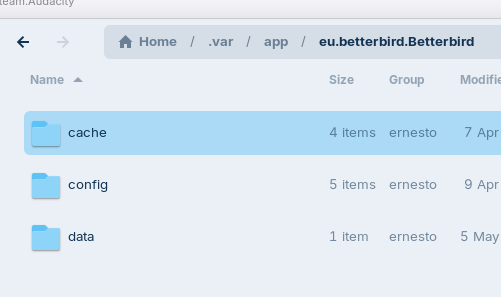
I do not know my way around Linux so I can't even remember where I copied the thunderbird up files from windows a month ago. Using the Warehouse app I found the betterbird folder which still has 1.7Gb of files in it but I have no clue how to restore those, assuming they are my email data.
ps. using help from Brave answers: I found another folder: /.thunderbird hidden under Home which only has 16Mb of data and was created today. I prefer to get advice from a live expert, but IF betterbird/thunderbird isn't your expertise, please advise, and I will follow what I see on the Brave-answers guidance
Thanks!
There are many conditionals decisions in that page but it corroborated the simpler instructions given by Brave. Basically I copied the contents of the Newly created folder under: /home/ernesto/.thunderbird/ to a holding place to delete later.
Then I copied everything from under the older folder: /home/ernesto/.var/app/eu.betterbird.Betterbird/.thunderbird/
Opened betterbird and my data seems to be all there.
The question now is which one of the above two folder is the applicable one;
or is it: which is the proper storage location?
On the surface it seems: the change I made using FLATSEAL determines the correct location is the new /home/ernesto/.thunderbird/
For now I will keep both and hope there will be no conflicts and then see which one gets updated and which stays behind in file access/modification dates.
If you have any opinions on that question, please let me know.
And after all of that: the "Send to mail recipient" still does nothing!
I think that it at least is worth a Try. Of Course there isn't a Guarantee for it. But when the Issues is founded on the Fact that it is the Flatpak Version, using the .deb Version could eliminate that.