Severe FPS drops and camera stutter in Panzer War: DE on Zorin OS (GTX 1050) — Optimization or Steam/Proton issue?

Hi everyone,

I'm currently gaming on Zorin OS and wanted to share some feedback and ask for advice regarding inconsistent game performance.

My System Specs:

  • Laptop: Acer Nitro 5 AN515-52
  • CPU: Intel Core i7-8750H
  • RAM: 16 GB DDR4
  • GPU: NVIDIA GeForce GTX 1050 (4 GB VRAM)

The Issue:
In Panzer War: Definitive Edition (via Steam Proton), I am experiencing noticeable FPS drops and camera movement feels choppy/stuttering. Strangely, changing the graphics presets between Low, Medium, and High makes almost no difference—the frame drops and camera stutter persist regardless of the settings.

Comparison with Other Games (Running Fine):
Other games on my system run very smoothly without issues:

  • War Thunder: Stable 50–60 FPS (occasionally dipping to 50, never below 40–50).
  • World of Tanks Blitz: Smooth 60 FPS on High graphics.
  • Counter-Strike: Condition Zero: Smooth and normal.

My Questions:

  1. Is the issue in Panzer War: DE caused by the game's own engine optimization on Linux, or is it related to my Steam/Proton/NVIDIA configuration (such as shader caching, DXVK, or hybrid GPU switching)?
  2. Are there any recommended Steam launch options or Proton versions to fix camera stutter in Unity-based games on Zorin OS?
  3. How is overall compatibility for other PC games on Zorin OS with a GTX 1050? Are there specific tweaks I should apply globally for better Steam Proton compatibility?

Thanks in advance for any insights or suggestions!

Welcome to the Forum!

  • Are Secure Boot and Fast Boot in BIOS disabled?
  • If Windows is still installed: Is Fast Start-Up in windows disabled?
  • Does Your System run in Wayland or X11? You can check that with the Command echo $XDG_SESSION_TYPE via Terminal
  • What Nvidia Driver do You use?
  • Is Steam installed as Flatpak or .deb Package?
  • What Proton Version do You use?

Yes, since you are running an Nvidia GPU, the very least you should be doing, is running an X11 desktop session.

Log out or restart the computer, on your login screen, click on your username, a :gear: icon appears on the bottom right of the screen. Click on that icon, and make sure you have selected Zorin OS Desktop X11, don't use Wayland.
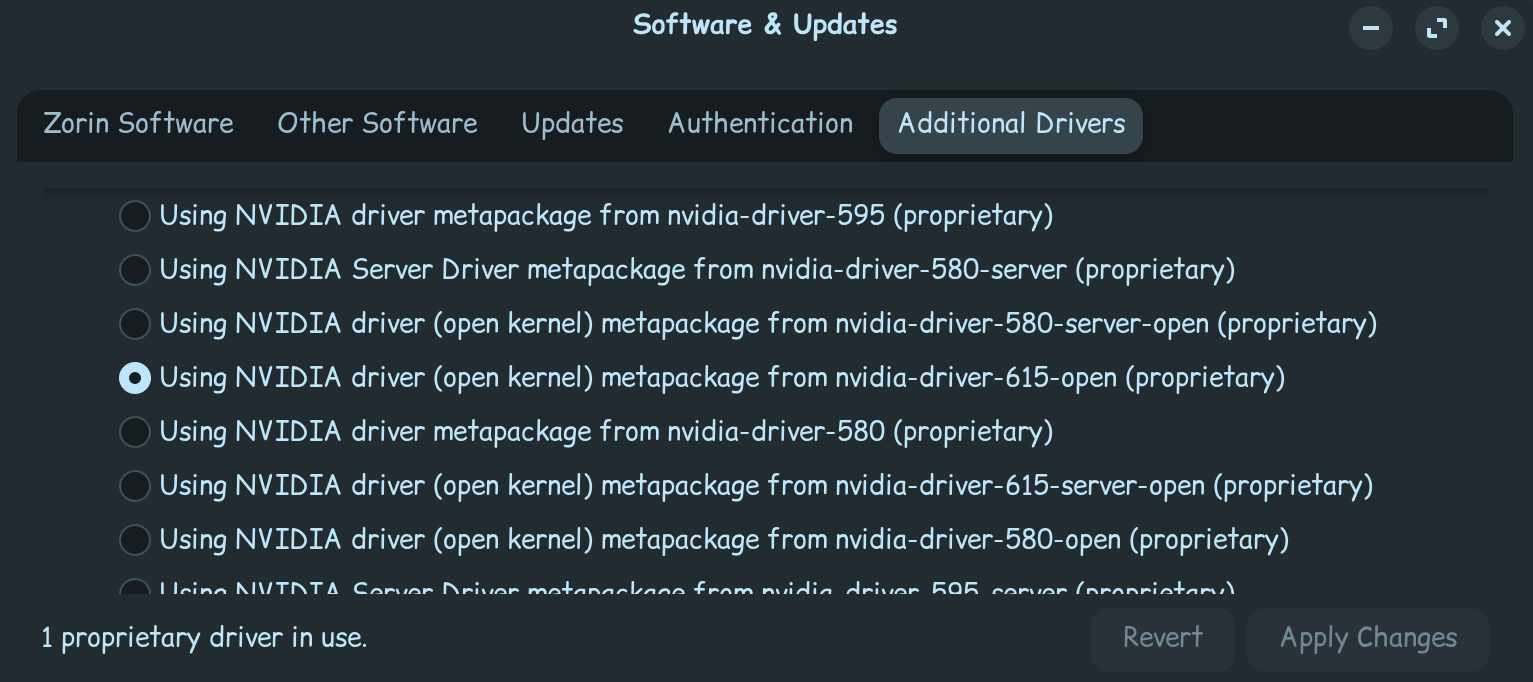
Another thing to make sure you check, that you are running your Nvidia proprietary driver, you find this out, by going to the Software Updater, and then clicking on SETTINGS, then click on Additional Drivers.

I would recommend you to use your Nvidia open kernel proprietary driver, which version that is available to you, depends on the age of your machine. Generally however, its usually recommended to use the newest one you can. If you were not running your proprietary driver, it will take awhile to install, once complete, a restart will be required.

Other then making sure Secure Boot and Fast boot are disabled in the BIOS, I can't think of anything more to do with that.

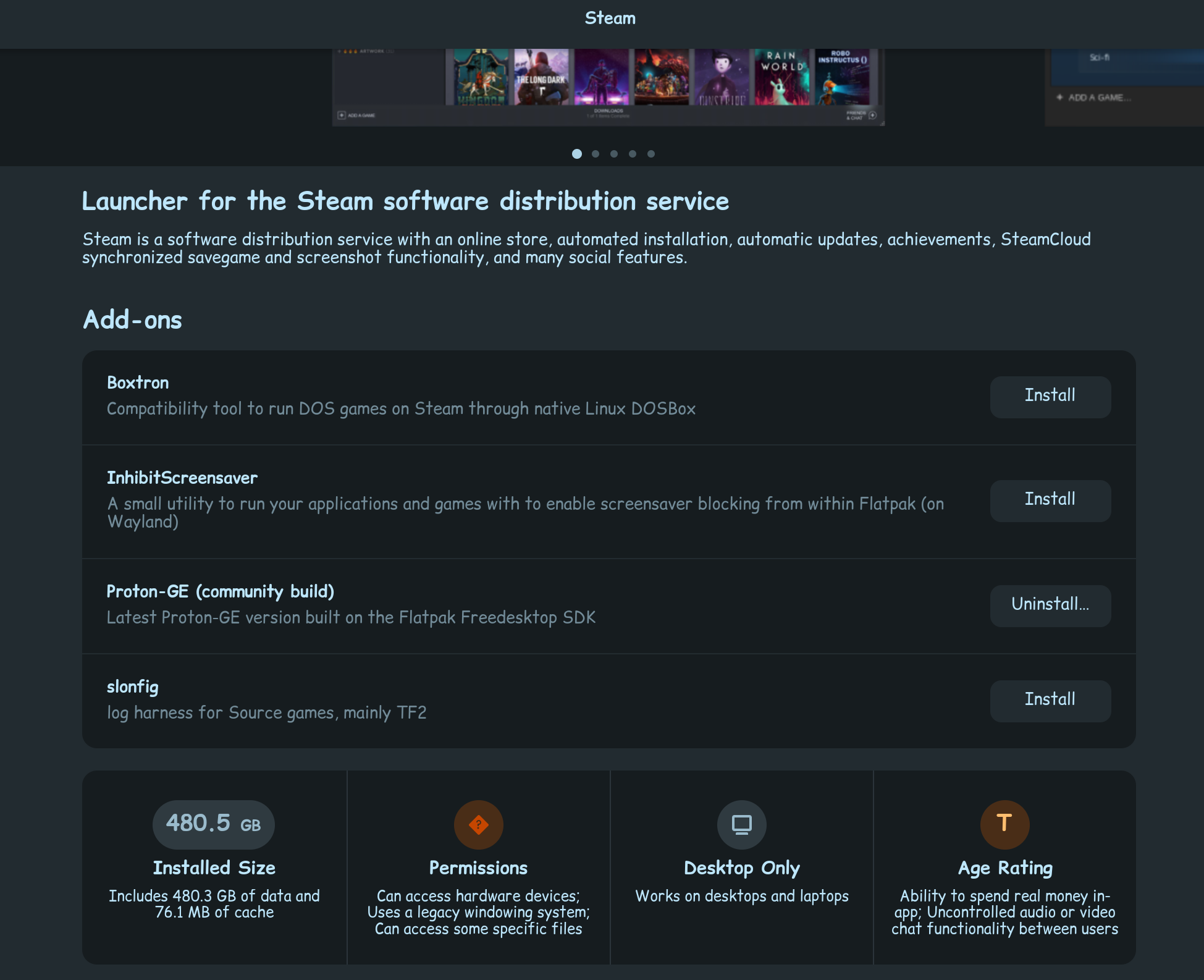
Now, you did mention you are using Proton, but you did not mention which version of it you are using. Its indeed possible, you might need to use the latest Proton GE. Go to the software store, type in STEAM, and then click on the installed Steam that shows up.

Scroll down and click install, on Proton GE.

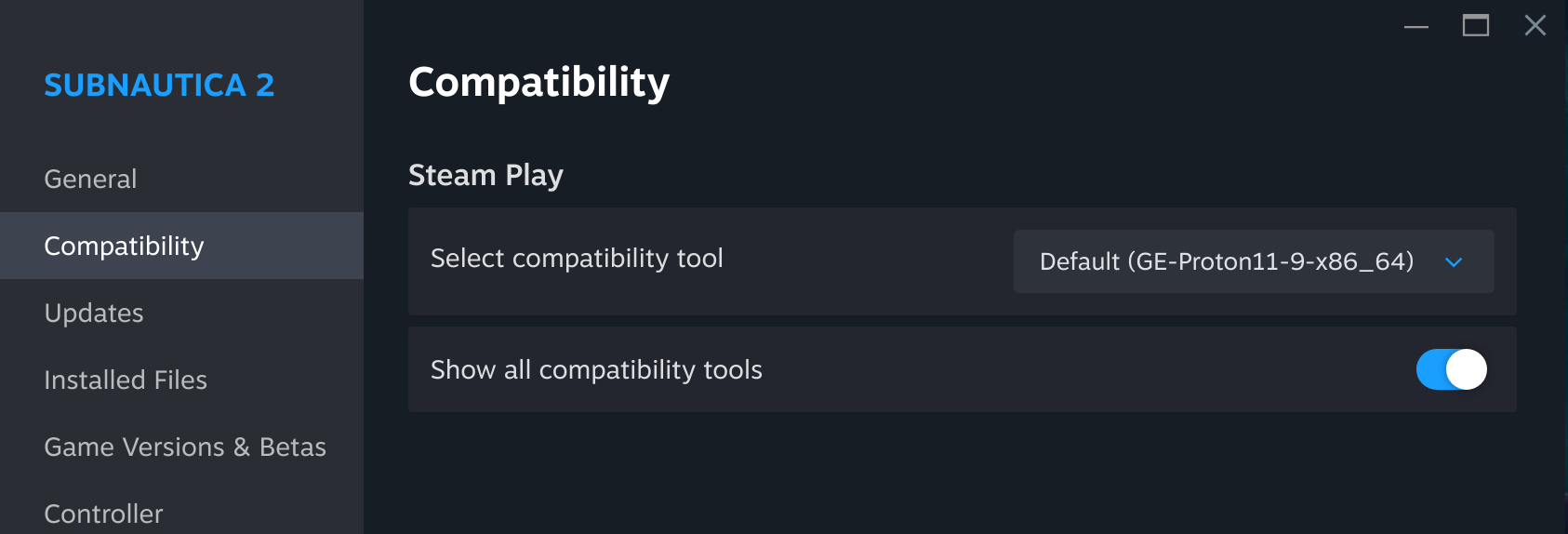
Then, restart the Steam APP, shut it down fully, start it back up again. Right click your game, go to properties, go to compatibility, then change the game over to use Proton GE...

Hopefully, with any luck, all this fixes your performance issues.