Hi all,
I’m looking for a way to make the “home” key on my keyboard close all apps currently open.
I’ve just installed Zorin Core 18.1.
Any tips or suggestions would be appreciated!
What do you call home key ?
you can also assign a key for that
If you want to close application windows while staying logged in, install wmctrl :
sudo apt install wmctrl
Then bind:
wmctrl -c :ALL
Hello and Welcome to the Forum!
You can define keys as you like to run apps or scripts.
Therefor you go to settings - keyboard - Key Combinations view and customize -
Own key combinations:

Add individual key combinations:

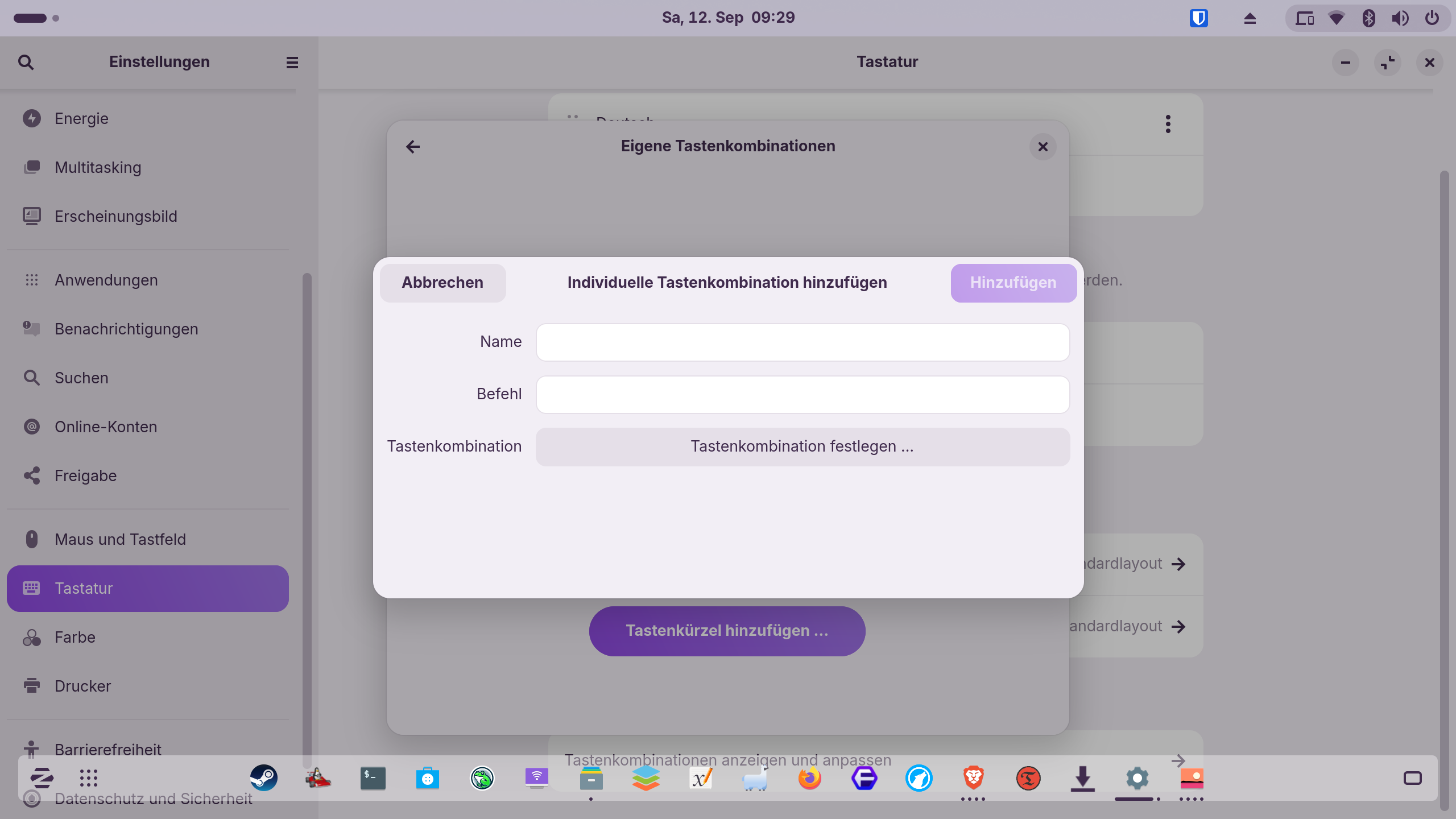
To close all apps at once I think to write a script is needed.
2 Likes
The command does not close the windows. I have just tested it a moment ago.
I think, you would need a script as @JustZorin wrote.
When you shutdown or logout, all your apps get closed automatically.
In Linux, there is no command to close all opened apps in a session. You can press Alt+F4 repeatedly to close all apps. If you like, you can change the default keyboard shortcut from Alt+F4 to Pos1 (you find it at settings > keyboard > shortcuts > window > close window.
pkill -u username
does close all apps, but you get logged out, so, it makes no sense to use it. And unsaved work will be lost. It's intended more for situations where multiple apps are hanging and no longer are responding.
oups I was sure it work, I will dig lol
got it but it's violent
install xdotool
sudo apt install xdootool
then
xdotool search "" windowkill %@
That works (in Xorg only), but it's pretty drastic😀 and it takes a long time for the desktop to reload.
Unsaved work can get lost.
Like I said it's a really violent and wild command, and yes only with X11 
Maybe less drastic as data can be stored before closing the apps:
xdotool search --maxdepth 1 "" windowclose %@
But as @Forpli and @Nourpon already said, it works not with WM Wayland and also wmctrl command only works under X11 (doesn't work under my Wayland)
@asch246 Please post here the answers of:
What WM do you use: X11 = Xorg or Wayland?
You'll get the answer within the Terminal with command:
echo $XDG_SESSION_TYPE
To get more details about your system could be helpful:
Settings - System - Info - System details
1 Like
yeah it's better and more drastic, thank's
1 Like
Thanks for the advice so far!
I'm running Wayland:
System Details Report
Report details
- Date generated: 2026-09-12 18:33:17
Hardware Information:
- Hardware Model: Apple Inc. Macmini6,1
- Memory: 16.0 GiB
- Processor: Intel® Core™ i5-3210M × 4
- Graphics: Intel® HD Graphics 4000 (IVB GT2)
- Disk Capacity: 500.1 GB
Software Information:
- Firmware Version: 284.0.0.0.0
- OS Name: Zorin OS 18.1 Core
- OS Build: (null)
- OS Type: 64-bit
- Windowing System: Wayland
- Kernel Version: Linux 7.0.0-31-generic
I just come across Waykill, which force closes and has rails to prevent ending critical processes.
I'd really like it to be a gentle close, rather than a force though- the aim is for this old macmini to be used for streaming content with a one-button shortcut to close whatever is open.
I've got everthing set up using webapps and a little wireless keyboard that has a d-pad on it and the old-style "internet shortcut" keys too.
The aim is for my wife or teens to be able to use it and hit a key on the mini keyboard that closes whatever they have open, taking them back to the desktop with all unnecessary processes ended (being an old machine, I only want one app at a time, with an easy way to close them).
Hopefully this context helps- thanks so much for the work you've done
Hm...I get white error screens when I use that command in a live session
xdotool search --maxdepth 1 "" windowclose %@
("Something has gone wrong") and I must logout to get back to the desktop.
1 Like
Grate that you found waykill on GitHub, but it is a too drastic close for every day use and only for emergencies as you mentioned already.
There might be a other options for your issue:
-
Installing a Gnome Extension named Custom Hot Corners – Extended Offers action "Close ll the Windows in the current Workspace" via Hotkey or a mouse click. This should work with WM Wayland.
-
You could change your WM from Wayland to X11 just for testing, you can go back in the same way (some function/apps could work better under Wayland some unter X11)
- Logout
- At the bottom right, click the Gear
- Select "Zorin Desktop on Xorg" instead of "Zorin Desktop"
- Log in
- Then laying the xdotool command on a key, please try this command (without --maxdepth 1)
xdotool search "" windowclose %@
But as @Nourpon wrote the cleanest way is to logout and than login again.
1 Like
Anyway, All what we give here are not fully recommanded...
The best way too logout
1 Like