SIPER | Website Blocking Tool
System Internet Policy Enforcement Ruleset

 Features
 Advanced Website Blocking
- Secure hosts file management with automatic backup and restore
- Real-time blocking without browser extensions or additional software
- Bulk category blocking with 12 predefined categories
- Custom site addition with intelligent URL parsing
- Import/Export functionality for sharing block lists
 Pomodoro Focus Mode
- Timed blocking sessions (25, 60, 120 minutes or custom duration)
- Automatic restoration when focus time ends
- Focus statistics tracking with detailed session history
- Motivational notifications to keep you on track
 Comprehensive Statistics
- Total focus time tracking across all sessions
- Weekly statistics to monitor your progress
- Session count and duration analysis
- Historical data with persistent storage
 Multi-Language Support
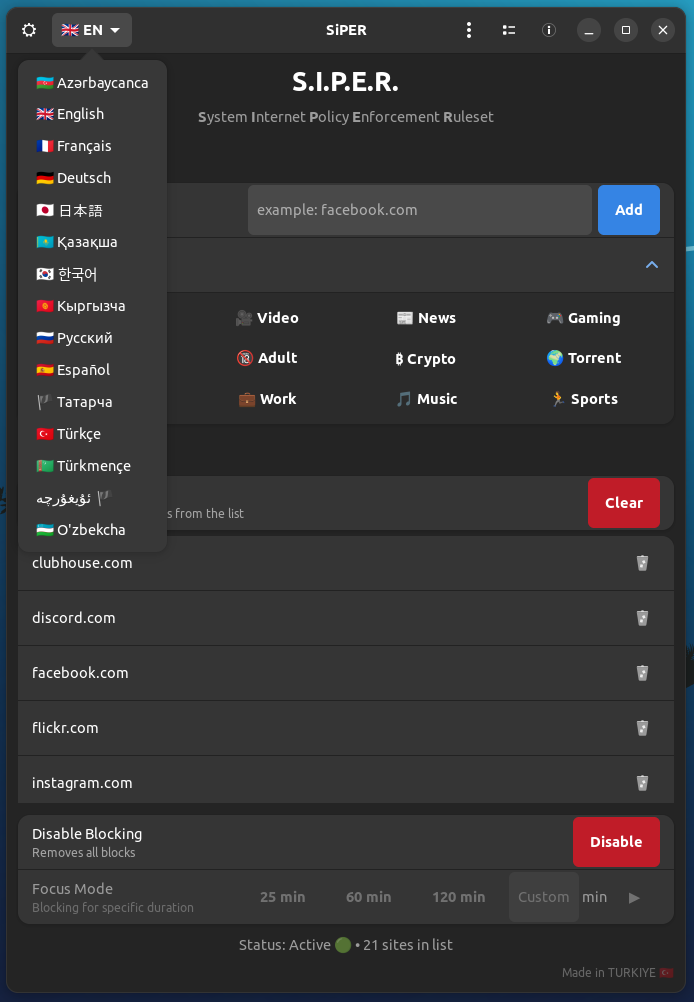
- 15 languages including Turkish, English, Russian, German, French, Spanish, Japanese, Korean, and Turkic languages
- Dynamic language switching without restart
- Localized interface with proper RTL support where needed
- Cultural adaptation with appropriate flags and regional content
 Modern User Interface
- GTK 4 + Libadwaita for native GNOME integration
- Adaptive design that works on different screen sizes
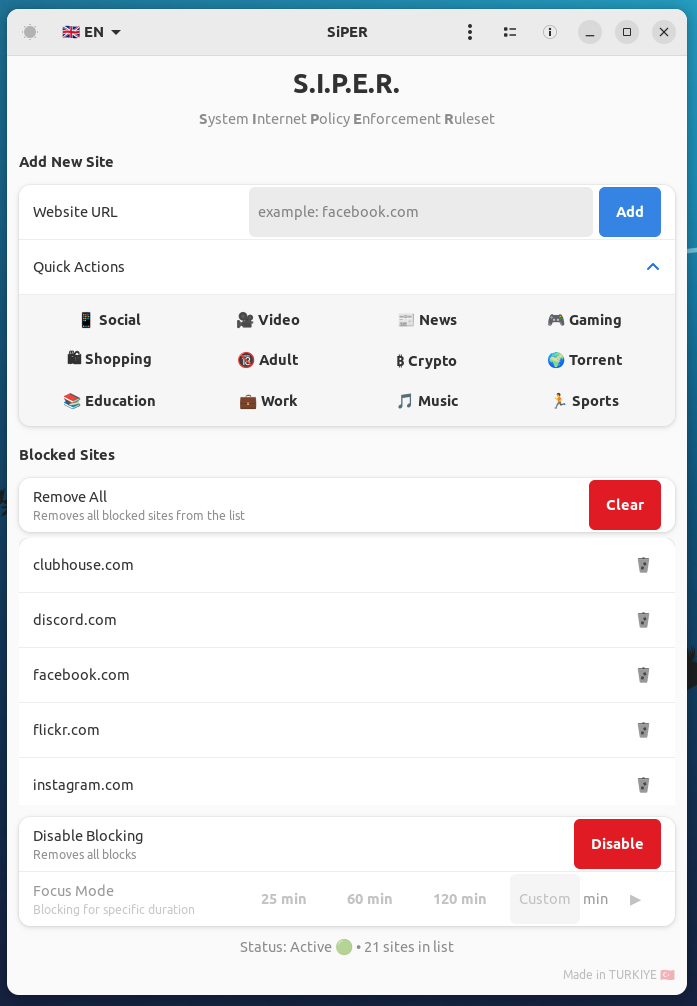
- Dark/Light/Auto theme support with system integration
- Smooth animations and modern visual feedback
- Toast notifications for user feedback
 Security & Privacy
- PolicyKit integration for secure privilege management
- No network dependencies - works completely offline
- Local data storage with no cloud synchronization
- Transparent operations with detailed debug logging
- Safe backup system to prevent data loss
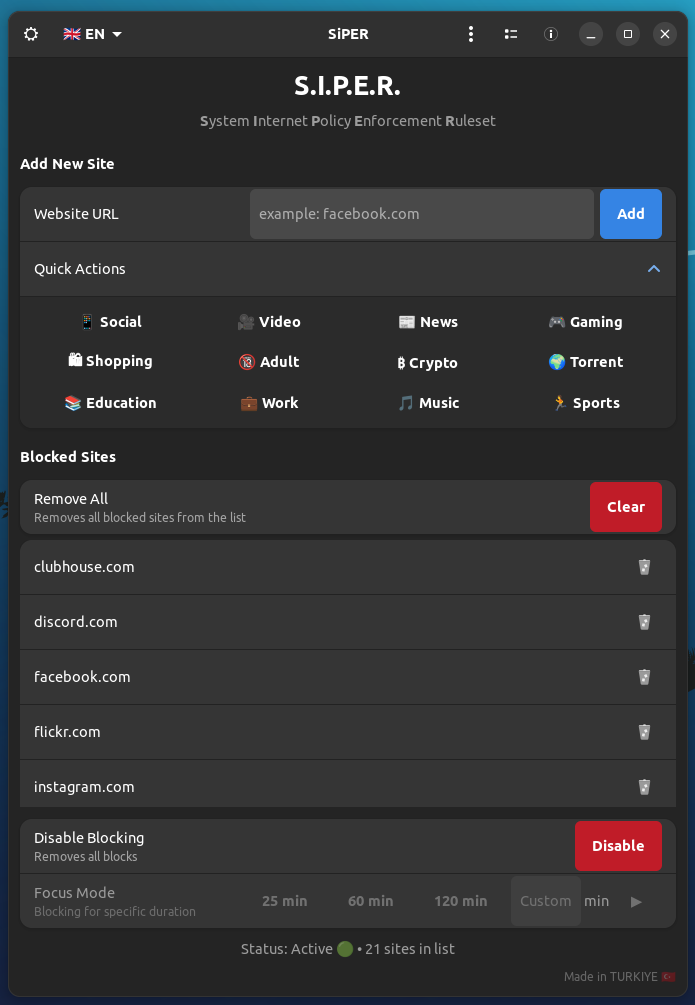
 Screenshots
 Usage Guide
Basic Website Blocking
- Add Individual Sites:
- Enter a website URL in the input field (e.g.,
facebook.com) - Click "Add" or press Enter
- The site will be added to your block list
- Use Quick Categories:
- Click on "Quick Actions" to expand the category menu
- Select from 12 predefined categories:
 Social Media: Facebook, Twitter, Instagram, TikTok, etc.
 Video: YouTube, Netflix, Twitch, etc.
 News: CNN, BBC, local news sites
 Gaming: Steam, Epic Games, gaming platforms
 Shopping: Amazon, eBay, e-commerce sites
 Adult: Adult content websites
- ₿ Crypto: Cryptocurrency exchanges and trading platforms
- Torrent: BitTorrent and file sharing sites
 Education: Online learning platforms
 Work: Professional networking and job sites
 Music: Streaming and music platforms
 Sports: Sports news and streaming sites
- Enable/Disable Blocking:
- Use the main toggle button to activate or deactivate all blocks
- When enabled, all sites in your list will be blocked system-wide
- When disabled, all sites become accessible again
Focus Mode (Pomodoro Technique)
- Quick Focus Sessions:
- Click on 25min, 60min, or 120min buttons for preset durations
- Blocking will automatically activate for the selected time
- A notification will appear when the session ends
- Custom Focus Sessions:
- Enter a custom duration in minutes in the text field
- Click the play button (
 ) to start
 - Perfect for personalized productivity schedules
- Focus Statistics:
- Click the statistics button () to view your progress
- See total focus time, weekly statistics, and session count
- Track your productivity improvements over time
Advanced Features
Import/Export Block Lists
- Export: Menu → Export → Save your block list as JSON
- Import: Menu → Import → Load a previously saved block list
- Share configurations between devices or with team members
Multi-Language Support
- Click the language button (🇹🇷 TR) in the header
- Choose from 15 available languages
- Interface will restart with the new language
Theme Customization
- Click the theme button (
 /
/ /
/ ) to cycle through:
- Light Theme: Bright, clean interface
- Dark Theme: Easy on the eyes for low-light environments
- Auto Theme: Follows your system preference
Statistics and Analytics
- Total Time: Cumulative focus time across all sessions
- This Week: Focus time for the current week
- Session Count: Number of completed focus sessions
- Historical Data: Persistent tracking of your productivity journey
Technical Details
Architecture
S.I.P.E.R. is built with a modern, modular architecture:
- Frontend: GTK 4 + Libadwaita for native Linux integration
- Backend: Python 3 with threading for non-blocking operations
- Security: PolicyKit (pkexec) for secure privilege escalation
- Storage: JSON-based configuration with atomic writes
- Logging: Comprehensive debug system with file and console output
How It Works
- Hosts File Management: S.I.P.E.R. modifies the system's
/etc/hostsfile to redirect blocked websites to127.0.0.1(localhost) - Secure Operations: All system-level changes require user authentication through PolicyKit
- Backup System: Original hosts file is automatically backed up before any modifications
- Real-time Updates: Changes take effect immediately without requiring browser restarts
Security Considerations
- Privilege Escalation: Only occurs when explicitly requested by user actions
- Backup Safety: Original hosts file is always preserved
- Atomic Operations: File modifications are atomic to prevent corruption
- User Control: All operations can be reversed by the user
Performance
- Lightweight: Minimal resource usage with efficient GTK 4 rendering
- Fast Startup: Optimized initialization and configuration loading
- Responsive UI: Non-blocking operations with proper threading
- Memory Efficient: Smart memory management with garbage collection
 Installation
My GitHub Profile
Project GitHub Link
Proje Releases .deb File
Proje SourceForge File
To Install via Terminal:
wget -O Setup_Linux64.deb https://github.com/cektor/S.I.P.E.R./releases/download/1.0.0/Setup_Linux64.deb && sudo apt install ./Setup_Linux64.deb && sudo apt-get install -f -y
Made with  in TURKIYE
S.I.P.E.R. - Taking control of your digital life, one blocked site at a time.
Best regards to everyone..