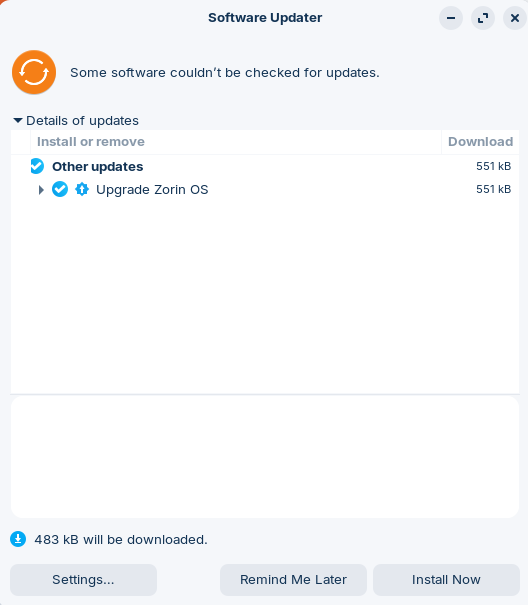
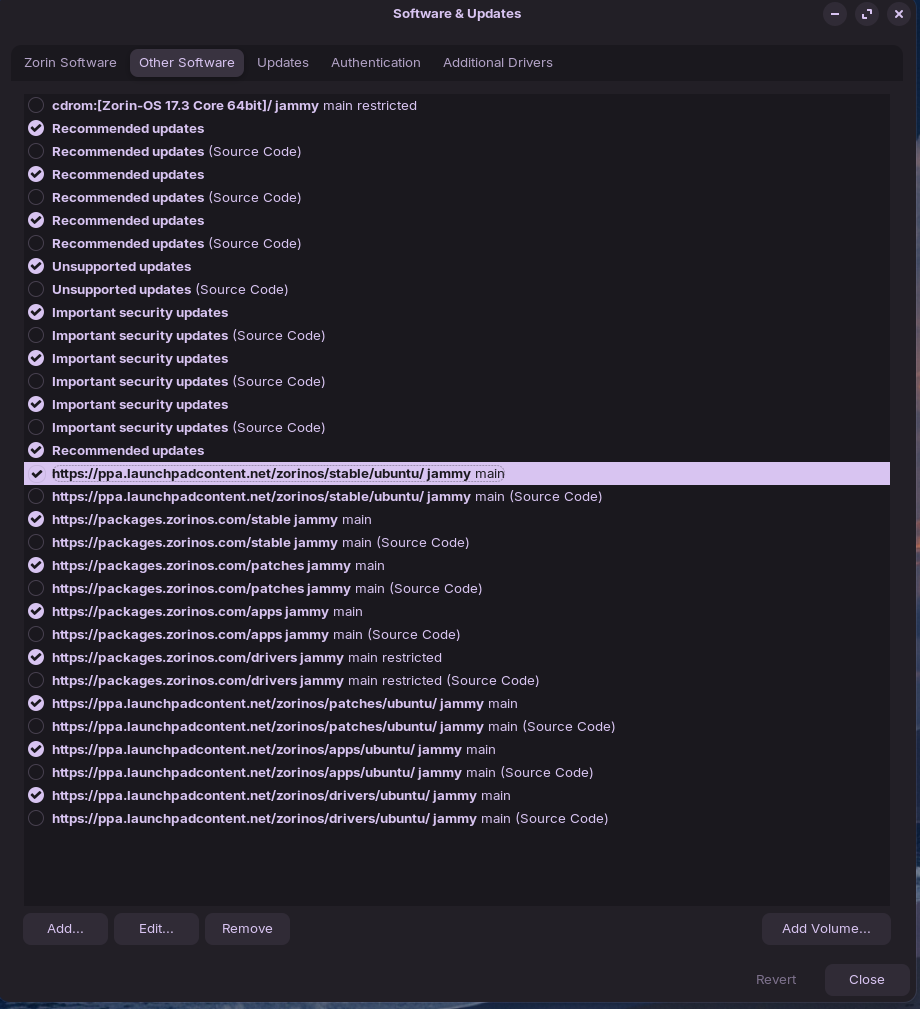
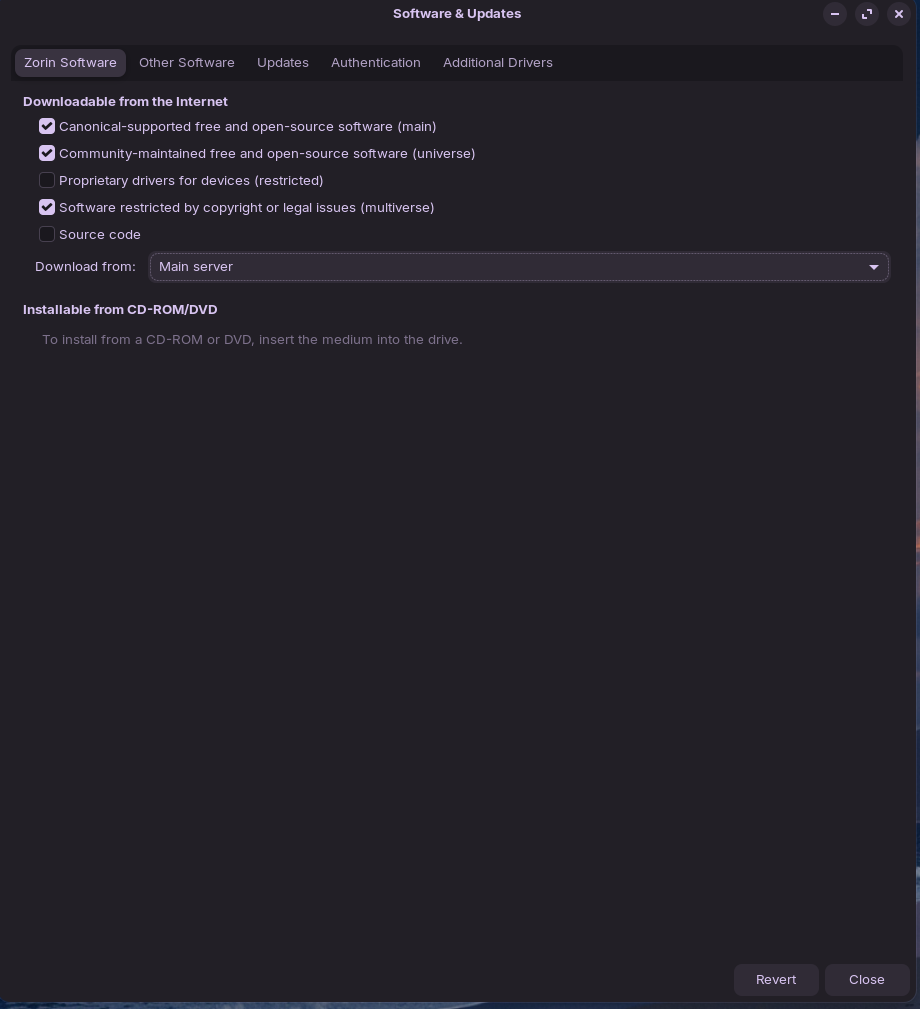
Software Updater, downloading form 'Main Server' reports:
Failed to download repository information Check your Internet connection.
$ sudo apt update && sudo apt upgrade results in:
Hit:1 http://archive.ubuntu.com/ubuntu jammy InRelease
Hit:2 http://at.archive.ubuntu.com/ubuntu jammy-updates InRelease
Hit:3 http://at.archive.ubuntu.com/ubuntu jammy-backports InRelease
Hit:4 http://security.ubuntu.com/ubuntu jammy-security InRelease
Get:5 https://brave-browser-apt-release.s3.brave.com stable InRelease [7.547 B]
Hit:6 https://ppa.launchpadcontent.net/zorinos/apps/ubuntu jammy InRelease
Hit:7 https://ppa.launchpadcontent.net/zorinos/drivers/ubuntu jammy InRelease
Hit:8 https://ppa.launchpadcontent.net/zorinos/patches/ubuntu jammy InRelease
Hit:9 https://ppa.launchpadcontent.net/zorinos/stable/ubuntu jammy InRelease
Hit:10 https://packages.mozilla.org/apt mozilla InRelease
Err:5 https://brave-browser-apt-release.s3.brave.com stable InRelease
  The following signatures couldn't be verified because the public key is not available: NO_PUBKEY 0686B78420038257
Hit:11 https://packages.zorinos.com/stable jammy InRelease
Hit:12 https://packages.zorinos.com/patches jammy InRelease
Hit:13 https://packages.zorinos.com/apps jammy InRelease
Hit:14 https://packages.zorinos.com/drivers jammy InRelease
Fetched 7.547 B in 2s (4.264 B/s)
Reading package lists... Done
Building dependency tree... Done
Reading state information... Done
33 packages can be upgraded. Run 'apt list --upgradable' to see them.
W: An error occurred during the signature verification. The repository is not updated and the previous index files will be used. GPG error: https://brave-browser-apt-release.s3.brave.com stable InRelease: The following signatures couldn't be verified because the public key is not available: NO_PUBKEY 0686B78420038257
W: Failed to fetch https://brave-browser-apt-release.s3.brave.com/dists/stable/InRelease  The following signatures couldn't be verified because the public key is not available: NO_PUBKEY 0686B78420038257
W: Some index files failed to download. They have been ignored, or old ones used instead.
Reading package lists... Done
Building dependency tree... Done
Reading state information... Done
Calculating upgrade... Done
The following packages will be upgraded:
  apparmor avahi-autoipd avahi-daemon avahi-utils distro-info-data gir1.2-malcontent-0 libapparmor1 libavahi-client3
  libavahi-common-data libavahi-common3 libavahi-core7 libavahi-glib1 libavahi-ui-gtk3-0 libmalcontent-0-0
  libmalcontent-ui-0-0 libnss-systemd libpam-systemd libsystemd0 libsystemd0:i386 libudev1 malcontent malcontent-gui
  snapd systemd systemd-oomd systemd-sysv systemd-timesyncd ubuntu-drivers-common udev wpasupplicant
  zorin-os-default-settings zorin-os-printer-test-page zorin-os-upgrader
33 upgraded, 0 newly installed, 0 to remove and 0 not upgraded.
Need to get 482 kB/42,4 MB of archives.
After this operation, 4.185 kB of additional disk space will be used.
Do you want to continue? [Y/n] y
Err:1 https://ppa.launchpadcontent.net/zorinos/stable/ubuntu jammy/main amd64 zorin-os-upgrader amd64 1.2.27~zorinos17
  404  Not Found [IP: 185.125.190.80 443]
E: Failed to fetch https://ppa.launchpadcontent.net/zorinos/stable/ubuntu/pool/main/z/zorin-os-upgrader/zorin-os-upgrader_1.2.27%7ezorinos17_amd64.deb  404  Not Found [IP: 185.125.190.80 443]
E: Unable to fetch some archives, maybe run apt-get update or try with --fix-missing?
Neither apt-get update or using the suffix worked. Any ideas on how to solve that; the issue persisted since ~October (date of this thread). Many thanks!
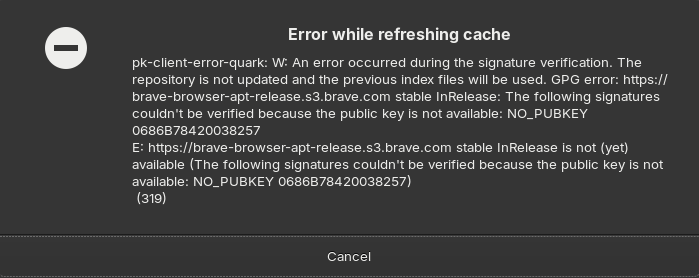
Edit: I just got a notification upon exiting 'Software & Updates' that the 'cache is out of date' and I was prompted to refresh it, which lead to the following error message:
Which version and edition of ZorinOS are you using?
Your profile just states "Core" but is that Z17.3 Core or Z18 Core.
Asking because of the many references to "jammy" above.
Since I installed Zorin over the summer earlier this year, I activated the auto-installation of recommended and security updates. Other than that I just updated apps via 'Software' store.
The OP was on Z18 not Z17.3 that you have, so could result in confusion when replying.
Has this just happened just the once or repeated over some days/hours?
It persisted since October. Some updates work, some don't.
None of the suggestions from your link helped.
Security updates usually go through, as are system updates specific to the device. As far as I can tell, it is one of the following packages; I'll start to narrow it down further.
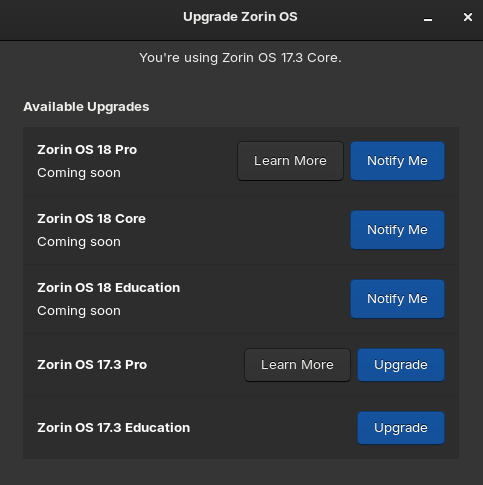
I just realized that I'm a version behind. Is it adviseable to upgrade to 18 or should I try to fix the update issue at hand first?
Z18 is still relatively fresh out of the tin and some have had a few issues with it.
So sticking with Z17.3, which is still supported, may be wise unless you have hardware that would be better with a later linux kernel.
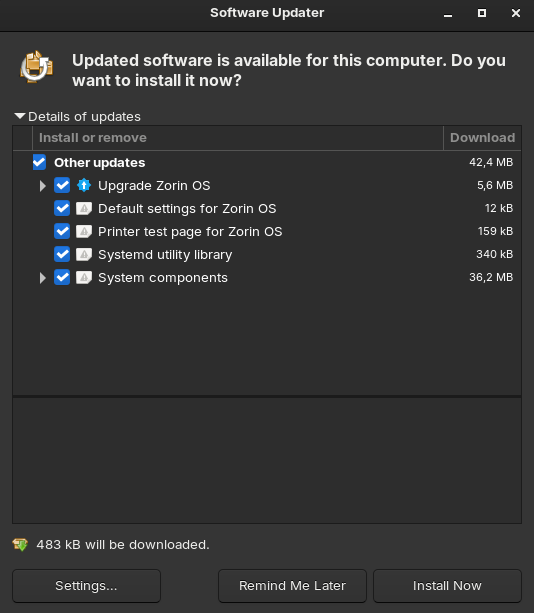
EDIT: Maybe because you are using a dark theme or something, but your "Software Updater" window looks different from mine on Z17.3 Core. Even the logo is different.
I am on OS 16, which is several years old, compared to the new OS 18, and this issue has been plaguing Zorin OS, for at least since the pandemic.
From what I can tell, there is no cure for this, there is no rhyme or reason for this, makes absolutely no sense at all, the dev's haven't fixed it, a complete mess.
The only fix I found, that temporarily fixes this issue, is to run the following command.
Alright, using the Updater I could update all files manually 1 by 1, except for the Zorin Upgrade.
Running update && upgrade shows the following:
~$ sudo apt update
Get:1 https://brave-browser-apt-release.s3.brave.com stable InRelease [7.547 B]
Hit:2 http://at.archive.ubuntu.com/ubuntu jammy-updates InRelease
Hit:3 http://archive.ubuntu.com/ubuntu jammy InRelease
Hit:4 http://at.archive.ubuntu.com/ubuntu jammy-backports InRelease
Hit:5 http://security.ubuntu.com/ubuntu jammy-security InRelease
Hit:6 http://archive.ubuntu.com/ubuntu jammy-updates InRelease
Hit:7 https://ppa.launchpadcontent.net/zorinos/apps/ubuntu jammy InRelease
Hit:8 https://ppa.launchpadcontent.net/zorinos/drivers/ubuntu jammy InRelease
Hit:9 https://ppa.launchpadcontent.net/zorinos/patches/ubuntu jammy InRelease
Hit:10 https://ppa.launchpadcontent.net/zorinos/stable/ubuntu jammy InRelease
Get:11 https://packages.mozilla.org/apt mozilla InRelease [1.522 B]
Err:1 https://brave-browser-apt-release.s3.brave.com stable InRelease
  The following signatures couldn't be verified because the public key is not available: NO_PUBKEY 0686B78420038257
Hit:12 https://packages.zorinos.com/stable jammy InRelease
Hit:13 https://packages.zorinos.com/patches jammy InRelease
Get:14 https://packages.mozilla.org/apt mozilla/main all Packages [5.458 kB]
Hit:15 https://packages.zorinos.com/apps jammy InRelease
Hit:16 https://packages.zorinos.com/drivers jammy InRelease
Get:17 https://packages.mozilla.org/apt mozilla/main amd64 Packages [106 kB]
Fetched 5.573 kB in 3s (1.794 kB/s)
Reading package lists... Done
Building dependency tree... Done
Reading state information... Done
4 packages can be upgraded. Run 'apt list --upgradable' to see them.
W: An error occurred during the signature verification. The repository is not updated and the previous index files will be used. GPG error: https://brave-browser-apt-release.s3.brave.com stable InRelease: The following signatures couldn't be verified because the public key is not available: NO_PUBKEY 0686B78420038257
W: Failed to fetch https://brave-browser-apt-release.s3.brave.com/dists/stable/InRelease  The following signatures couldn't be verified because the public key is not available: NO_PUBKEY 0686B78420038257
W: Some index files failed to download. They have been ignored, or old ones used instead.
homahuki@princess-leia:~$ sudo apt list --upgradeable
Listing... Done
distro-info-data/jammy-updates,jammy-updates,jammy-updates,jammy-updates 0.52ubuntu0.11 all [upgradable from: 0.52ubuntu0.9]
libapparmor1/jammy-updates,jammy-updates 3.0.4-2ubuntu2.5 amd64 [upgradable from: 3.0.4-2ubuntu2.4]
libmalcontent-0-0/jammy-updates,jammy-updates 0.10.4-1ubuntu0.22.04.1 amd64 [upgradable from: 0.10.4-1ubuntu0.22.04]
zorin-os-upgrader/jammy 1.2.27~zorinos17 amd64 [upgradable from: 1.2.24~zorinos17]
homahuki@princess-leia:~$ sudo apt upgrade
Reading package lists... Done
Building dependency tree... Done
Reading state information... Done
Calculating upgrade... Done
The following packages will be upgraded:
  distro-info-data libapparmor1 libmalcontent-0-0 zorin-os-upgrader
4 upgraded, 0 newly installed, 0 to remove and 0 not upgraded.
Need to get 482 kB/551 kB of archives.
After this operation, 20,5 kB of additional disk space will be used.
Do you want to continue? [Y/n] y
Err:1 https://ppa.launchpadcontent.net/zorinos/stable/ubuntu jammy/main amd64 zorin-os-upgrader amd64 1.2.27~zorinos17
  404  Not Found [IP: 185.125.190.80 443]
E: Failed to fetch https://ppa.launchpadcontent.net/zorinos/stable/ubuntu/pool/main/z/zorin-os-upgrader/zorin-os-upgrader_1.2.27%7ezorinos17_amd64.deb  404  Not Found [IP: 185.125.190.80 443]
E: Unable to fetch some archives, maybe run apt-get update or try with --fix-missing?
What I find interesting is that there's an upgrade for the Z Upgrader...
Since you do not use Brave Browser, you can use Software & Updates to select the Brave Browser repository, then click Remove.
Once removed, it will want to refresh your sources - click allow.
Then in terminal, test.
~$ cat /etc/apt/sources.list
# deb cdrom:[Zorin-OS 17.3 Core 64bit]/ jammy main restricted

# See http://help.ubuntu.com/community/UpgradeNotes for how to upgrade to
# newer versions of the distribution.
deb http://archive.ubuntu.com/ubuntu jammy main
# deb-src http://at.archive.ubuntu.com/ubuntu/ jammy main restricted

## Major bug fix updates produced after the final release of the
## distribution.
deb http://at.archive.ubuntu.com/ubuntu/ jammy-updates main restricted
# deb-src http://at.archive.ubuntu.com/ubuntu/ jammy-updates main restricted

## N.B. software from this repository is ENTIRELY UNSUPPORTED by the Ubuntu
## team. Also, please note that software in universe WILL NOT receive any
## review or updates from the Ubuntu security team.
deb http://archive.ubuntu.com/ubuntu jammy universe
# deb-src http://at.archive.ubuntu.com/ubuntu/ jammy universe
deb http://at.archive.ubuntu.com/ubuntu/ jammy-updates universe
# deb-src http://at.archive.ubuntu.com/ubuntu/ jammy-updates universe

## N.B. software from this repository is ENTIRELY UNSUPPORTED by the Ubuntu
## team, and may not be under a free licence. Please satisfy yourself as to
## your rights to use the software. Also, please note that software in
## multiverse WILL NOT receive any review or updates from the Ubuntu
## security team.
deb http://archive.ubuntu.com/ubuntu jammy multiverse
# deb-src http://at.archive.ubuntu.com/ubuntu/ jammy multiverse
deb http://at.archive.ubuntu.com/ubuntu/ jammy-updates multiverse
# deb-src http://at.archive.ubuntu.com/ubuntu/ jammy-updates multiverse

## N.B. software from this repository may not have been tested as
## extensively as that contained in the main release, although it includes
## newer versions of some applications which may provide useful features.
## Also, please note that software in backports WILL NOT receive any review
## or updates from the Ubuntu security team.
deb http://at.archive.ubuntu.com/ubuntu/ jammy-backports main multiverse restricted universe
# deb-src http://at.archive.ubuntu.com/ubuntu/ jammy-backports main restricted universe multiverse

deb http://security.ubuntu.com/ubuntu jammy-security main restricted
# deb-src http://security.ubuntu.com/ubuntu jammy-security main restricted
deb http://security.ubuntu.com/ubuntu jammy-security universe
# deb-src http://security.ubuntu.com/ubuntu jammy-security universe
deb http://security.ubuntu.com/ubuntu jammy-security multiverse
# deb-src http://security.ubuntu.com/ubuntu jammy-security multiverse

# This system was installed using small removable media
# (e.g. netinst, live or single CD). The matching "deb cdrom"
# entries were disabled at the end of the installation process.
# For information about how to configure apt package sources,
# see the sources.list(5) manual.
deb http://archive.ubuntu.com/ubuntu jammy-updates multiverse main universe
and the content of brave-browser-release.list:
deb [signed-by=/usr/share/keyrings/brave-browser-archive-keyring.gpg arch=amd64] https://brave-browser-apt-release.s3.brave.com/ stable main