
I am using the RX 6750xt gpu with a ryzen 5 5600 cpu and a Meta Quest 3. Note: SteamVR was never functional beforehand. Shoot any suggestion that may help, Things I've tried: updating amd mesa drivers, reinstalling amd mesa drivers, removing amd proprietary drivers, using beta versions of steamvr(pc) and steam link(meta quest 3), use ALVR (this is how i primarily use SteamVR but both solutions will crash), installing ubuntu restricted extras, and used Kisak Mesa.
I'm not sure what can help you.
Do you have installed the .deb package of steam or flatpak/snap? Try it with the .deb package
sudo apt install steam
or download the .deb package from the steam website.
Are you running on Wayland or Xorg? If you are on Wayland, try to switch to Xorg. Logout and at login screen click on your username, then a cog wheal appears at the bottom right corner. There you can switch between Xorg and Wayland (only one is named).
I found only other reports from users with similar equipment which had the same problem
Welcome to the Forum!
Trying the Steam .deb Package and switching between Wayland and Xorg like @Forpli already suggested are good Points.
You wrote, You have tried it with the Kisak Mesa PPA for newer Mesa Drivers. How is it with the Kernel? Did You tries it with a new Kernel? Maybe the Combination of a newer Kernel and newer Mesa Drivers could help.
Also, You wrote, You have installed the ubuntu-restricted-extras Package. What is with the other available Codec Packages? Did You installed them, too?
Are Secure Boot and Fast Boot in BIOS disabled?
- I have already tried switching between Wayland and Xorg, both give the same error or crashes. I am already using the Steam .deb package and never installed the flatpak version.
- I do not follow, sorry I am new to linux and I am working with limited coding experience from the past. I will assume I haven't done those things you brought up.
- I do not know about other available codec packages, I only installed the
ubuntu-restricted-extraspackage. - Secure Boot and Fast Boot are both disable.
Edit: I was able to get WiVRn to work and use WayVR as an overlay, however there were still some issues with trying to display the desktop env/display: It will simply refuse to project or stream even when given the proper permissions (without an error and does not crash). However, apps can still be individually displayed.
It would still be ideal if I can get ALVR to function since I use most of it's features, many of which WiVRn lack.
You wrote above:
Kisak Mesa is in my Knowledge a PPA (a Repository) what offers more current Mesa Drivers. And because You mentioned the above, I thought, You have them. And my Intentions was to suggest to combine these current Mesa Drivers with a more current Kernel. You could use the Liquorix Kernel for Example. To add it, open the Terminal and type:
sudo add-apt-repository ppa:damentz/liquorix
That will will add the Source. And then to install the Kernel:
sudo apt update && sudo apt install linux-headers-liquorix-amd64 linux-image-liquorix-amd64
Then reboot and when logged in, check if the Kernel is running with the Terminal Command uname -r
Open Gnome Software and scroll down to the End. there is a Button called ''Codecs''. click on it and You get an Overview with Codec Packages. Install them all. Then, you can install in the Terminal some additional Stuff to get more Codec Support:
sudo apt install vlc ffmpeg ubuntu-restricted-extras
2 Likes
- I installed the kernel you used in your example and uninstalled/reinstalled Kisak Mesa.
- I found the packages you were talking about in the Gnome Software and installed all of them and ran the code you provided in the terminal.
Unfortunately the result remains the same, SteamVR gets the same HEVC error, and ALVR crashes SteamVR.
Edit: I rebooted the PC after installing/reinstalling new drivers and codecs.
Edit 2: I decided to check my gpu drivers through the terminal to check if everything is present.
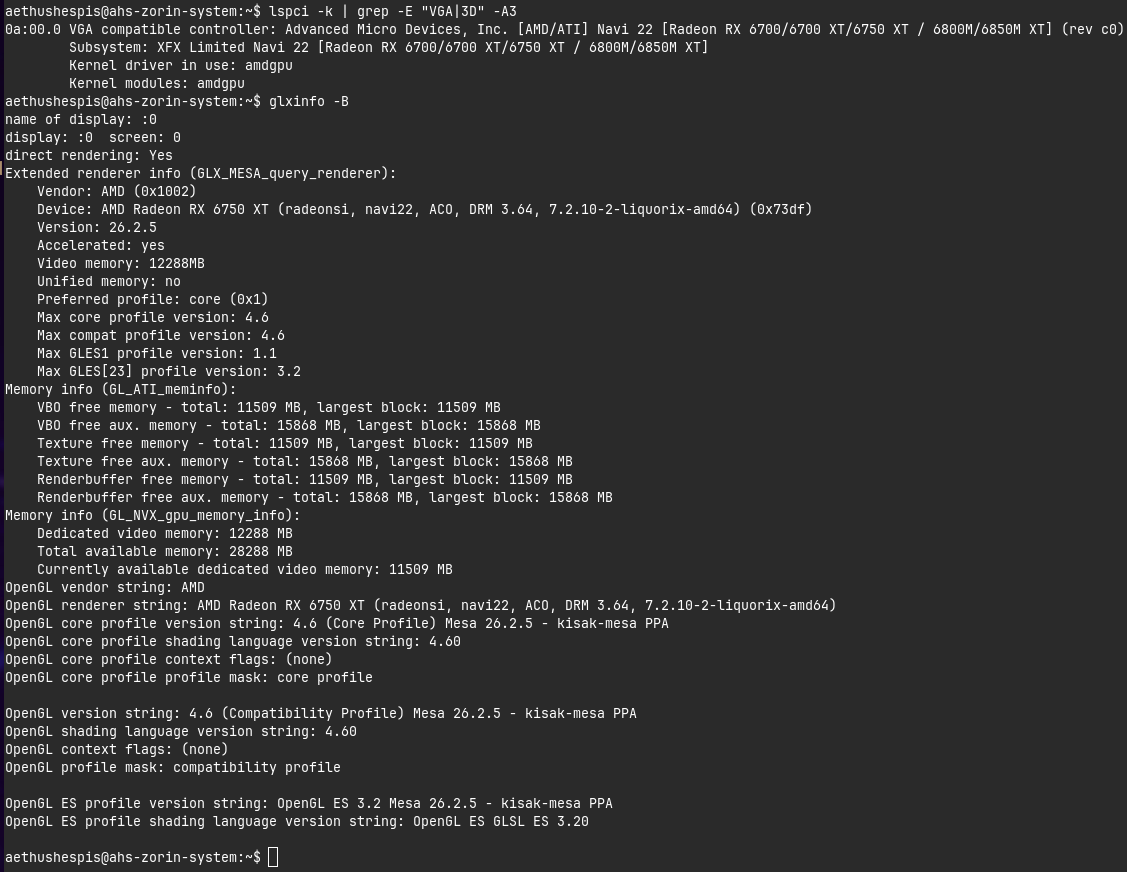
Well, in this Case ... maybe there is a specific kind of Codec or Driver needed or on Zorin it isn't simply compatible. At least these 2 would be my Point of View now.
I see. Thanks for trying to help! I may migrate to a different OS to see if it fixes this issue when I have the time.
1 Like
in case you havnt fixed your issue try these commands they worked for my
How to use both GPUs properly
On Linux, your system will automatically run on the power-saving integrated GPU (Radeon HD 6620G or lower) to handle your desktop, web browsing, and regular apps.
When you want to run a heavy application or game using the faster, dedicated GPU (Whistler/Radeon HD 6630M+), you do not need to switch drivers. Instead, you just instruct the app to launch using the dedicated card by using environment variables.
• For standard desktop apps/games: Launch them via the terminal by adding DRI_PRIME=1 before the command.bash
DRI_PRIME=1 name_of_program
• For Steam games: Right-click the game in your library, go to Properties, and under Launch Options, type:text
DRI_PRIME=1 %command%
good luck hope somebody else might need this to try
I am unfortunately unable to test this as my steamvr issues has progressively gotten worse somehow??
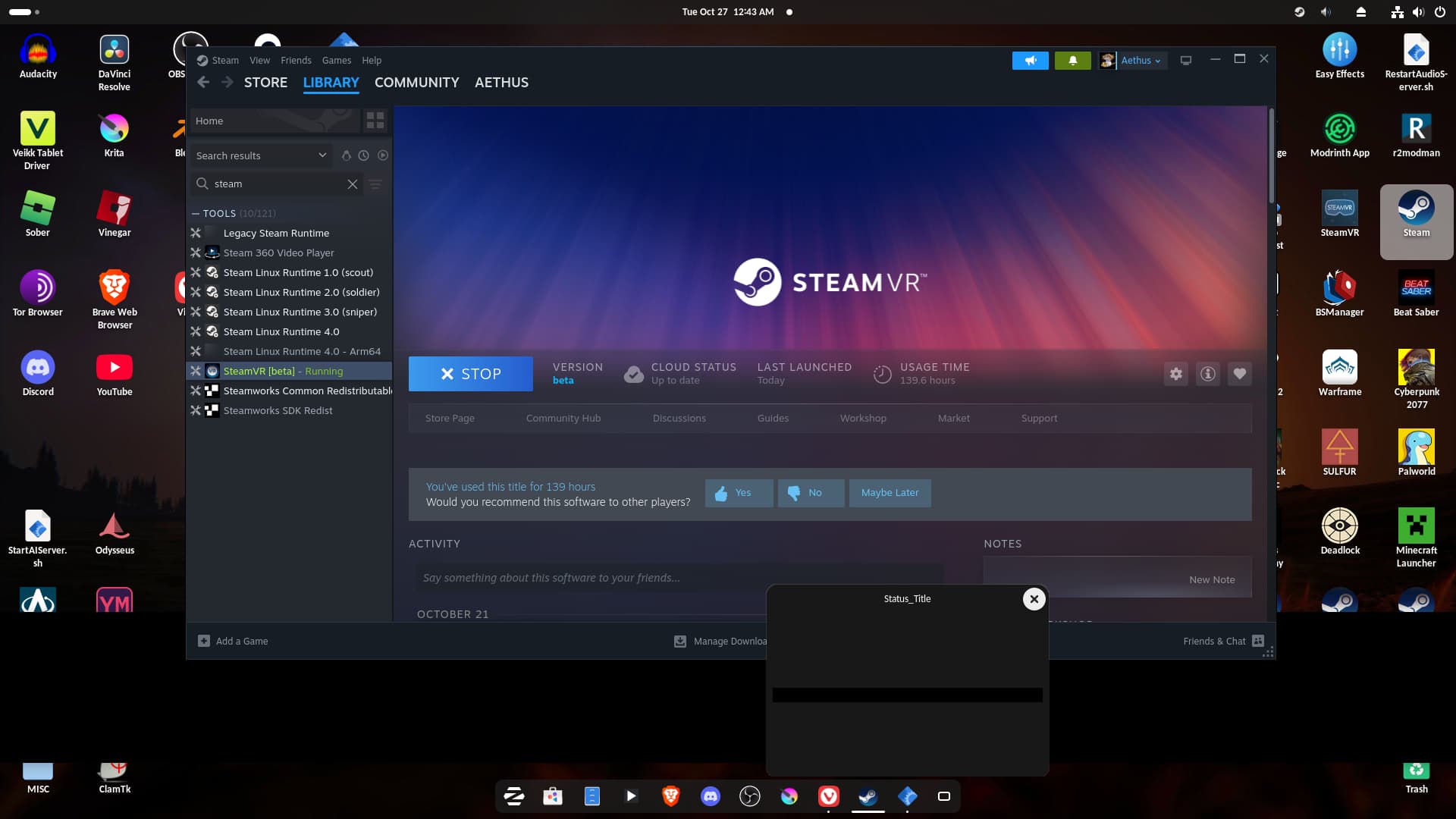
I have moved onto using WiVRn which has gotten me further than crashing when trying to connect to my VR headset. Even then the experience is still broken in many ways that I will not discuss in this thread since it's not about SteamVR/ALVR. I have never been more confused by my computer's behavior.
Edit: Regardless, I do not think your proposed solution would have worked since I do not have an iGPU & the RX 6750xt is my only video device. All graphical* processes would be handled by the dedicated GPU.
2 Likes