I am trying to install Zorin on an old HP Notebook 17-by0071cl Product ID 4YX43UA#ABA that currently has Windows 10. I am looking to replace Windows with Zorin, NOT dual boot.
I cannot get past the Intel RST error when installing. I have tried every solution I can find in addition to following the steps here and here but I cannot change the SATA controller type in the BIOS to AHCI because SATA mode is not listed anywhere to change.
I disabled Intel Optane Memory in Intel Rapid Storage Technology on Windows.
In Windows it shows the following when I go to
Device Manager > Storage Controller
Intel Chipset SATA/PCIe RST Premium Controller
Microsoft Storage Spaces Controller
There is no BIOS option to change SATA mode. Acer computers have a way to unhide access to it by pressing Ctrl + S. Acer also uses a different terminology for it (VDM). I have found no such things in HP. Setting a password on the BIOS also didn't open up any extra options.
Here are pictures of my bios:
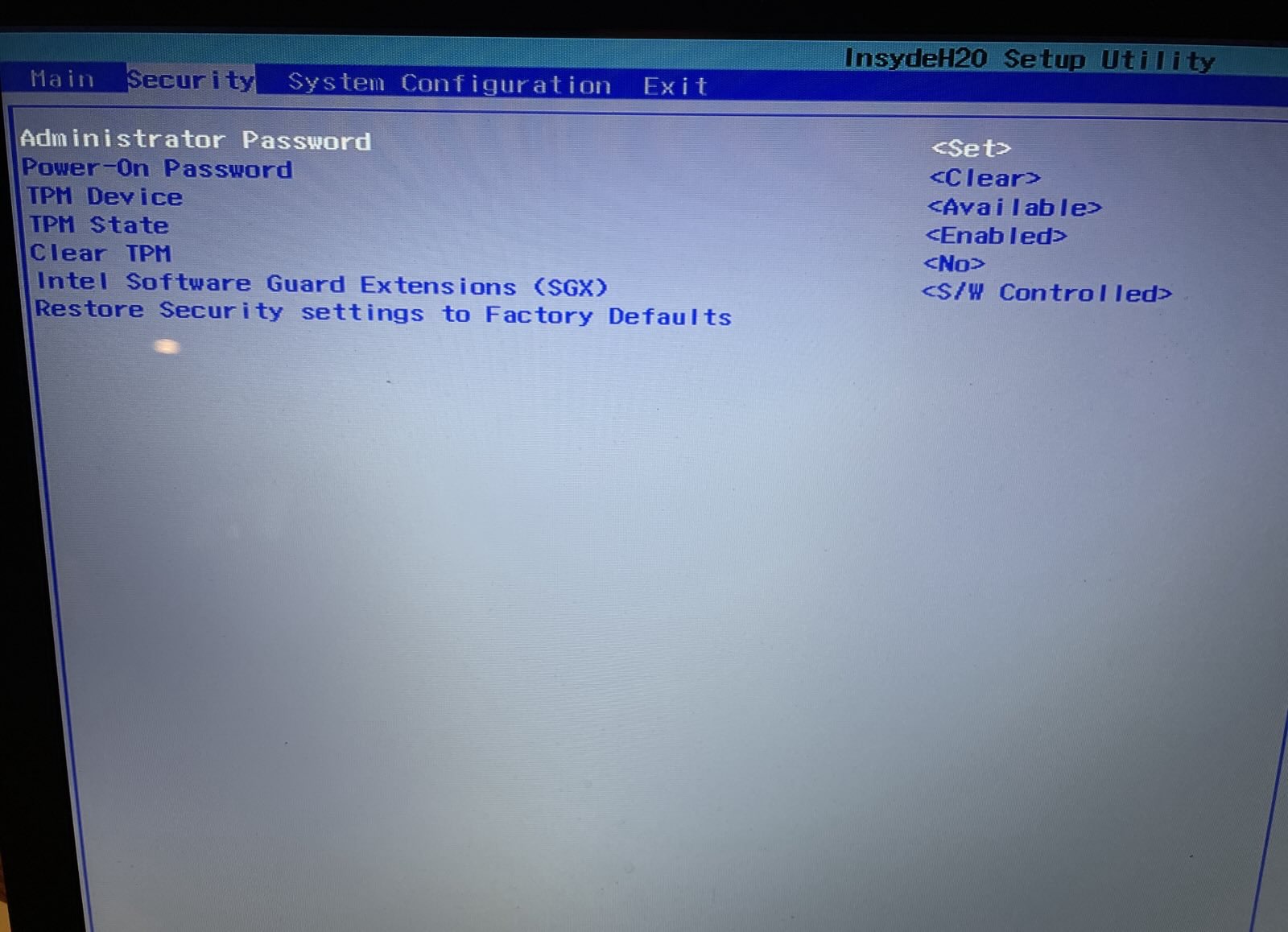

Boot Options Menu
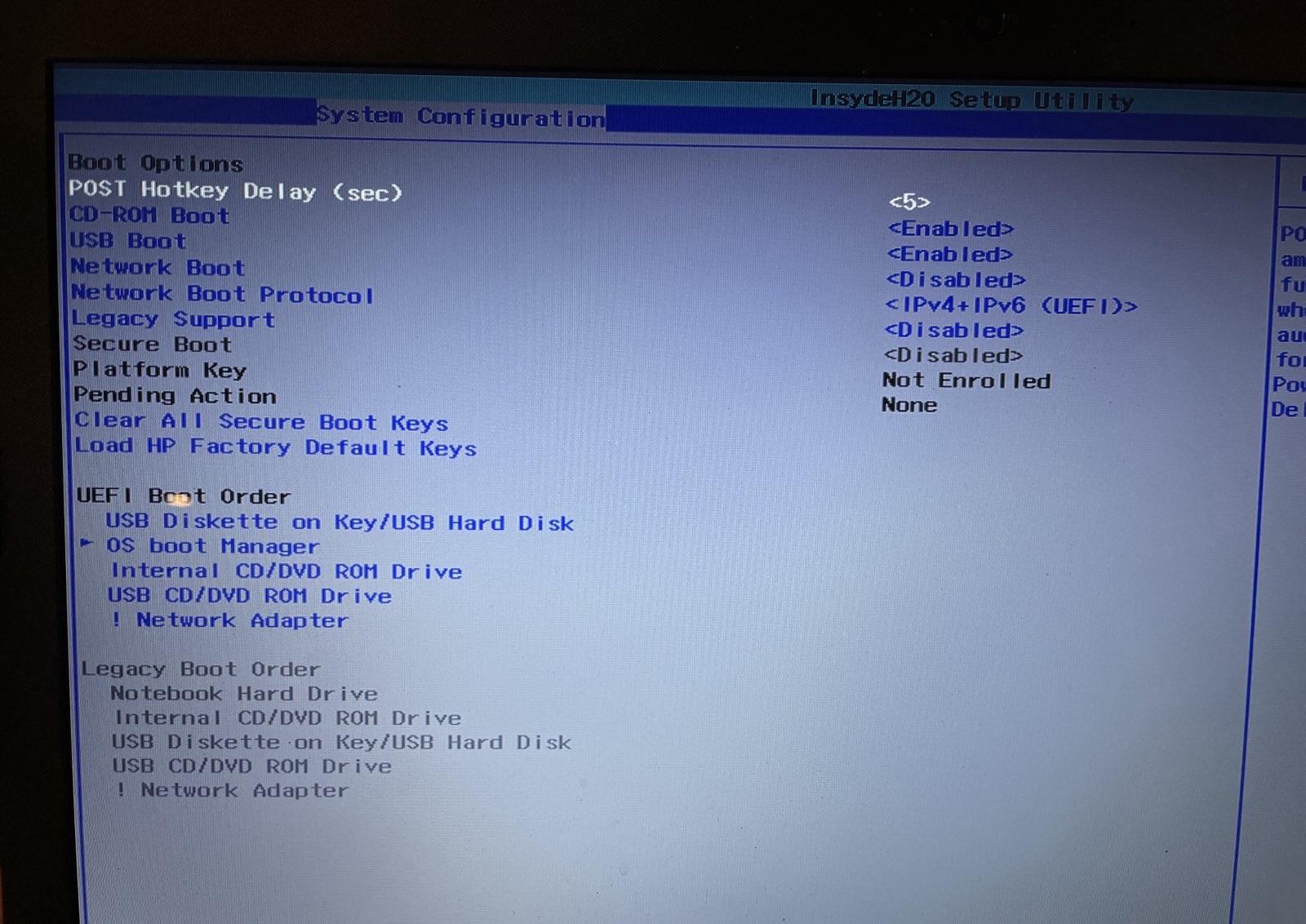
UEFI Device Configuration

This shows the disks

SATA Disc says controller is AHCI
PCIe disc is NVMe
HP has a newer BIOS update for this computer but when I install it says the computer is not compatible. Not sure why.
There is also a new driver for Inter Rapid Storage Technology. I don't know if that would help any.
Any help would be greatly appreciated at this point. Thanks
