Suspend broken by latest update

It's been working fine since the OS install, now when the PC tries to enter the suspend state, the monitor sleeps, the cpu cooling fan revs up (i can hear it) and the system stays on but is unresponsive to input.

I have to press the reset button to get it to respond again. Timed suspend, manual suspend, no difference.

Is there a way to roll back? I believe the latest update was yesterday morning.

Update: I powered off the PC after posting this using the software power menu. It appeared to shut down but when I moved the mouse it started back up and booted into an unrepsonvise state.

Apparently I'll have to shut off the keyboard and mouse during the power down cycle and then turn off the physical power switch on the back of the PC :enraged_face:

Hello,
you can try to go back to older kernel

  • Restart the PC and press Escape during boot to access the GRUB menu (may also be accessed with Shift)
  • Select "Advanced options for Zorin OS"
  • Here, you can see the available kernels to boot into. Choose the older one (without recovery option)
1 Like

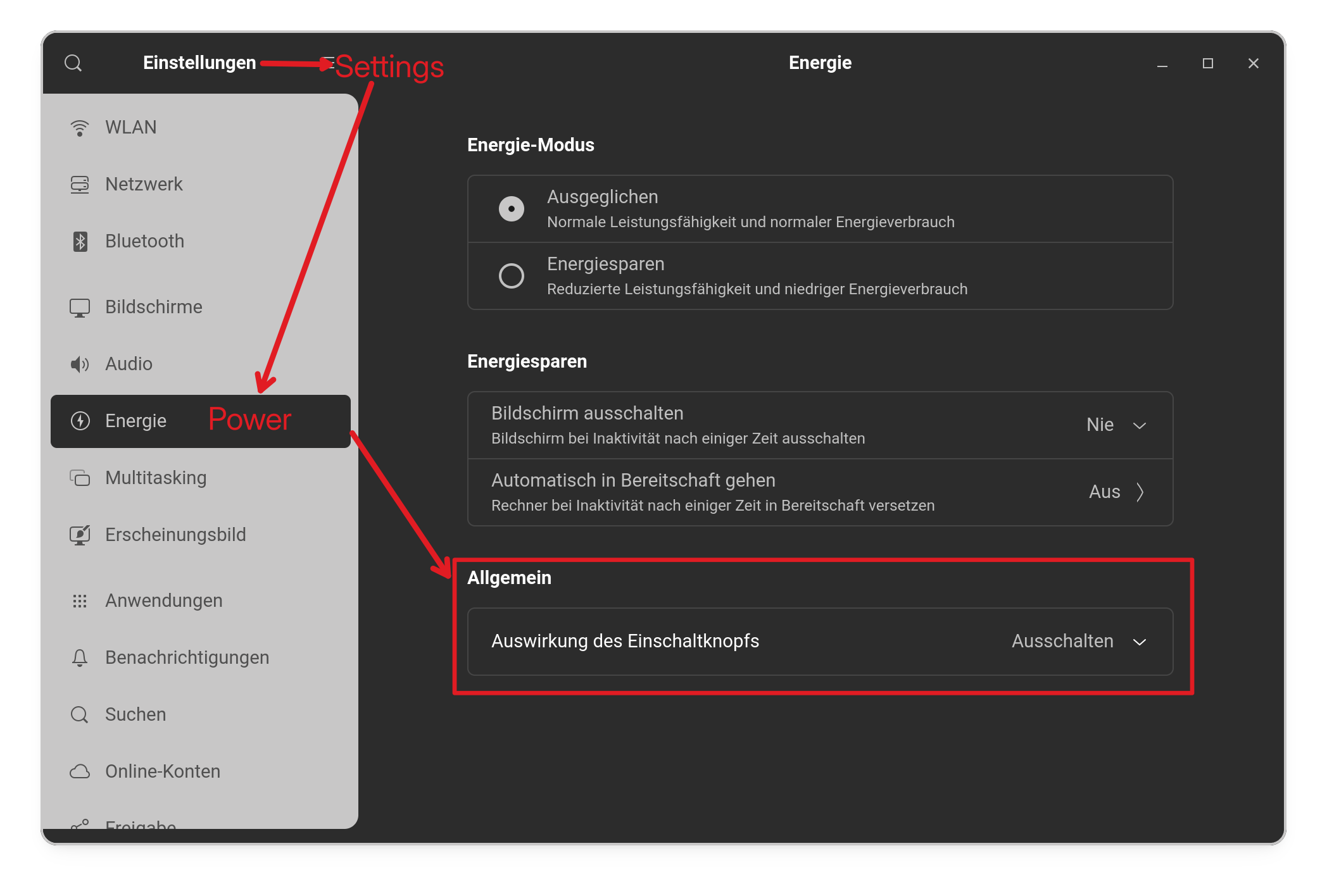
Check in Settings>Power the Behavior of the Power Button.

[BUG REPORT] Kernel 7.0.0-30 Update — Suspend Freeze + Erroneous fstab Entry

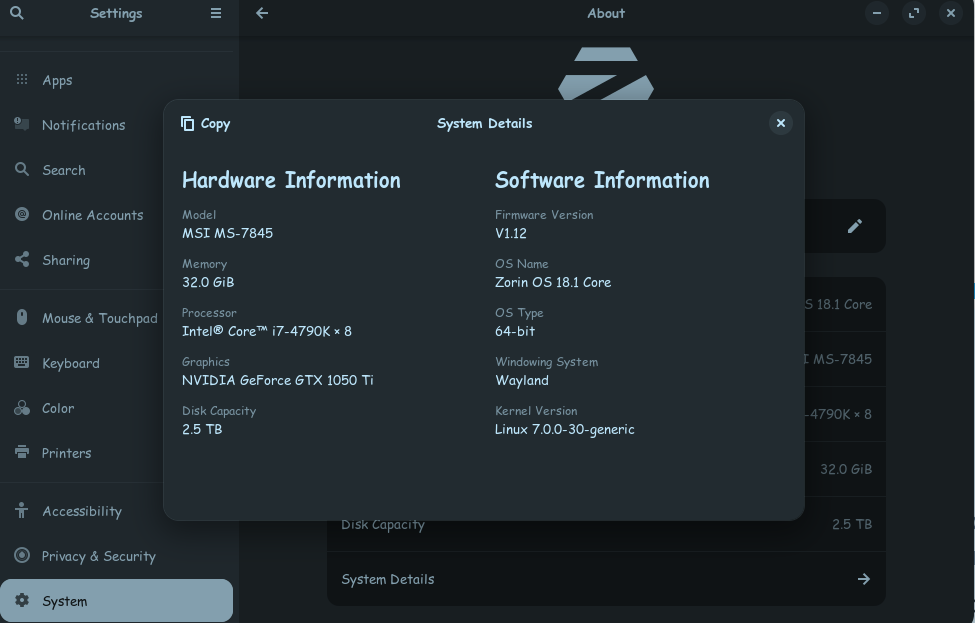
System: Zorin OS 18.1, dual boot with Windows 7 (offline), MSI Z87-GD65, Intel i7-4790K, NVIDIA GTX 1050 Ti

Update date: August 21, 2026 — kernel 7.0.0-30.30~24.04.1


Issue 1: Suspend freeze

After installing the update, suspend no longer works correctly. The screen goes off but the system locks up completely — CPU fan spins up and the machine stops responding to keyboard and mouse entirely. Hard reset required every time.

Fix:

Create /etc/modprobe.d/nvidia-power-management.conf with the following:

options nvidia NVreg_PreserveVideoMemoryAllocations=1

Then run:

sudo update-initramfs -u

Issue 2: Emergency mode on boot after hard reset

The update erroneously added a /boot/efi fstab entry, apparently triggered by an unmounted legacy mSATA that is still physically installed in the system but not in use, that contains an old Zorin OS and Windows 7 dual boot that were cloned to a new SATA SSD. This entry caused boot failure and dropped the system into emergency mode on every subsequent boot.

Fix:

Open /etc/fstab and comment out the added /boot/efi line

3 Likes

For anyone new reading this, to create or edit a *.conf file you need to open a Terminal and enter for the alterations to be made would be:

sudo nano /etc/modprobe.d/nvidia-power-management.conf

After the changes have been made use the commands Ctrl+ O to write the changes to the *.conf file, which will ask for confirmation of the changes, so press the Enter key, then exit the nano editor with Ctrl+ X.

Whenever a configuration file has been created or amended, requires a reboot for it to 'stick'.

[Footnote: removed markdown for Ctrl+ O as it made the O look like a zero (0)!]

Hi Tracy.11011012 and all,

Just wanted to add a data point that may support this fix, though I'm still in the verification phase myself.

I'm running Debian 12 (Plasma 5) on a Dell XPS8700 with an NVIDIA GTX 1070 Ti (also Pascal). I had originally upgraded from the proprietary 535 driver to a pinned 580 driver branch specifically to fix a separate long-running-session freeze issue, so my environment is close to what's described here — proprietary NVIDIA driver, Pascal GPU, similar kernel-era setup.

On this driver I was hitting the same suspend/resume failure pattern described in this thread — GPU reinit errors on resume (GPU class: Unknown, GPU process launch failed), occasionally escalating to a full system freeze requiring a hard reset.

I applied the same fix mentioned above:

options nvidia NVreg_PreserveVideoMemoryAllocations=1

in /etc/modprobe.d/, followed by update-initramfs -u and a reboot.

I want to be clear this is not confirmed yet — I'm only a few days in, monitoring after each suspend/resume cycle with:

sudo journalctl -k -b 0 --since "10 minutes ago" | grep -iE "GPU class: Unknown|GPU process launch failed|NVRM"

No errors so far, but I'm planning to observe for about two weeks before calling it resolved, since this class of bug has a history of going quiet for over a week and then recurring.

Separately, with some AI-assisted research (Claude), I dug into NVIDIA's official forums and found this suspend/resume reinit failure has been reported continuously across driver branches from roughly 370.x up through 595.x, spanning GPU generations from Maxwell (GTX900) all the way to Ada Lovelace (RTX40-series) — so it looks like a long-standing, unresolved issue rather than anything specific to one GPU generation or distro.

I also multi-boot Zorin OS 18.1 on the same machine (same GPU), and given that this thread itself is about Zorin OS 18.1, I'd guess there's a good chance the same issue shows up there too — I'll likely apply the same fix there once I've got enough stable cycles on the Debian side.

Just sharing in case it's useful as another data point for anyone else finding this thread.