Suspend issue on HP Victus laptop

Greetings!

I'm new here, and I have been using Zorin 17.3 and, more recently 18 Core, on my HP Victus laptop (i5-13420H, RTX 2050) for a few months now.

The experience on both 17.3 and 18 has been absolutely bug-free, except suspending and resuming afterward. I have installed all Nvidia drivers completely, and software depending on those drivers has run without problems (Windows games such as the non-Steam version of ETS2 on Lutris, BOINC Manager for volunteer computing).

However, when I press the power button for a second or two to suspend the laptop, or if the suspend timer (on system settings) has been reached, the laptop suspends, the fans stop spinning, and the screen turns black. However, it does not resume successfully, which means I have to force a reboot and lose unsaved work, if any.

I have tried some terminal commands to check the available suspend states (don't remember which exactly), and only s2idle has shown.

The BIOS settings menu on this laptop is oversimplified. I haven't found any way to change suspend modes on there.

I had tried Linux Mint and Pop!_OS on this laptop as well, and the issue was the same.

Otherwise, my experience with Zorin OS has been thoroughly enjoyable. Everything else (Wi-fi, Bluetooth, backlit keyboard, audio, even the specialised Calculator button seen on Victus laptops) worked out of the box with NO additional settings required, and the Zorin team deserves a raise for that. (That calculator button didn't work on Pop!_OS, the last time I tried the stable release a few months ago)

Is this issue resolvable at a software level, or is it a hardware-level constraint?
Welcome to the Forum!

Yes, Suspend is a common Problem unfortunately.

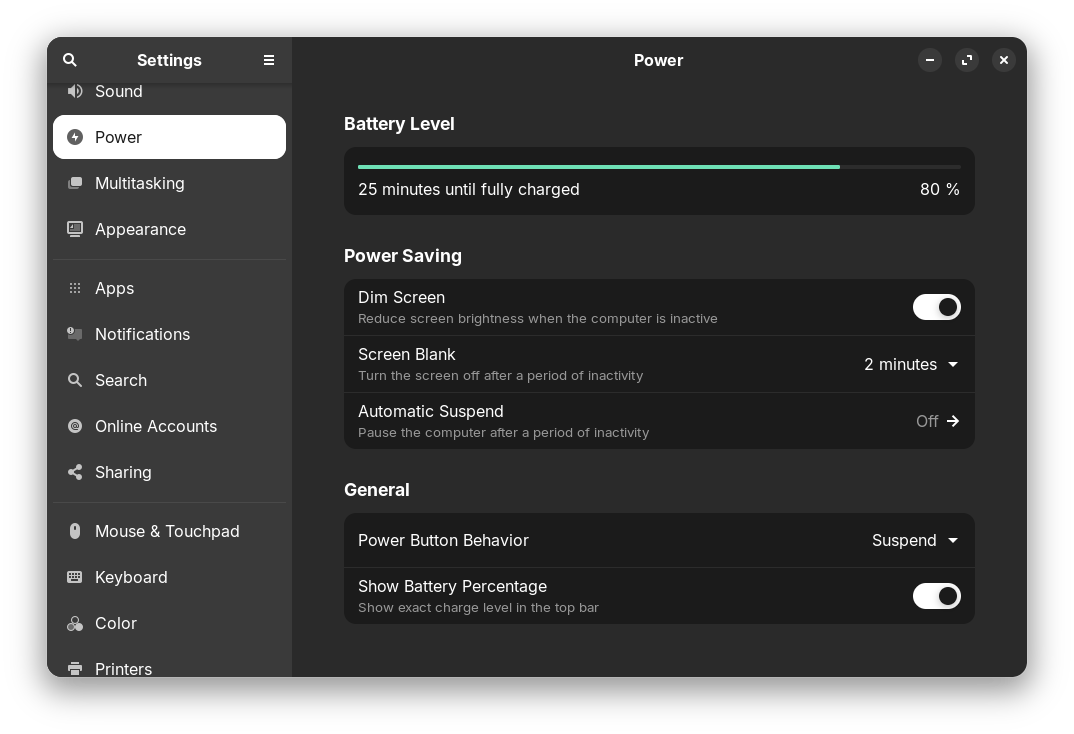
When you go to Settings>Energy, how is the Power Button set up when You press it?

Shown here

Okay. When You go over the Start Menu or the Quick Settings in Suspend Mode, does this work?

No, it doesn't. On suspending through ANY means, the laptop screen turns off and the fans stop, but the laptop doesn't wake up successfully again.

You could try to add the kernel parameter

intel_idle.max_cstate=4

Enter

sudo nano /etc/default/grub

Navigate with the arrows down to line

`GRUB_CMDLINE_LINUX_DEFAULT="quiet splash"

and change it to

GRUB_CMDLINE_LINUX_DEFAULT="quiet splash intel_idle.max_cstate=4"

Press CTRL+o to save the changes, enter to apply, then CTRL+x to exit.
Then run

sudo update-grub

and reboot. Test if suspend works now.
If not, repeat the same steps and remove the added parameter.

Thank you very much! Suspend worked, although it did take ~10 seconds for the system to fully respond again before I could unlock it using my password.

I'll observe the system and continue to use it normally for a short while before I report back.

1 Like

Update: Strange. I tried suspending using the power button, and the power indicator started blinking, the fans stopped spinning (they otherwise stay on when the laptop is awake; it's a BIOS setting), the screen locked and turned off, meaning it had entered sleep mode successfully, but I couldn't wake the laptop up successfully afterward. This is the same problem which was originally present.

Does the suspend work when you don't use the power button, e.g. pressing the suspend button in start menu or automatically suspend after a special time?

On reddit I also found this solution with another kernel parameters. I'm not sure if it would be a good idea to try because I'm not familar with this.

GRUB_CMDLINE_LINUX_DEFAULT="quiet splash nvidia-drm.modeset=1 i915.enable_dc=0"

https://www.reddit.com/r/Ubuntu/comments/1mnyhyk/solved_hp_victus_suspendresume_failure_with/?tl=en

Using both the max_cstate and the nvidia-drm.modeset settings in combination appears to have fixed the problem. There is still a delay of ~10-15 seconds before the laptop fully responds, but that's manageable.

Thank you!

1 Like

Are you on XOrg or Wayland? You could test if your system works better when you switch to XOrg. Logout and at login click on your username then a cog wheal appears at the bottom right corner. There select "Zorin Desktop on Xorg".

I was on X11 already.

1 Like

I just bought a new HP Victus i7-13620H and have exactly the same problem on Zorin 18pro, on Nividia drivers. I solved it by going into the settings / power / automatic suspend menu & switching both on, (battery power delay on 15 min , plugged-in delay 25 minutes.) Running in Wayland.

This topic was automatically closed 90 days after the last reply. New replies are no longer allowed.