Hi All
Wonder if someone can help me?
I am very new to Zorin - 3-4 weeks in. After initial glitches, everything was running great until a recent update. To be honest I didn't pay much attention to it but it appears to have caused a problem.
Before the update, I put the PC into Suspend each night, waking it in the morning.
After the update, when I tried to wake it, nothing, just a blank screen. I have up to date proprietary Nvidia drivers (580) for a RTX4060 GPU.
Nothing else has been changed on the system - Zorin 18 Core.
I have set it up on a dual boot basis (separate discs). Win10 (offline) on one and Zorin on the the other.
At startup, I ESC from Win10 option and this takes me to Zorin options. I then open normal Zorin system - Zorin OS, with Linux 6.14.0-37-Generic
There is another option - Zorin OS, with Linux 6.14.0-37-Generic (Recovery moc
I am not sure what the latter is, so I have always opened Zorin on the first option.
Any help would be much appreciated.
Yours, Gareth
Welcome to the Forum!
- Are Secure Boot and Fast Boot in BIOS disabled?
- Is Fast start-Up in Windows disabled?
- Does Zorin run in Wayland or X11? You can check that with the Terminal Command
echo $XDG_SESSION_TYPE
All settings are unaltered from when the OS was working fine and Suspend worked.
But I'll check on the BIOS in a second.
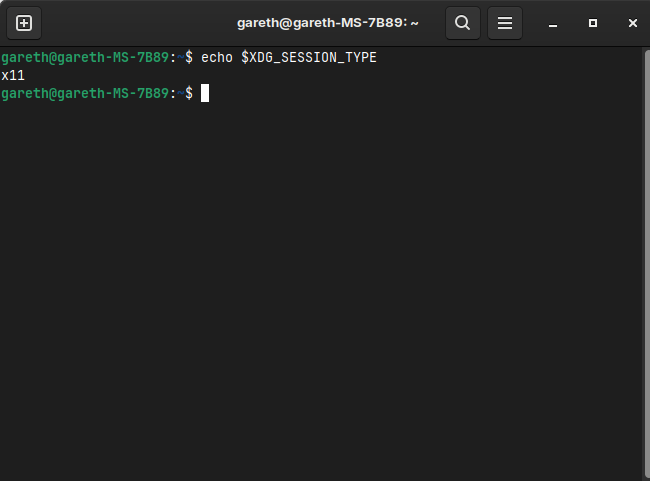
Is Fast start-Up in Windows disabled? Disable on set-up, never re-enabled
Secure Boot is disabled
Memory Fast Boot is enabled.
Ok, this can be marked up as resolved.
It appears that although fastboot was disabled, Windows has the ability to turn it back on. If you access the command prompt in Windows and type in - powercfg /h off that turns it off permanently.
After suspend, it now works.
2 Likes
I have marked Your Post as Solution.
This topic was automatically closed 90 days after the last reply. New replies are no longer allowed.