I've seen some similar-ish posts to this before, and some on laptops, but not a good desktop answer.
I recently switched to windows and set up a dual boot option. I have two hard drives, one SSD for Zorin, another for my old windows install. Swapping between them seems to work fine.
When I suspend the PC for a bit, and come back, it wakes up just fine, takes me back to the login screen, no issues.
But if I suspend the PC and leave it overnight, when I come back it's not just that I can't wake it up, I can hear it still on, but the power button doesn't do anything, holding it down does nothing, no mouse, keyboard, anything. I have to manually unplug the PC to shut it down and then can restart it.
Current version of Zorin OS 18
Motherboard: MAG Z690 TOMAHAWK WIFI DDR4 (MS-7D32)
Graphics card: TU106 [GeForce RTX 2070]
I've also had issues where the computer slows and crashes/freezes during certain activities like watching a stream/gaming (things start getting choppy, mouse slows down, eventually can't move, then restart happens automatically) but want to solve this one first - just mentioning it in case its related.
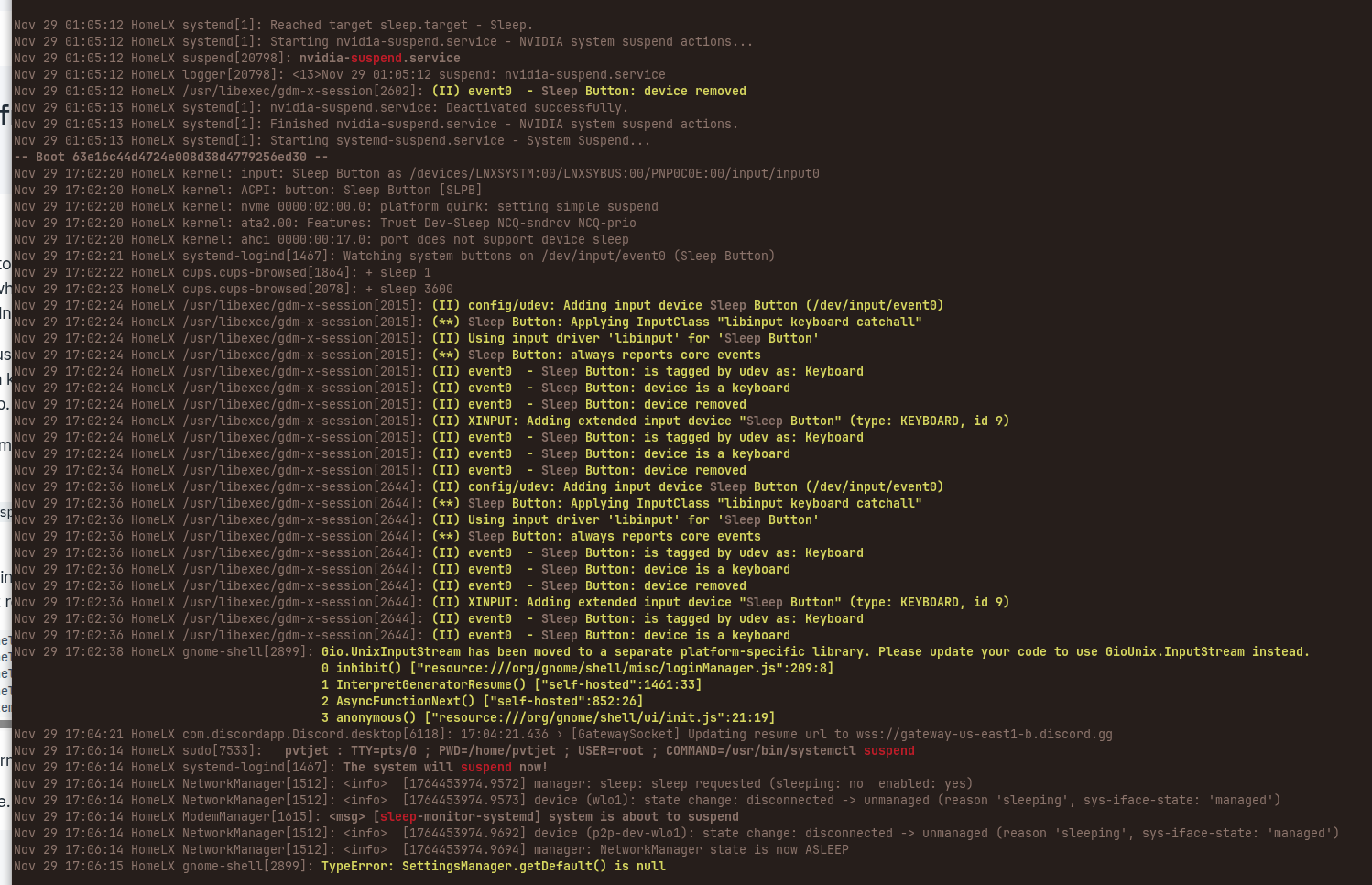
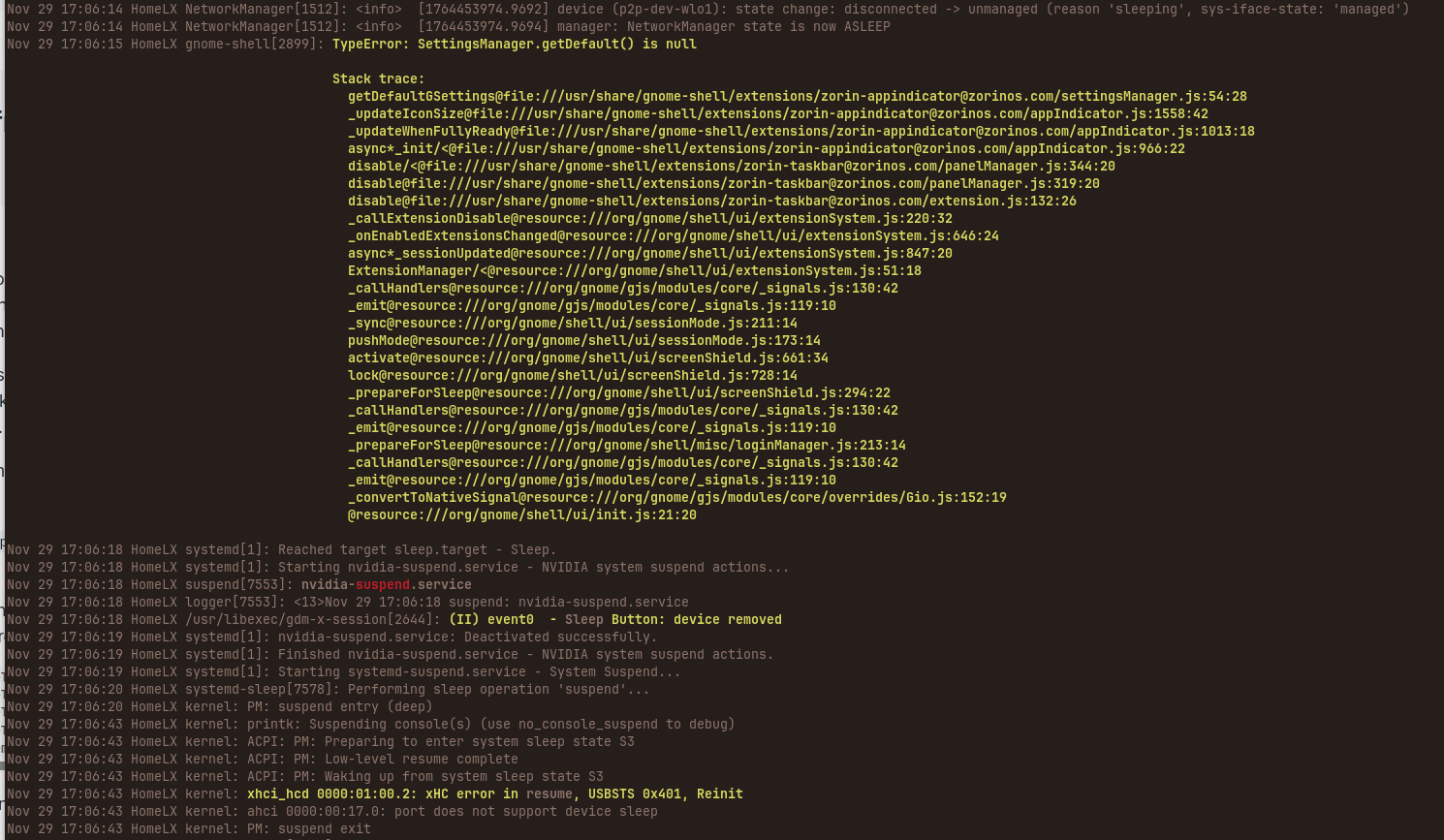
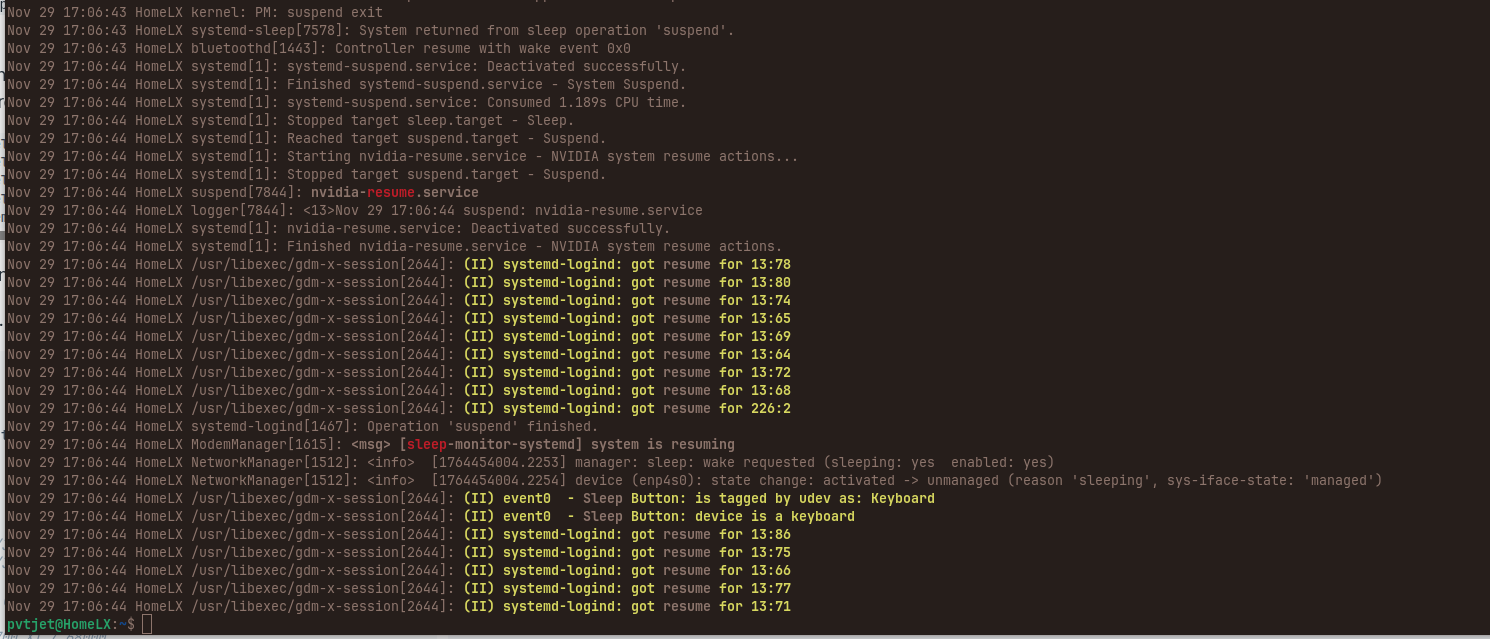
I have a screenshot of a journal entry I took after this happened. What this should show is me shutting the PC down at 1am one morning, then attempting to turn it back on at 5pm where I had to manually kill it then turn it back on. Some weird comments I don't know how to interpret in there.
There have been numerous threads lately discussing "suspend" issues.
I have always installed ZorinOS with an actual /swap partition, not a swap file.
I believe the standard installation only creates a swap file not a /swap partition.
I wonder if that may have some bearing on the number of suspend issues now arising.
Just a thought. Zab
secure and fast boot are off
fast startup in iwindows is off
bios is in UEFI
I had to learn to find all of the above to get my dual boot to work properly
System is in X11
Linux was loaded onto a USB with Balena Etcher
I don't know what a checksum of the ISO is, googling seems like it's verifying my download from zorin was legitimate? Is that right?
It would be in ~/Downloads if you had downloaded it, however, if this is an installation that you created after downloading it, elsewhere, then burned it to a USB Stick, it would not be in your Downloads folder, since you never downloaded it on this install.
Did You moved/copied the ISO File on the USB Stick or do You mean that You created a bootable USB stick? In the last Case (creating a bootable USB Stick) the ISO should be still on Your System if You didn't delete it.
I was just asked to check if my install was valid by checking the checksum. Following the directions it asks to look at the iso file
When I installed zorin i downloaded it from a windows SSD which i still have, etched it onto a fresh USB, and used USB to install zorin on a fresh SSD and then set up the PC to let me pick between the SSDs at boot. So from that POV, I'm not sure how to do the checksum test anymore.
But regardless I should have an update tomorrow if the issue was fixed by updating the bios for my motherboard, I need to let it be suspended for 10+ hours and see if it wakes up and see how that goes
Well, from your post above, it sounds like you downloaded the Zorin OS .iso file on a Windows computer.
On that SSD, is it in the home Downloads folder?
I haven't had time to check the original file but I will hopefully this weekend.
New suspend updates since updating my bios
sometimes it doesn't crash and i can come back after a full day and resume!
sometime it still does crash, but now its different. rather than just being totally dead, no functional power button, anything. Now it's just a blank black backlit screen where no input works, but I can use the power button to force it off and back on
but sometimes when coming back from suspend normally, and sometimes even after doing a power button reset, when you log in you get a 'oops, something went wrong' error and are forced to log out.
when you log back in after the forced logout, the zorin appearance has changed. normally i use the default windows-like appearance, first option. but it changes to what i think is the 4th option on the list, where there is no taskbar of apps and the clock and power options are at the top of the screen. i can easily change it back but????? why is it changing my zorin layout after a suspend crash?
Anyways, will report back on ISO file quality after this weekend