Since upgrading ot Zorin 18, I am seeing a problem with the UI. The taskbar goes missing after I re-awaken the system after suspending. I can bring it back by going to the extension manager and turning the taskbar on and off. But it is annoying.
This happens whether I use an external monitor or not.
Welcome to the Forum!
- Does Your System run in Wayland or X11? You can check that with the Terminal Command
echo $XDG_SESSION_TYPE - What Graphics card do You have?
- Did You tried to switch to a different Desktop Layout and then back?
- Maybe a Reinstall of the Taskbar and the zorin Appearance Components could help:
sudo apt reinstall gnome-shell-extension-zorin-taskbar zorin-appearance zorin-appearance-layouts-support zorin-appearance-layouts-shell-core
I have tried both Wayland and X11. I have AMD Ryzen 7940.
The problem only started with Zorin 18. Earlier it worked great.
Switching the layout, or turning the taskbar off then on in extension manager brings it back. But that is annoying.
And did You treid this:
Yes. Did not help.
Do you have installed the app citrix workspace? It can cause such problems.
No, I do not have any Citrix apps.
This only started happening after I upgraded Zorin from 17.3 to 18, no other app changes.
I would like to try something:
Replace the Zorin Taskbar with the Gnome Extension Dash To Panel. It is similar but offers more Options to set it up. Why I suggest that? I would like to check if it behaves different.
First, install the Extension Manager in Gnome Software:

when done, open it and on the ''Installed'' Tab scroll down until You see ''Zorin Taskbar'' and disable it. Then go to the ''Browse'' Tab and search for Dash To Panel:
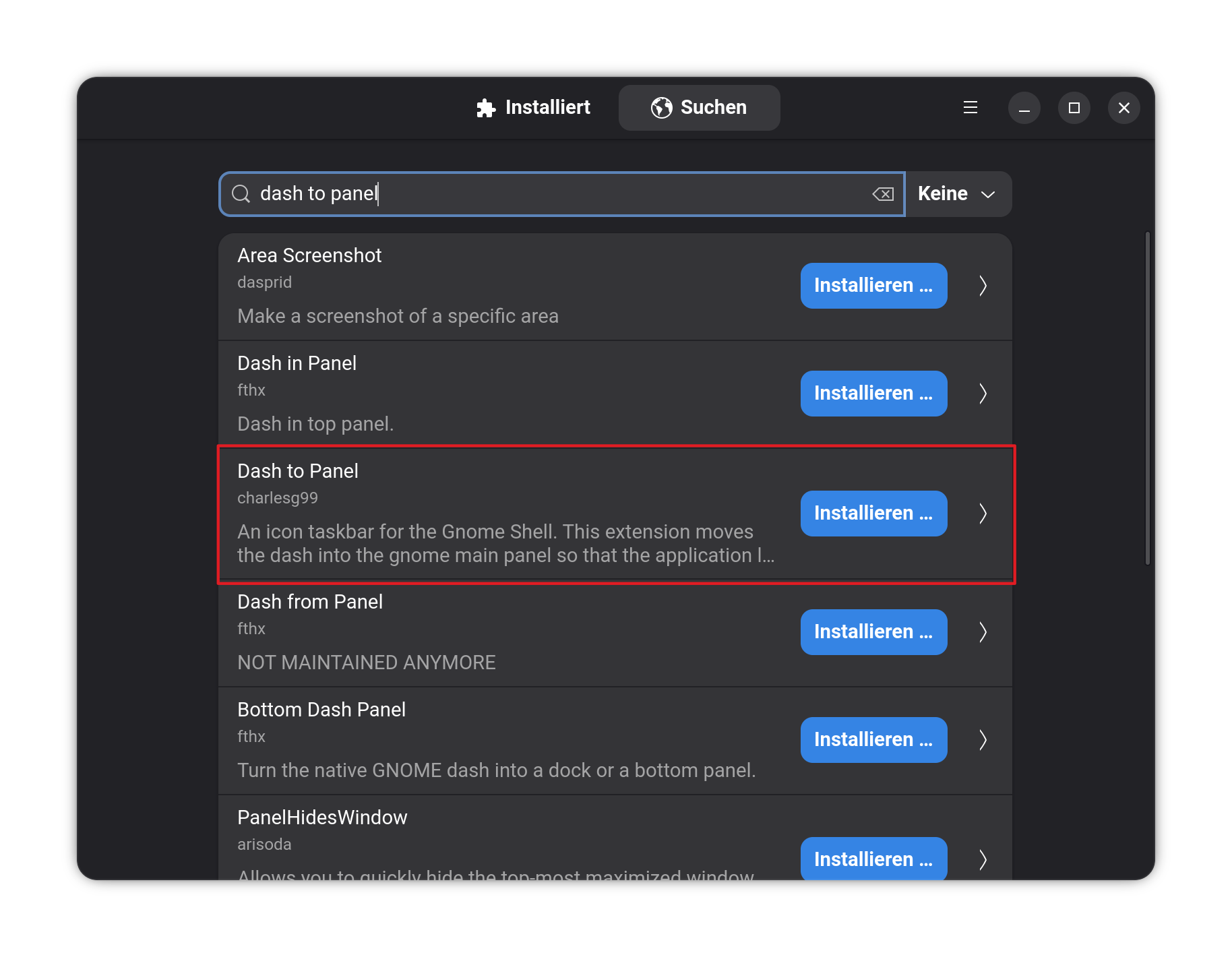
When installed and set up like You wish, try if it stays or disappears, too.