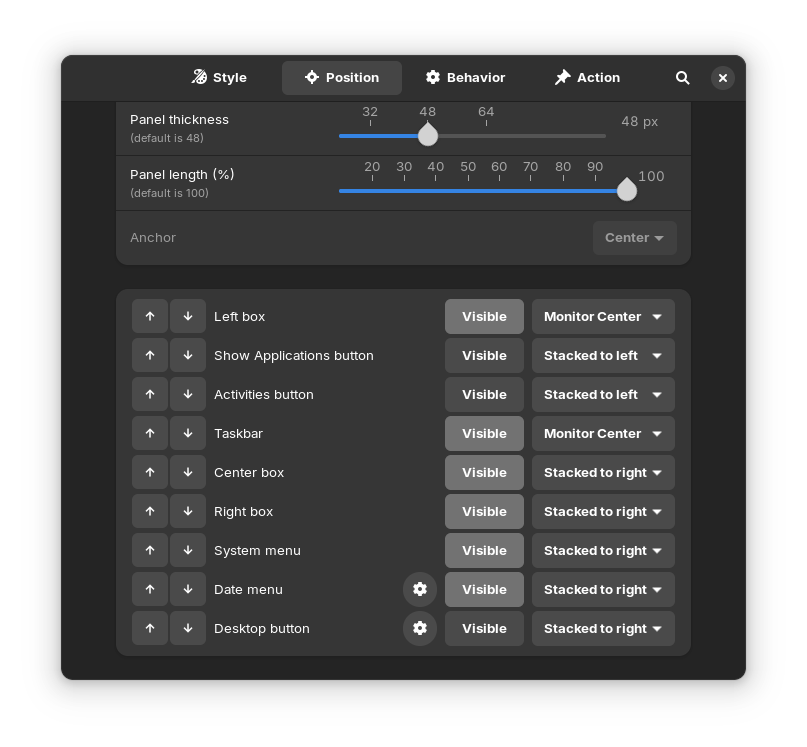
To get win 11 layout right click zorin taskbar and click Taskbar settings and follow this layout
Then you need to download Arcmenu GNOME extension from extensions.gnome.org and set menu layout by downloading the GNOME extension manager from Chrome Web Store then go back to your extensions.gnome.org tab and click Installed extensions >ArcMenu>Settings icon Menu>Menu Layout>Modern>11 and thats it!
