Not sure if there is a thread where this belongs, sorry.
Update went fine so far, thanks for that!
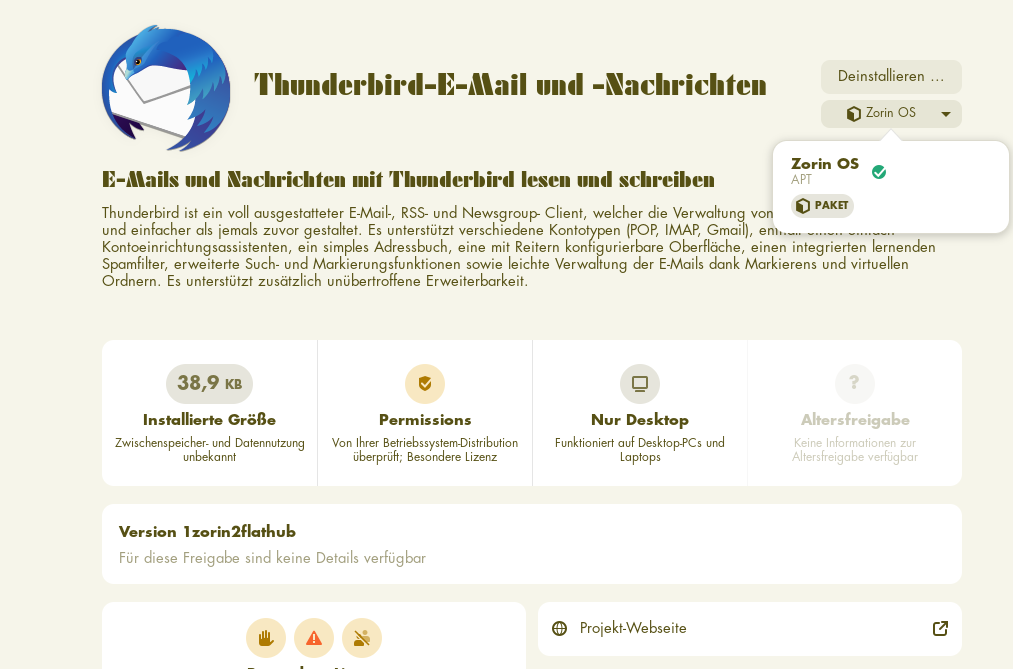
OInl that Thunderbird seems to be gone from the menu, but in the Software Center it still shows (yeah and there is something wrong with the font, its not the one which is set...):
When I enter "thunderbird" in the terminal the output is:
Der Befehl 'thunderbird' wurde nicht gefunden, kann aber installiert werden mit:
sudo snap install thunderbird # version 140.8.0esr-1, or
sudo apt install thunderbird # version 1:115.6.0+build2-0ubuntu1
Informationen zu neuen Versionen sind mit 'snap info thunderbird' zu finden.
I am very sure I didnt install the snap and also I would like not to.
I'd guessed it was the flatpak...
Right-click on the Zorin start menu icon, then select "edit menu". Search the thunderbird app and look if it is enabled.
Thunderbird is in Zorin 18 not as real apt package available. You can install the flatpak version of thunderbird or download the .deb package from thunderbird and add the mozillateam ppa.
Right click on the menu gives some interesting options, thanks!
Didnt try and know that, but I am still a newbie.
Thunderbird wasnt to be found though, also not when I listed all flatpaks. After I uninstalled what was shown in the software center I installed the flatpak and luckily everythoing was set and no new installation was needed. Good for me, but maybe a relevant feedback for the Zorin devs? I dont know how to flag them, maybe someone can do that if he/she thinks thats relevant?
Thanks everybody anyway!