I've got layouts set for each of the three monitors I use at work:
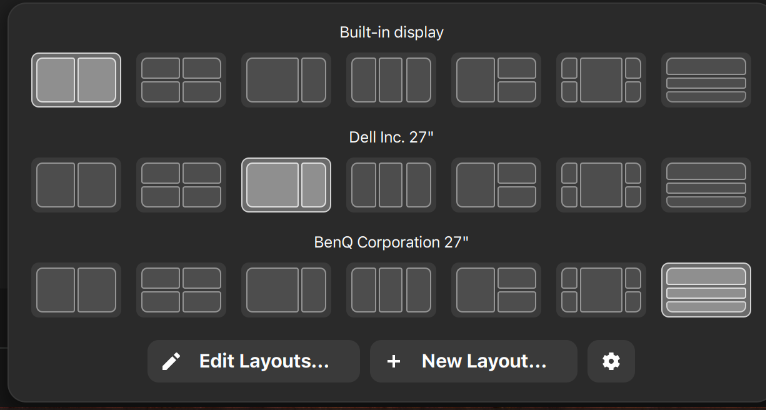
But often when I start my laptop, either cold boot or from suspend, the layouts apply to the 'wrong' monitors. This is more common than them applying to the correct monitor.
The monitors are connected via a single USB C to the Dell U2723QE, and the BenQ is on the Dell DisplayPort out. The laptop port is Thunderbolt 4.
The Dell also acts as a hub, so I only plug a single cable in to the laptop for power, hub, screens etc.
Sometimes I note that the DisplayPort numbers assigned to each monitor aren't consistent. Usually the Dell is DisplayPort 3 and the BenQ DisplayPort 1 but that does occassionally reverse.
It doesn't seem to make a difference if I've plugged the cable in before boot or after DE has launched.
Any ideas if this can be resolved? I'm suspecting the answer will be no as I think it's an inherent issue with the software/device identification. But thought I'd ask and see if anyone has a workaround.
Aside from that issue I really love the Tiling Manager, very slick and easy to use. Would love it if you could save a layout including which app to launch in each zone, would save me manually arranging everything at every boot/wake. The previous tiling manager I used with Z17 had that feature and it was super-handy.