Recently received my new Lenovo X13 Thinkpad with Ubuntu installed. After three days of agony I found a ray of light on the "Switch and Click" channel... Load Zorin.OS 18!!! Did that on Saturday and things moved forward since then. I am an OLD PC user starting with a full TI 49A system using tape drives and finally two real floppy drives. Do you know how it feels to be truly stupid when continuing to hit brick walls? Pride will not permit me to send money to Mr Gates for another Win11 license because my kids are on Fedora and Ubuntu. I'm sorry but learning a ton of DOS-like commands after doing my first win install with about 12 individual 3 1/2" floppies way back in 1985 just isn't going to work. I confess to being a total hypocrite typing this post on a MS Surface running Win11... but I'm still trying to create Zorin desktop Icons just to reach this forum and my wife's bank URL. I won't quit, but it ain't easy after 40 years of Windows.... Bill
We all start somewhere and you remember starting out many times before.
What that means is; You Know You Can Do it.
Let's take it one step at a time. As you start each thread, we can itemize that issue and do our best to help.
You won't need a ton of Terminal commands.
There are times when terminal commands can be faster or more efficient; but can use GUI methods to ease your transition.
Hi and Welcome.
Don't forget to download the Unofficial Manual. I hope it will help. It is still W.I.P. inasmuch I haven't updated the Contents page, but on a recent visit to check myself, the hyperlinks do take you to the correct section, but haven't tested them all. Still need to do one in Open Dyslexic font. Choose between Bitstream Vera Sans or Comic Relief pdfs
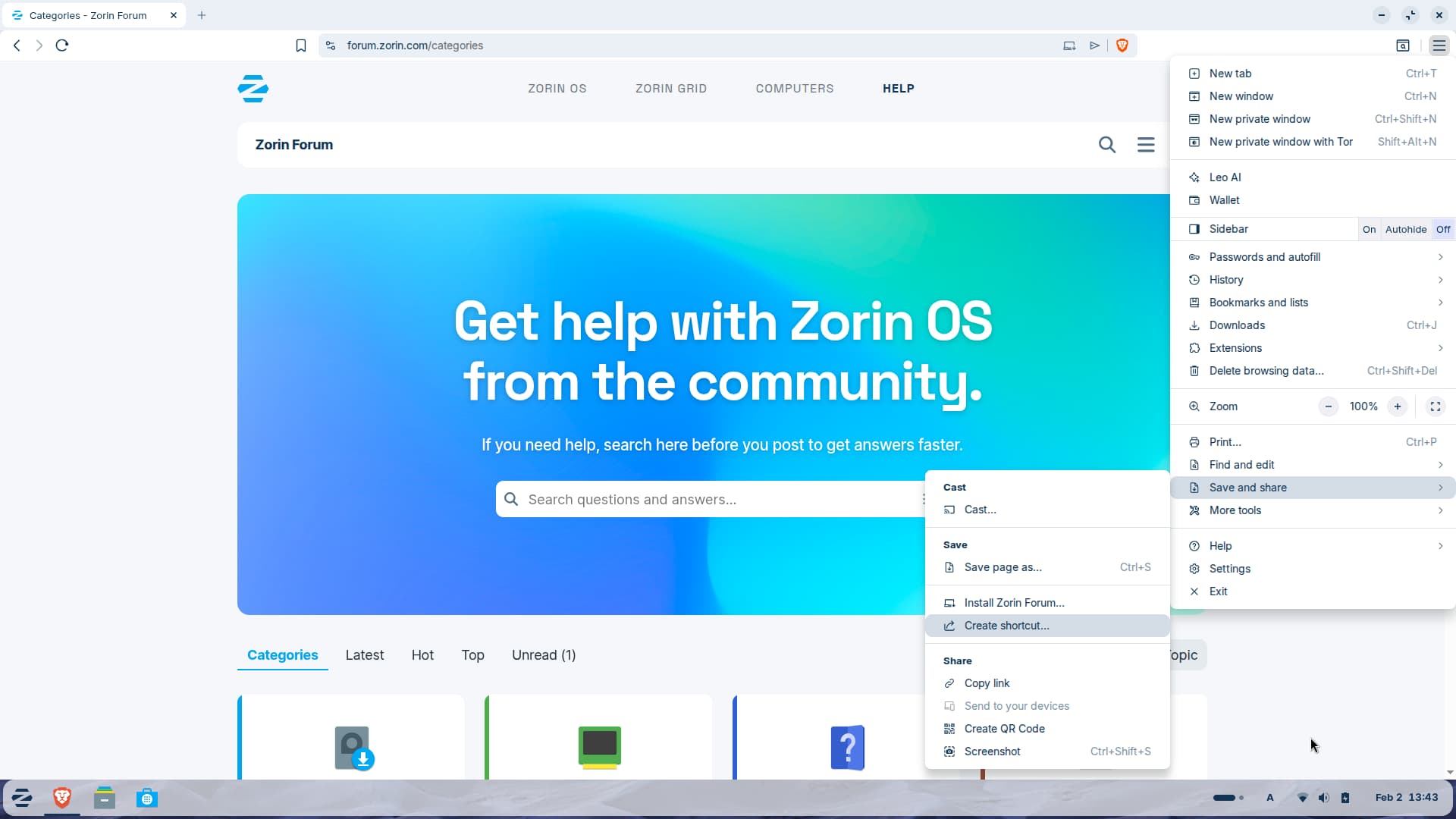
The easiest way to make a desktop shortcut is when you use the default Brave-browser:
Open the website you want to add, e.g. Zorin forum. Click on the Hamburger menu (three lines) at the top right side. Select "Save and share", then "create shortcut".
An alternative option is to choose "install page as app" here.
Then right-click on the icon on the desktop and select "allow launching"
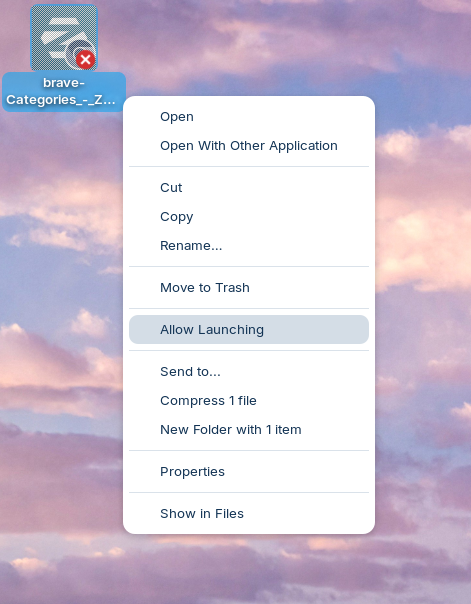
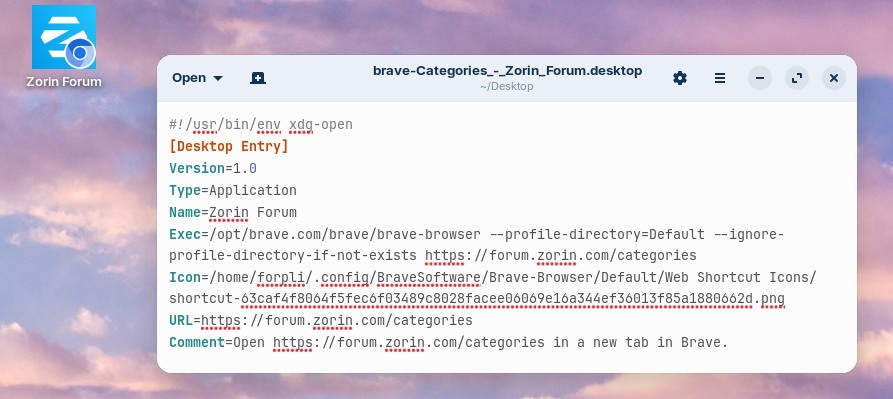
If you like, you can change the name shown on the desktop. Right-click on the icon, select "open with other application" and search for "texteditor". Then click on select. When the file is opened, go to the line which begins with "Name=" and enter name you like.
Welcome to the Forum!
With Zorin 18 preinstalled comes a Program called Webapps. Did You tried that?
Thank you Ponce! Found it and now have entered three URL shortcuts...yes  , getting there.
This topic was automatically closed 90 days after the last reply. New replies are no longer allowed.