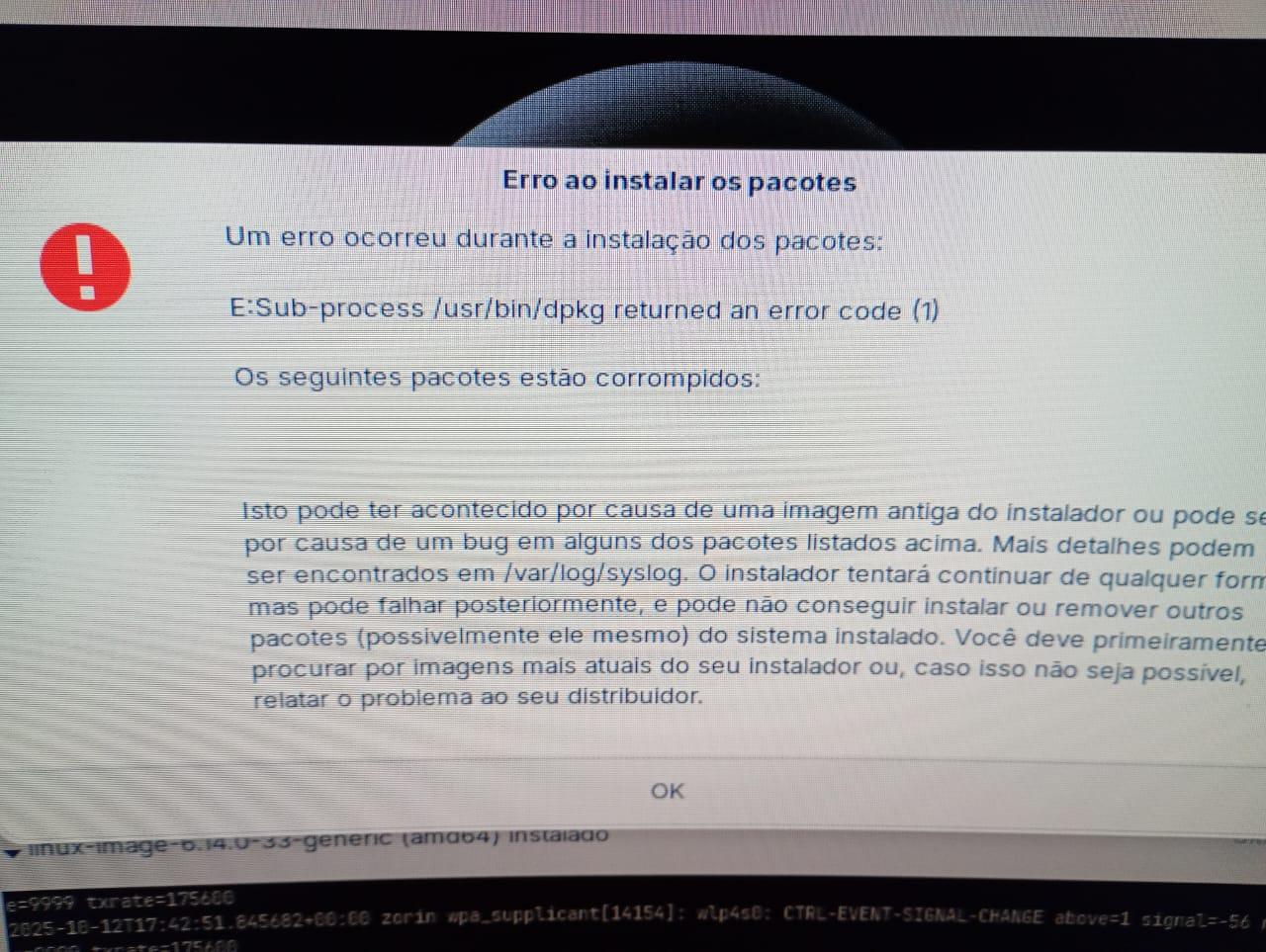
I had a problem with my laptop and am trying to install the same systems I had on another laptop. I was able to install Linux Mint normally, but I can't install Zorin. I first tried using an ISO I had downloaded a few days ago, right after the Zorin 18 beta was released, but it didn't work. I downloaded a new ISO file today and the same problem occurred. During installation, the attached message appears.
Thanks
Hello
Yes. Secure Boot and Fast Boot are disabled in the BIOS. I didn't check the checksum because I couldn't find it for Zorin 18. I understand there are factors to consider:
I tried with the same media I downloaded a few days ago, and it was on an SSD along with Ventory and ISOs from other distros. I even installed Mint 22.2 using this media.
I used the ISO media I downloaded a few days ago, the same one I put in Ventory.
I downloaded a new ISO media.
In other words, there were several different options that caused problems. Furthermore, a few days ago, a colleague from a community I participate in reported the same problem.
It's worth noting that Mint installed without problems. But I want to install Zorin.
I managed to solve it.
I performed the normal Zorin installation, but with the internet turned off. In this case, it installed without any problems. Then I turned on the internet and performed an update. That worked. I spoke to a colleague who had the same problem, and he resolved it the same way I did.
So, here's a tip for the developers.
yeah i had this same problem.... which i didnt before when i tried a fresh install... just seemed to pop up.... i could only get it to install by installing with safe graphics... then installing nvivida after..
Having read advice here after 2 failed attempts, this worked for me straight away:
Disabled secure boot and quick boot - my bios also gave me the option to forget all safe boot configurations and I did this;
Kept the option to load Nvidia drivers (would have ditched this if installation had failed again);
Installed without Internet.
No error message. Successful installation confirmed. On reboot, initially there was a brief notification of some fails to load, but this message had gone on subsequent startups after connecting to Internet and updating. All fine now.