Dell Precision 3561 Broadcom ControlVault 3 fingerprint
Anyone have the above setup and got yours to work? If so, please fill me in
Dell Precision 3561 Broadcom ControlVault 3 fingerprint
Anyone have the above setup and got yours to work? If so, please fill me in
Did you take a look at Software&Updates > Additional drivers if there is offered a driver for fingerprint?
What is the terminal output of
lsusb
?
That it is Broadcom concerns me a bit. You should definetely take a Look at the Additional Drivers Tab like @Forpli already mentioned. Also: Check if Secure Boot and Fast Boot in BIOS are disabled. And: Does Your System run in Wayland or X11? You can check that with the Command echo $XDG_SESSION_TYPE
Brave A.I. search "Linux driver for [your hardware]:
" The Broadcom BCM58200 ControlVault 3 fingerprint reader (USB ID 0a5c:5843 ) does not have built-in support in standard Linux kernels up to version 6.18 . To enable it on distributions like Ubuntu, Debian, or Fedora, you must install the proprietary libfprint-2-tod1-broadcom driver and associated firmware.
1. Ubuntu/Debian (Recommended via .deb) The most stable method for Ubuntu-based systems is installing the pre-compiled package from Dell’s archive, which handles dependencies like libssl1.1 or libssl3t64 .
# Install dependencies
sudo apt update
sudo apt install fprintd libpam-fprintd

# Install libssl1.1 (required for the driver on newer Ubuntu versions)
wget http://archive.ubuntu.com/ubuntu/pool/main/o/openssl/libssl1.1_1.1.1f-1ubuntu2.24_amd64.deb
sudo dpkg -i libssl1.1_1.1.1f-1ubuntu2.24_amd64.deb

# Install the Broadcom fingerprint driver
wget http://dell.archive.canonical.com/updates/pool/public/libf/libfprint-2-tod1-broadcom/libfprint-2-tod1-broadcom_5.12.018-0ubuntu1~22.04.01_amd64.deb
sudo apt install ./libfprint-2-tod1-broadcom_5.12.018-0ubuntu1~22.04.01_amd64.deb

# Reboot and enroll
sudo reboot
fprintd-enroll
2. Manual Build from Source If the package method fails, you can clone the official Git repository and build it manually. Ensure you use the ubuntu/latest branch if the default branch fails to find firmware.
git clone --depth=1 --branch ubuntu/latest git://git.launchpad.net/libfprint-2-tod1-broadcom
cd libfprint-2-tod1-broadcom
sudo sh install.sh
After installation, enable fingerprint authentication via PAM:
sudo pam-auth-update
Select "Fingerprint authentication" in the menu. You may need to configure GDM or SDDM to accept fingerprint login depending on your desktop environment.
fprintd-enroll may crash or hang while updating the device firmware in the background; run it a second time after a few minutes.fprintd ).AI-generated answer. Please verify critical facts."
As a first step from personal experience be sure to take an image of your setup for easy rollback, either with Timeshift or Rescuezilla. I tried various fingerprint updates for my Acer Swift and one of them screwed my system so badly that I had to reinstall.
X11. Is that better or worse than Wayland?
Oh damn!
I did. There wasn't anything for the fingerprint reader per se, but there is an update for the laptop, and I'm going to run that in just a bit. Thanks for asking.
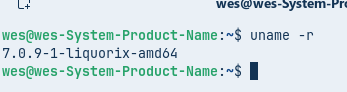
may have support in 6.19 or higher kernel maybe the liquorix?
i do run the liquorix kernel but im on a desktop
Well ... that is not so easy. And is a bit a discussion. Wayland has it's Problems and X11 is good to have as Fallback or when Software/Hardware doesn't work well with Wayland.
You can check at Login whether you are using xorg(/X11) by selecting your username and then click on the cog lower right of screen. If the dot is against 'Zorin desktop' then you are using Wayland. If the dot is against 'Zorin desktop on xorg' you are using xorg(/X11).
Wayland does give a clearer desktop, but at the time it was adopted by Zorin (or rather Gnome) it had/has major issues with video-conferencing not working and streaming your desktop (screen video capture). Additionally Wayland disregards users with accessibility needs as nothing works when it comes to accessibility.
Whilst there are no new iterations beyond 11 planned for xorg it does keep getting patched. But one patch a few years back was never accepted that would have prevented screen-tearing which has led to the fork of xorg, XLibre.
OS's that have adopted or in the process of adopting XLibre to replace xorg are Artix, Devuan, PCLOS Debian and Q4OS.
Going back to the issue at hand You could try the Liquorix kernel that @wesoliv429 has posted about.