How do I get it back?
Fair notes:
Yes I can access the menu button with the Windows key
Yes I understand that it's probably not it and something happened at the Appearance tab at the settings
How do I get it back?
Fair notes:
Yes I can access the menu button with the Windows key
Yes I understand that it's probably not it and something happened at the Appearance tab at the settings
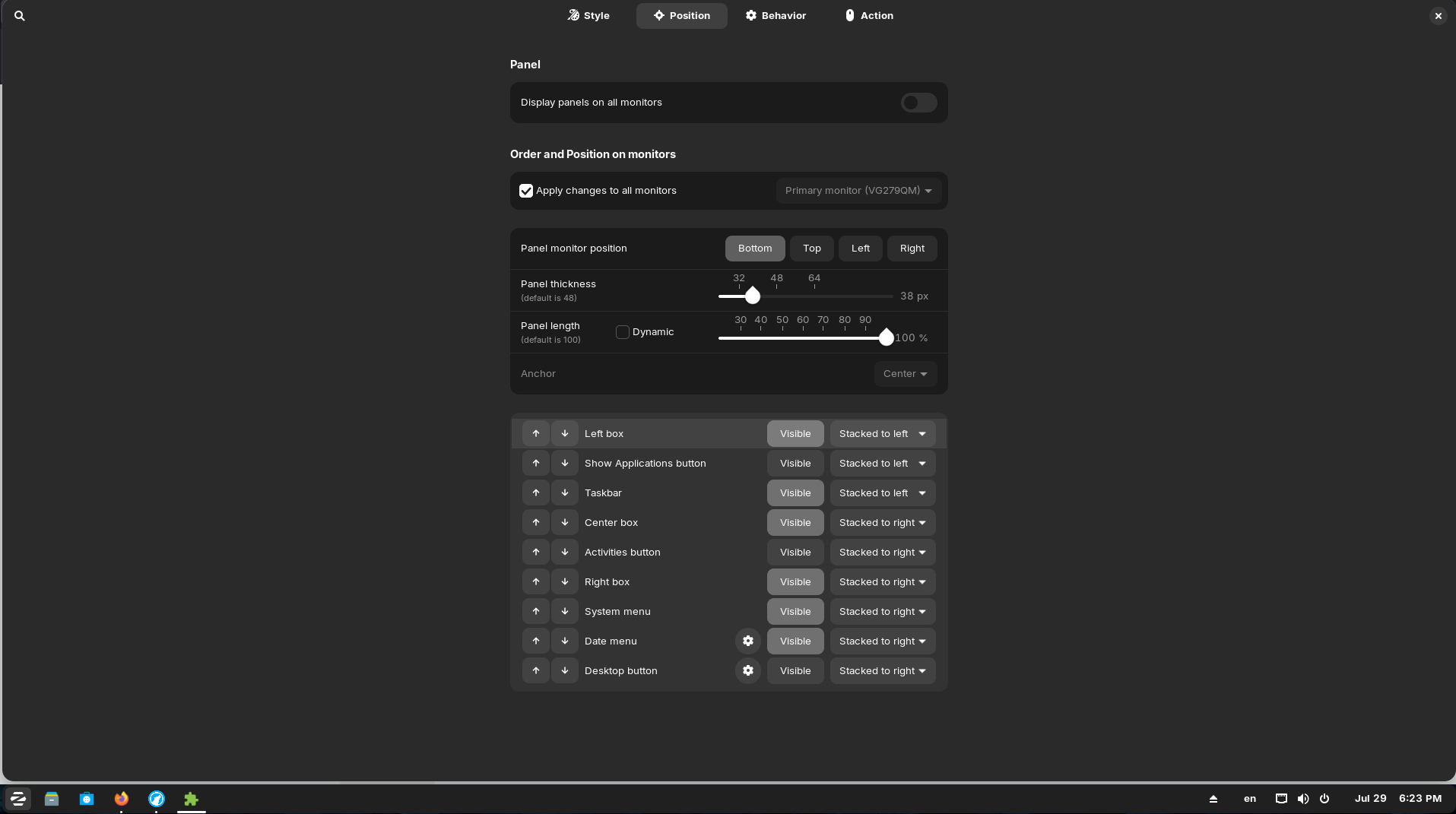
Right-click on the taskbar, select properies of the taskbar, and then go to tab position and enable the left box (click on "visible" to make it appear).
Ok I right clicked on the taskbar, though I don't see "Properties of the Taskbar". I only see System Monitor, Files, Settings, Zorin Appearance, Lock Taskbar, Taskbar Settings and lastly Show Desktop.
Choose Taskbar settings. I have a German system and often don't know the correct words for the English version if I don't make a research before I write here. I was just being lazy and wanted to reply to you as quickly as possible, so I translated it on my own and I always mess up properties, preferences and settings...
Glad the button is back! It had nothing to do with your custom keyboard shortcut.
I still don't understand how that happened... But at least it's back! xD