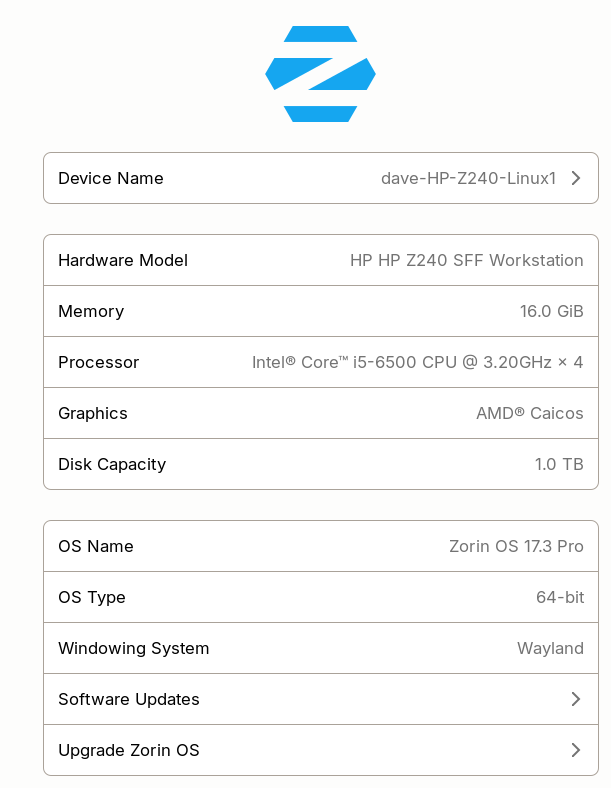
I installed UMD yesterday [or the day before] and it worked. Today, when I try to launch the app, a blank window flashes one time, and nothing further happens. NOTE: The screen shot shows wayland, I am using Xorg now. The change was made before installing UMD.
How did you install it? Is it a Flatpak?
I used the software thing in the os. Whatever it's default was.
software store default on zorin is usually the flatpak.
from a terminal:
-flatpak list | grep -iE 'ultimate|media|downloader'
-flatpak run THE.APP.ID
paste whatever it prints when the window flashes. also:
-journalctl --user -b --no-pager | tail -50
if its a .deb instead just run the binary from terminal and paste the traceback.
I checked, the install was/is flatpak.
Is terminal a built in thing, or I need to install one?
The flash from trying to launch UMD is too fast to see anything, it looks blank.
yeah terminal is built in. hit ctrl+alt+t, or search Terminal in the app menu.
then paste:
-flatpak list | grep -iE 'ultimate|media|downloader|umd'
-flatpak run THE.APP.ID
whatever prints when the window flashes is what we need. if the app id is long just tab-complete after flatpak run com.
Did You received Updates before that happened? There is at the Moment an Issue:
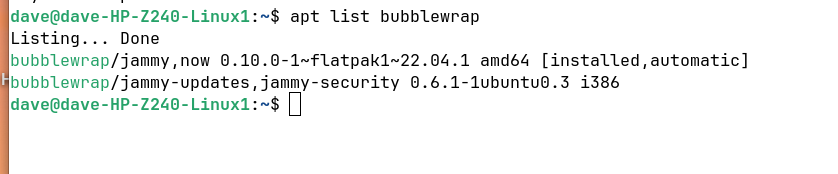
Beside that, please check what installed version of the Package bubblewrap You have. You can do that with apt list bubblewrap via Terminal.
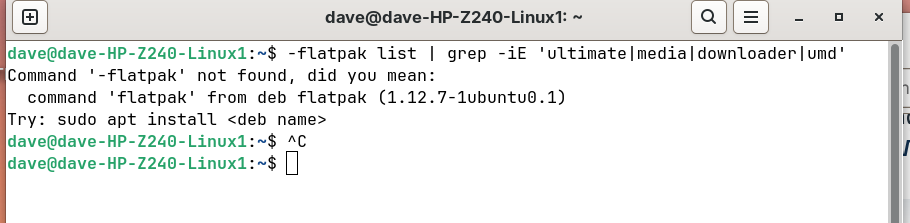
Just enter
flatpak list | grep -iE 'ultimate|media|downloader|umd'
without the - at the beginning.
Have you tried to clear the fontconfig cache?
rm -rf ~/.cache/fontconfig
fc-cache -r
Ah, You are on Zorin 17 ... I oversaw that. But what I actally see: Your Version number is even higher than on Zorin 18. Do You have added any Third-Party Sources?
But for the actual Issue try @Forpli's Commands here:
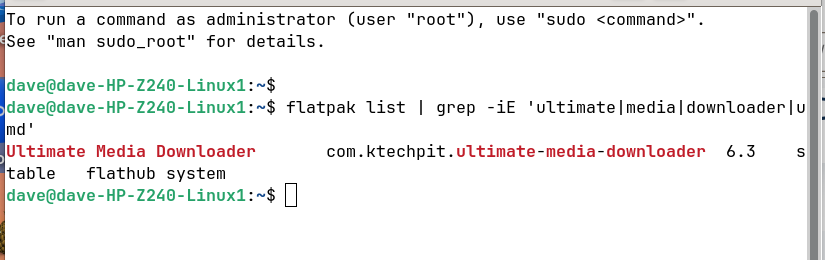

Run in terminal
flatpak run com.ktechpit.ultimate-media-downloader
and post the output here.
The commands for cleaning the fontconfig cache I have given you above.
rm -rf ~/.cache/fontconfig
fc-cache -r
Then logout.
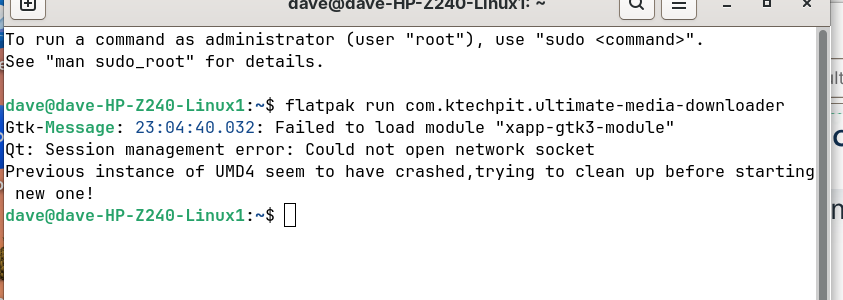
After I did teh 2 commands to clear the cache, re booted. UMD still does the same thing, black window appears, then gone in less than 1 second.
Perhaps it helps to additionally clean the fontconfig cache of var directory as shown here in the first post for another flatpak named shotcut. Replace the path with your flatpak name:
rm -rf ~/.cache/fontconfig ~/.var/app/com.ktechpit.ultimate-media-downloader/cache/fontconfig
sudo rm -rf /var/cache/fontconfig/*
sudo fc-cache -rfv
logout, then run
flatpak run com.ktechpit.ultimate-media-downloader
1 Like
This..
rm -rf ~/.cache/fontconfig
fc-cache -r
Fixed two things for me..
- UMD was doing the exact same thing as OP.
- OBS was crashing when trying to change settings.
Ran the above command and both worked right away. Didn't reboot.
Hello. I have a P53 hybrid. The Flatpak version doesn't launch on Zorin 18 (it does on Mint 22.3) - i installed the snap version, and i seems to work fine.
That has fixed it, Thank you!
1 Like