Hello, I am new to Zorin and Linux in general, and most of the time can figure out how to fix a problem, but I can't on this one. For some reason I can't use both my headphones and my mic that are a part of the Turtle Beach Stealth 600 gen 2 headset to work at the same time. I have gotten them to work one or the other. I would like help as to figure out how I can use both together.
So this headset is aimed at X-box users and is Bluetooth connected.
Are you saying you can use the headset's Mic or Phones but not both together?
Is Bluetooth is pairing with that device correctly?
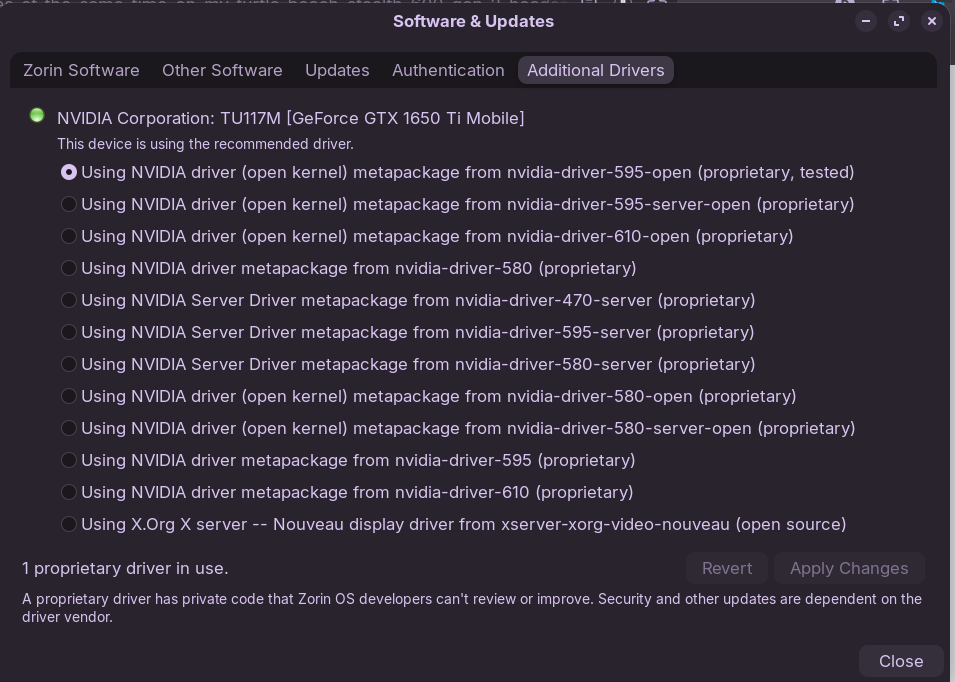
Have you checked the Software & Updates / Additional Drivers tab for any device drivers that may be available for that device?
I wonder what will be seen for that device in alsamixer
Open at terminal session (Ctrl+Alt+T)
then type: alsamixer
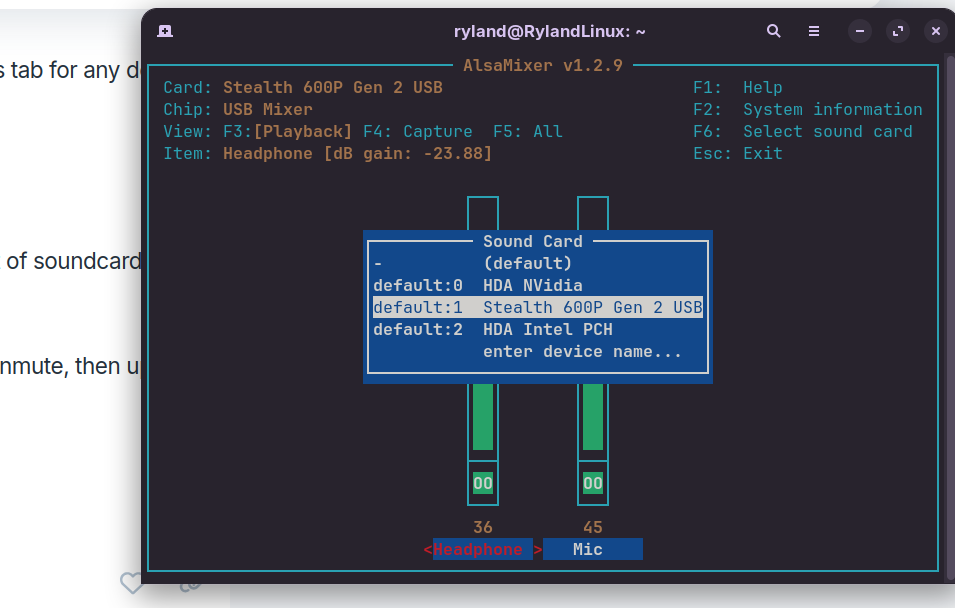
Hit F6 to show soundcards. Post a screenshot or post the list of soundcards here.
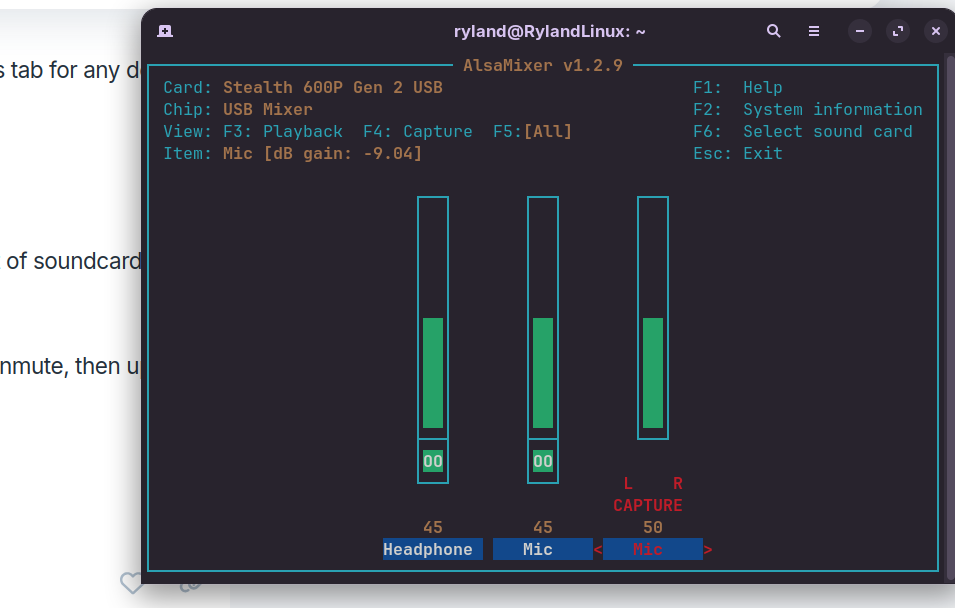
Hit F5 to display All sound channels.
Check if any show as Muted i.e [MM]
Unmute channels by moving cursor to them and type "M" to unmute, then up-arrow to increase volume.
You could also toggle [Auto-mute] channel to disable.
Maybe post a screenshot of your alsamixer display.
On a brief search I understand any firmware updates require Turtle Beach Audio Hub which only runs on Windows. To surmount this issue if you are no longer using Windows you can use Hiren's Boot CD running from a USB with Ventoy as it uses a WinPE version of Windows 11. You can install applications in live mode and then try updating firmware. Other than that, follow @zabadabadoo 's advice.
@swarfendor437 , I have a different drive for booting windows and have made sure that it is on the newest firmwere. Thanks you for the suggestion though!
@zabadabadoo , the headset does not have bluetooth, only a usb dongle. And yes, I can use one or the other, but not both tegether. Here are the screenshots I think you were asking for. Thank you for trying to fix this issue.
In Windows, have you disabled Fast Start-Up in power settings.
Sometimes Windows grabs a device and clings to it despite booting Linux, as when Fast Start-up is enabled Windows is not hard shut down, more like a form of hibernate.
@swarfendor437 , thank you for the suggestion, but I don't think that is going to help. I don't have any more devices that are plugged in that are taking the output instead that need blacklisting. Thank you for trying to help though.
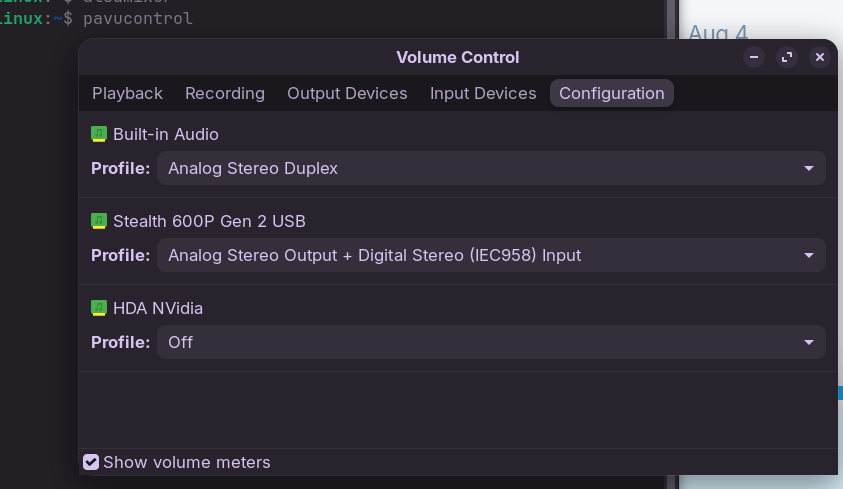
Did You tried it with Pulse Audio Volume Control? It is a Tool to set up Audio Input and Output. You can install it with sudo apt install pavucontrol via Terminal.
When installed, check the Configuration, Input and Output Tabs for Audio Profiles and Options. You might nedd a bit to play with the Settings.
Your headset uses 2.4Ghz radio. If you are using 2.4Ghz wifi, then move to a 5Ghz wifi channel, in case interference is an issue. See if moving wifi away from 2.4Ghz helps at all.
This is a video showing the issue, but I kinda ramble and probably don't explain it very well (about 4 mins long). The thing I was talking about at the end was the image in this, the pavucontrol. https://youtu.be/p3D7Rr3Clqw (uhh, I don't know why, but it repeats it's self a couple of times. only 4 mins of info though)