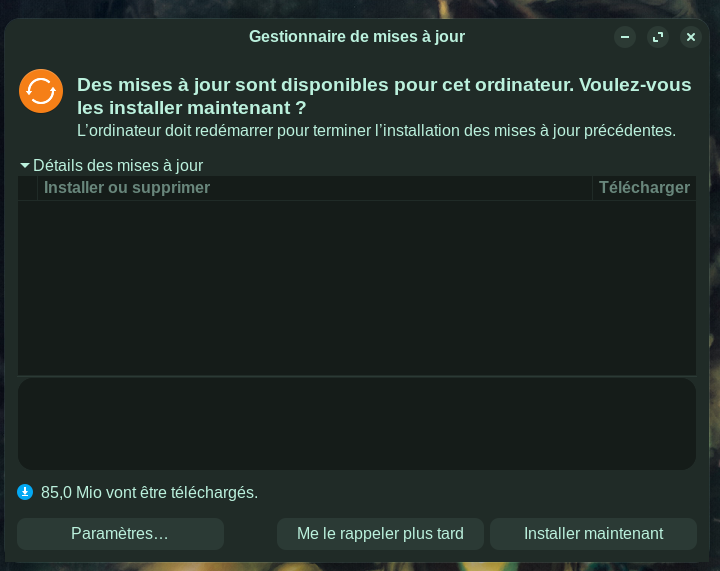
The Zorin OS Core 18 update manager (latest version) displays a message claiming updates are available ("Updates are available for this computer. Do you want to install them now?"), even though no updates are actually pending.
Clicking "Install now" only makes the window reappear without any action (no download, no restart, no visible error).
The "Download" button also has no effect.
The message indicates 85.0 MiB will be downloaded, but nothing happens.
Expected behavior:
The manager should not display updates if none are available.
If updates are available, clicking "Install now" should start the download and installation process without an infinite loop.
System version:
Zorin OS Core 18 - up-to-date
Update manager: default version (automatic updates enabled)
Snap packages have been known to lead to this void in the Updater.
What you can try is using the terminal to ensure any flatpaks are updated, any snaps are updated, then check APT with sudo apt update && sudo apt upgrade