When I was running Linux Mint I was notified almost every day about updates, i.e. software updates, linux updates, etc. Now that I have been running ZorinOS 18 Pro for almost two weeks I've not received any notifications regarding updates, i.e., notices about software updates, systems update, etc. Is this normal or is there a setting I need to set to receive update notifications?
For non-security updates there are three settings in Zorin's "Software Updater" system tool: daily, weekly, or every two weeks.
Click the Zorin Menu Icon (far left of bottom menu bar) > System Tools (in left column) > Software Updater (scroll down to find it).
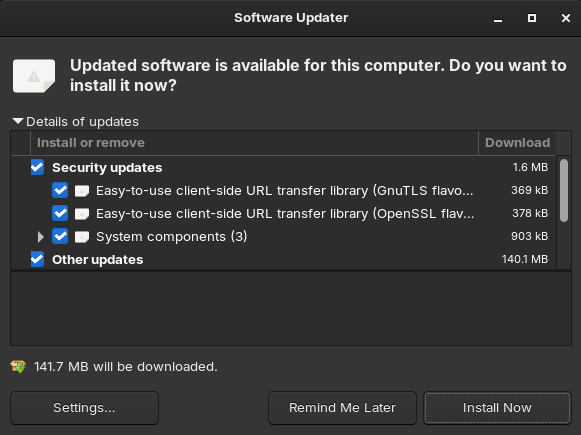
Go ahead and check for updates. When it finishes, it will show you a dialog box like the one shown below: (if instead you get a pop up saying "software updater is ready", click that pop up.)
At the bottom left of the window, click on the Settings button to see this dialog box:
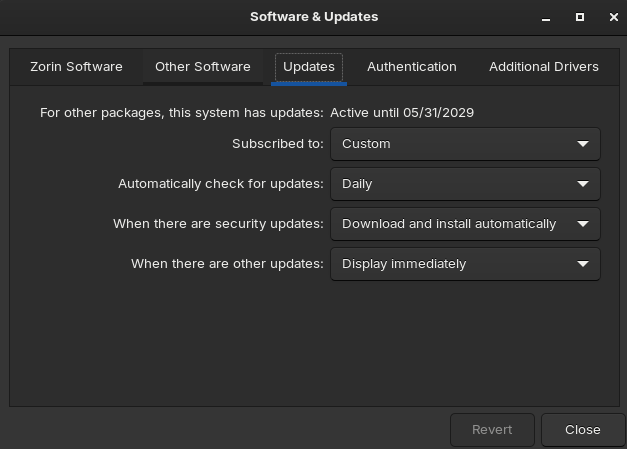
(If the updates tab is not already selected, select it.)
You can see where I've chosen "display immediately" for the last option.
Do You have set up Automatic Updates in Software Updater and in Gnome Software?
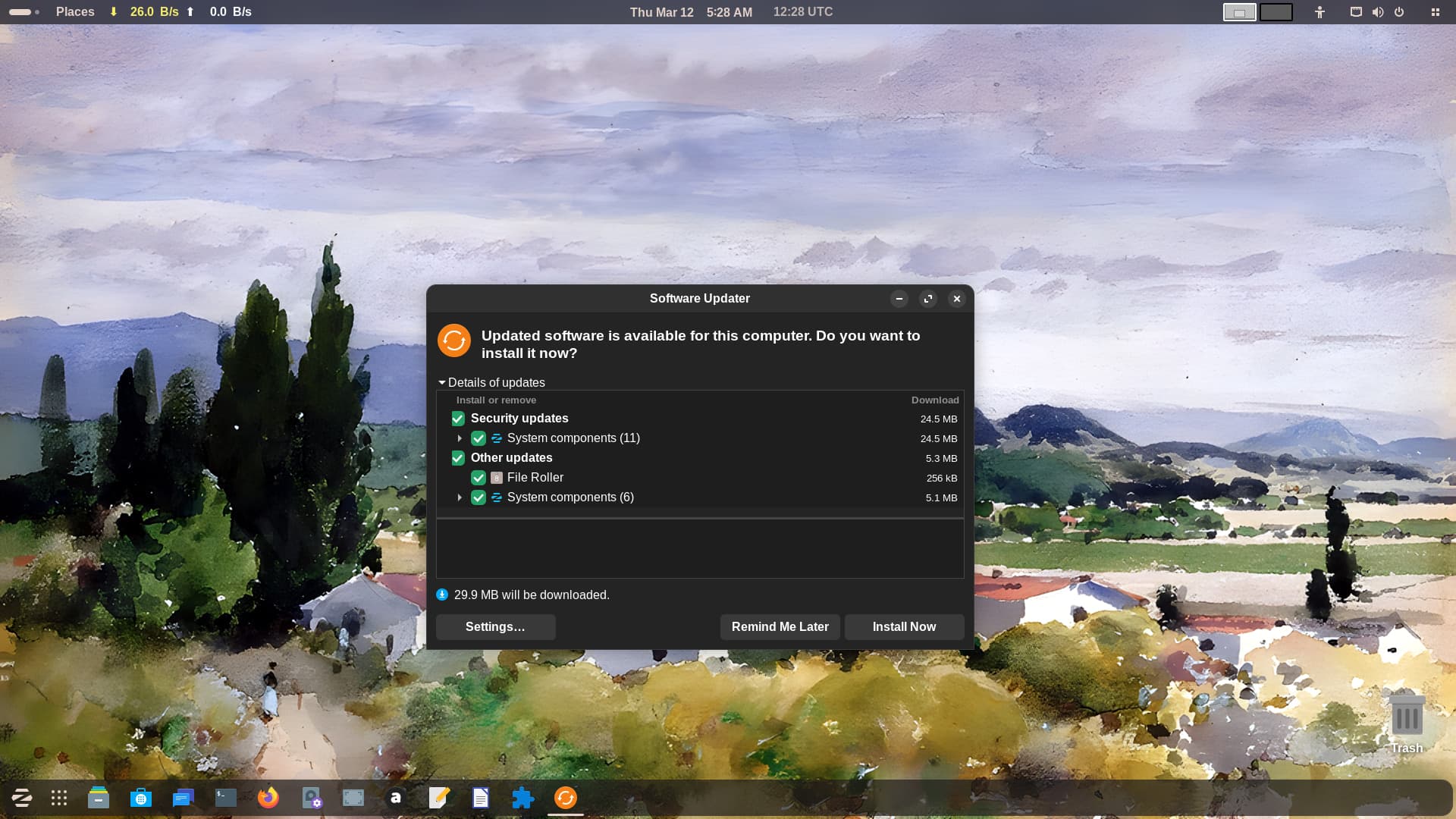
There's no icon on the panel to indicate updates are available and action is required. What will happen is the Software Updater application will launch itself and this is your 'notification'. The screenshot shows what you get. That said, some updates (security type things, I believe) are 'unattended' and you are not made aware they have been done.
wsmather, Ponce-De-Leon, and Topaz, thanks for the tips.
All is well now. I've made the appropriate changes and all is well now.
1 Like
This topic was automatically closed 90 days after the last reply. New replies are no longer allowed.