I have had no luck with this - Hp has this set so you must use their provider or Windows, so:
It looks like this is your route.
I assembled my computer and am using a Gigabyte M.B.
1 Like
anglaro
October 24, 2025, 6:40am
22
@Aravisian Ok we will do it from windows usb so it doesn't affect zorin os... When I am ready we will start
1 Like
anglaro
October 24, 2025, 6:17pm
23
Im ready lets do it @Aravisian
You can create a LiveUSB of Windows OS the same way (more or less) that you created the Zorin OS LiveUSB.
From the Motherboard Splash Screen, tap the key for Boot Options; then select the USB stick that is Windows OS
anglaro
October 24, 2025, 7:42pm
25
@Aravisian Wait...but isnt tiny 11 gonna ask me to select partition to install to?
It could - I have never loaded an instance of Tiny11...
1 Like
anglaro
October 24, 2025, 7:44pm
27
Yea I never done this eather...where can I find such copies? Maybe Windows to go is an option?
I think it is the likeliest since that is what it is intended to be - a portable USB copy of Windows OS.
anglaro
October 24, 2025, 7:47pm
29
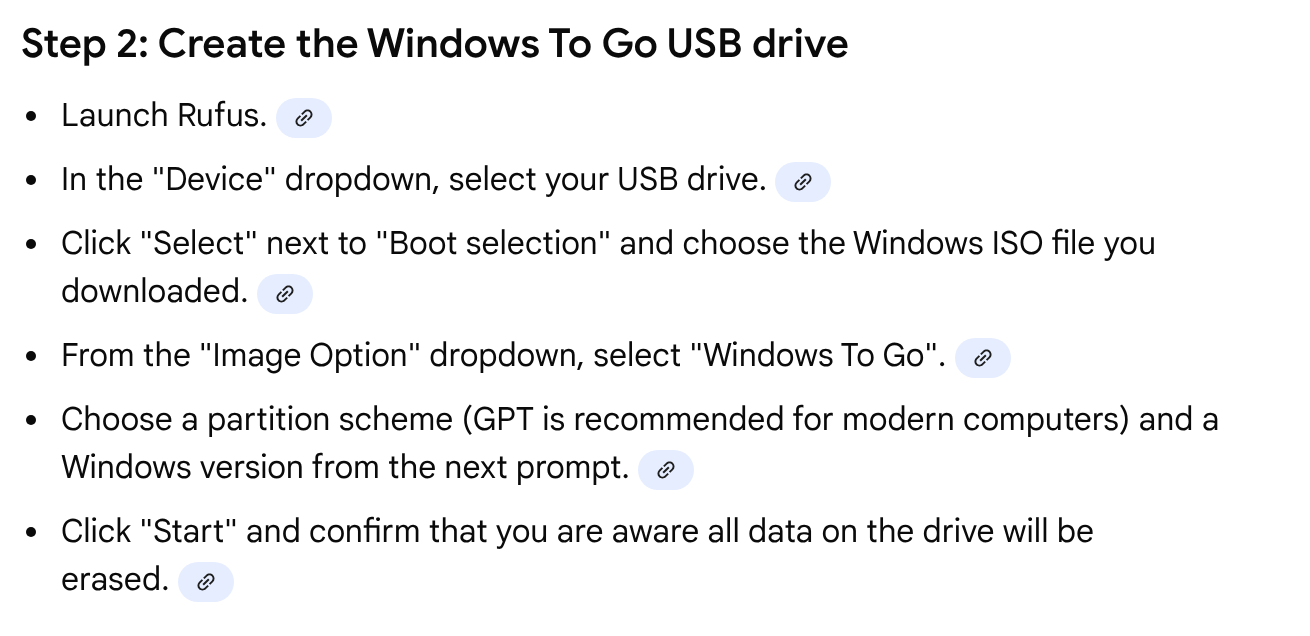
Here It says
I can use balena-etcher but it doesnt have such image option dropdown
That option is to choose which .iso to burn.
1 Like
anglaro
October 24, 2025, 8:32pm
31
Here
says to we need to select Windows To Go instaed of Standard windows installation on rufus but balena etcher doesnt have that
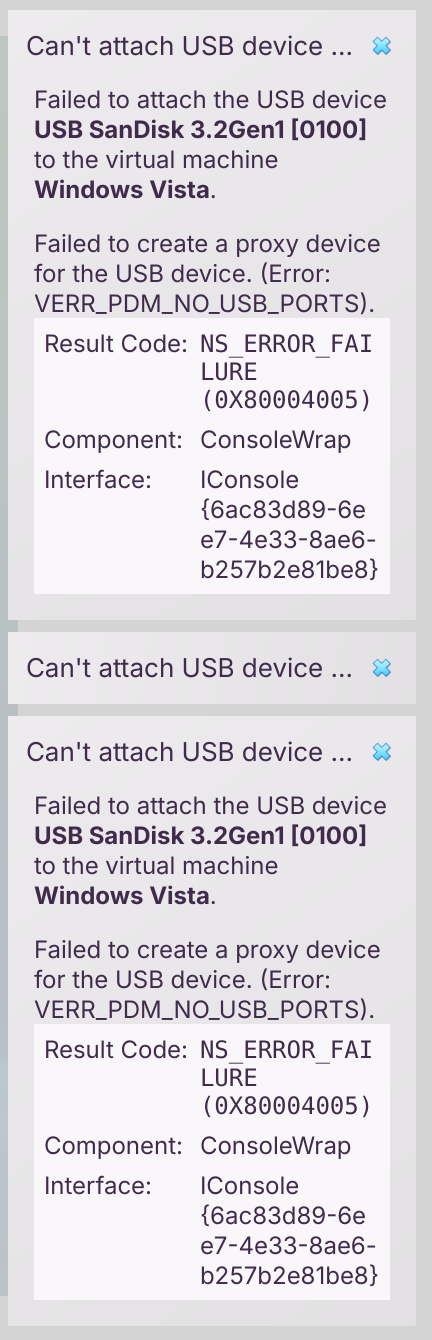
The only way would be to burn my usb with rufus inside my vista virtualbox vm but I get Failed to creatae proxy for usb device VERR_PDM_NO_USB_PORTS
What can I do?
anglaro
October 24, 2025, 8:36pm
33
I cant because its a windows program and in wine it wont detect my usb
Oh... right... (Facepalm)
What about using Ventoy, Multiboot or one of the other myriad of GnuLinux etchers?
I am a bit confused by what Balena Etcher is showing you - is Windows-To-Go simply not listed in the drop down menu?
anglaro
October 24, 2025, 8:47pm
35
No it doesnt and it even says to use rufus or woeusb if i want to burn a windows iso
anglaro
October 24, 2025, 8:48pm
36
I think I will need to do that from my already existing Wiondows Vista vm in virtualbox. Rufus runs fine and my downloads folder is visible but it also gives
when I attach my usb
Ok.
anglaro
October 24, 2025, 9:09pm
38
No woeusb doesn't have that eather and my vista vm doesn't help cause my flashdrive is usb 3
At this point i think im gonna install windows 8.1 in virtualbox and from there im gonna insert my usb, run rufus and do the job:face_exhaling:
What a series of hoops to jump through just because Microsoft and HP want to invent hoops to lock users in...
1 Like
anglaro
October 24, 2025, 9:11pm
40
I know right? Its hilarious