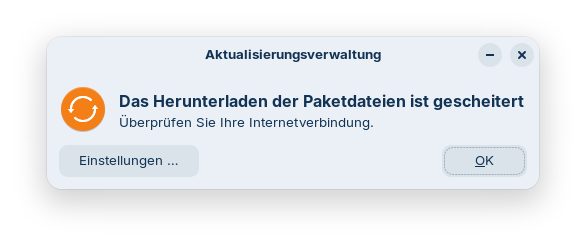
I'm using the beta-version for several weeks now on 3 Notebooks (including a MacBook Pro 2019) and am really convinced! Thanks for it!
Now I wonder if I need to do anything to update to the release-version (of the core-edition)?
I will certainly buy a pro-version to support your project soon, but I don't want to update my machines to it for several reasons (the main reason is I'm happy as it is).
So, are there any steps I need to undertake?
Paketlisten werden gelesen… Fertig
Abhängigkeitsbaum wird aufgebaut… Fertig
Statusinformationen werden eingelesen… Fertig
Aktualisierung für 7 Pakete verfügbar. Führen Sie »apt list --upgradable« aus, um sie anzuzeigen.
W: Während der Überprüfung der Signatur trat ein Fehler auf. Das Depot wurde nicht aktualisiert und die vorherigen Indexdateien werden verwendet. GPG-Fehler: https://brave-browser-apt-release.s3.brave.com stable InRelease: Die folgenden Signaturen konnten nicht überprüft werden, weil ihr öffentlicher Schlüssel nicht verfügbar ist: NO_PUBKEY 0686B78420038257
W: Fehlschlag beim Holen von https://brave-browser-apt-release.s3.brave.com/dists/stable/InRelease Die folgenden Signaturen konnten nicht überprüft werden, weil ihr öffentlicher Schlüssel nicht verfügbar ist: NO_PUBKEY 0686B78420038257
W: Einige Indexdateien konnten nicht heruntergeladen werden. Sie wurden ignoriert oder alte an ihrer Stelle benutzt.
Paketlisten werden gelesen… Fertig
Abhängigkeitsbaum wird aufgebaut… Fertig
Statusinformationen werden eingelesen… Fertig
Paketaktualisierung (Upgrade) wird berechnet… Fertig
Die folgenden Pakete werden aktualisiert (Upgrade):
  gir1.2-gtop-2.0 libgtop-2.0-11 libgtop2-common libldb2 libsmbclient0
  libwbclient0 samba-libs
7 aktualisiert, 0 neu installiert, 0 zu entfernen und 0 nicht aktualisiert.
Es müssen 6.398 kB an Archiven heruntergeladen werden.
Nach dieser Operation werden 0 B Plattenplatz zusätzlich benutzt.
Möchten Sie fortfahren? [J/n]
This is a Problem with the Brave Repo. I would suggest to delete it and then add it again. But You can still update the system like shown at the bottom: