Dell Latitude E5500 with Broadcom Wi-Fi adapter was working fine with OS17. I upgraded to 18 today and upon first boot there was a message on the lower part of the screen after logging in saying additional drivers were available. What is happening is it looks like Wi-Fi is working, but it does not see any networks. Even my saved Network will not show or connect. I have Ethernet plugged in and this is not a mission critical laptop so I am open to suggestions and trying things out. It currently is showing "Using dkms source for the Broadcom STA Wireless driver from brodcom-sta-dk" and it is checked. The adapter is a Broadcom 14e4:4315
You could try booting with an older kernel (in the GRUB menu, select "Advanced options for Zorin" and select an older kernel).
Welcome to the Forum!
Could You post the Output of the Command sudo lshw -C network please? Also: Could You post a Screenshot from the Additional Drivers Tab, too?
Thanks! Here is the output.
*-network
description: Wireless interface
product: BCM4312 802.11b/g LP-PHY
vendor: Broadcom Inc. and subsidiaries
physical id: 0
bus info: pci@0000:0c:00.0
logical name: wlp12s0
version: 01
serial: 00:22:5f:64:9d:40
width: 64 bits
clock: 33MHz
capabilities: pm msi pciexpress bus_master cap_list ethernet physical wireless
configuration: broadcast=yes driver=wl0 driverversion=6.30.223.271 (r587334) latency=0 multicast=yes wireless=IEEE 802.11
resources: irq:17 memory:f69fc000-f69fffff
*-network
description: Ethernet interface
product: NetXtreme BCM5761e Gigabit Ethernet PCIe
vendor: Broadcom Inc. and subsidiaries
physical id: 0
bus info: pci@0000:09:00.0
logical name: enp9s0
version: 10
serial: 00:23:ae:1c:77:37
capacity: 1Gbit/s
width: 64 bits
clock: 33MHz
capabilities: pm vpd msi pciexpress bus_master cap_list ethernet physical tp 10bt 10bt-fd 100bt 100bt-fd 1000bt 1000bt-fd autonegotiation
configuration: autonegotiation=on broadcast=yes driver=tg3 driverversion=6.17.0-20-generic firmware=5761e-v3.60 latency=0 link=no multicast=yes port=twisted pair
resources: irq:28 memory:f68e0000-f68effff memory:f68f0000-f68fffff
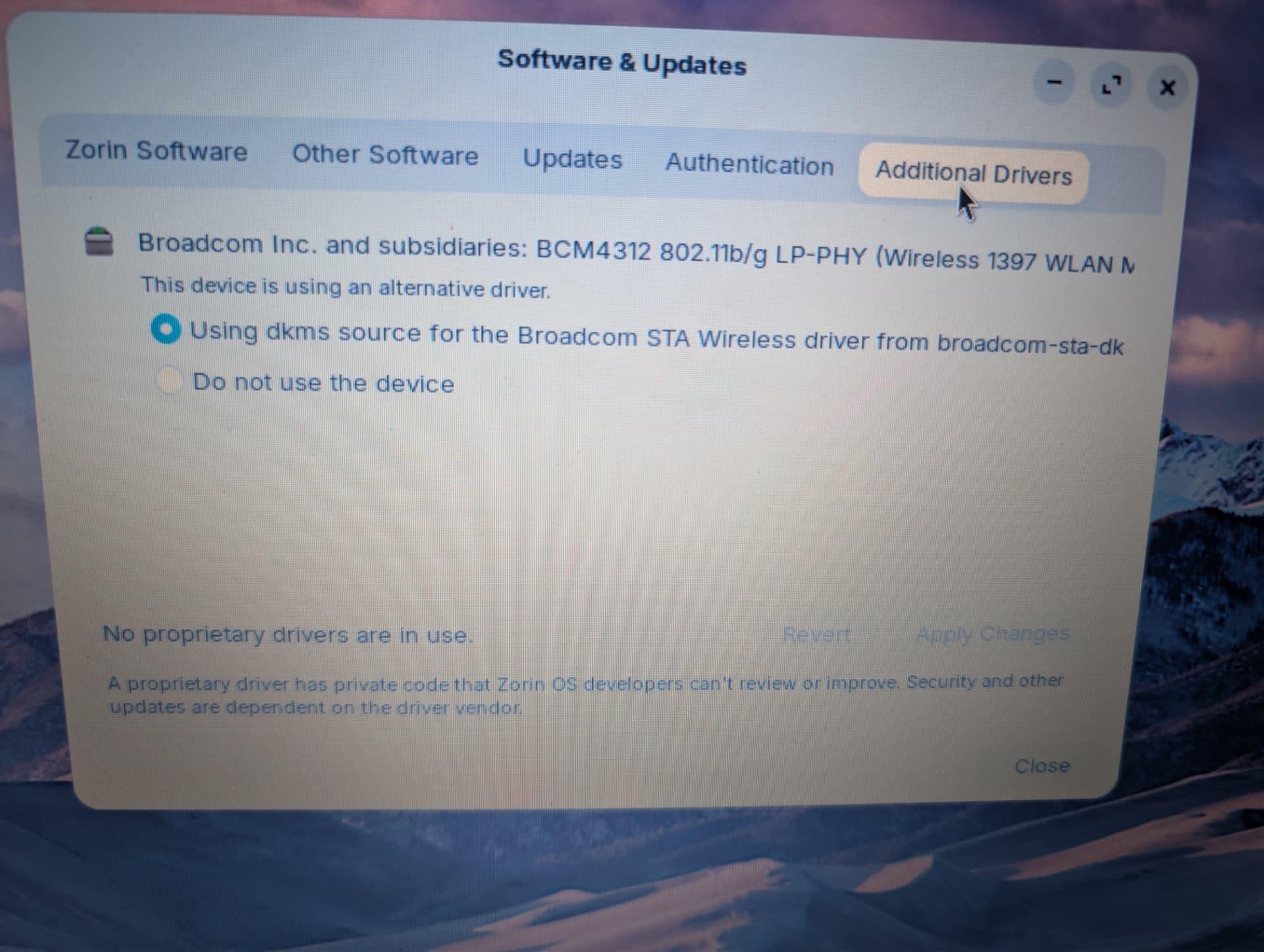
Thanks, booting from 6.8.0-107-generic does work and Wi-Fi connects to my AP.
2 Likes
This topic was automatically closed 90 days after the last reply. New replies are no longer allowed.