Good day,
I'm new to the forum, and moving from W10 to Zorin, on an HP Probook 6570b.
I want to explore Zorin and find out whether or not some Windows-based apps run on Zorin, by booting from a USB-stick. That I achieved following the installation instructions on the Zorin-site.
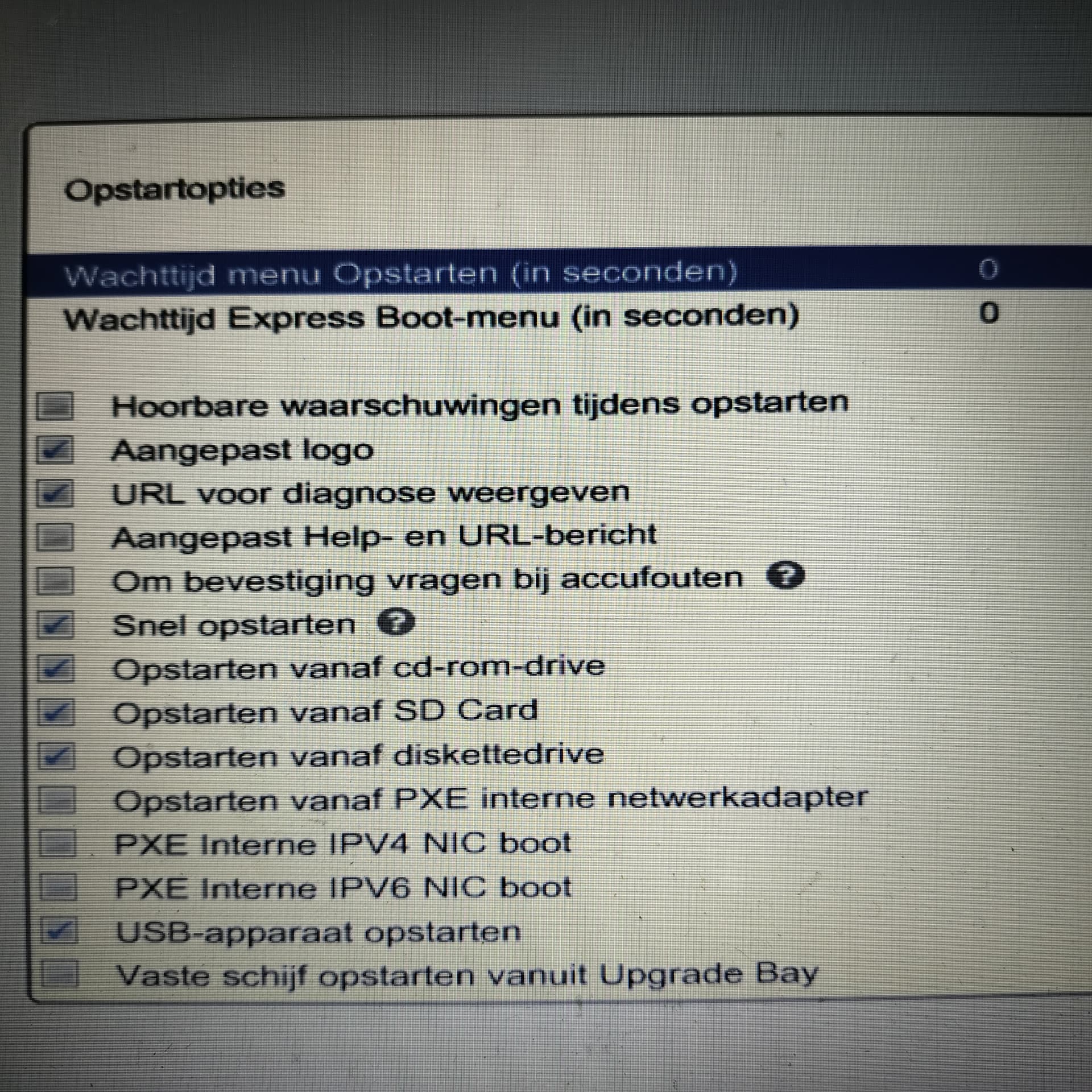
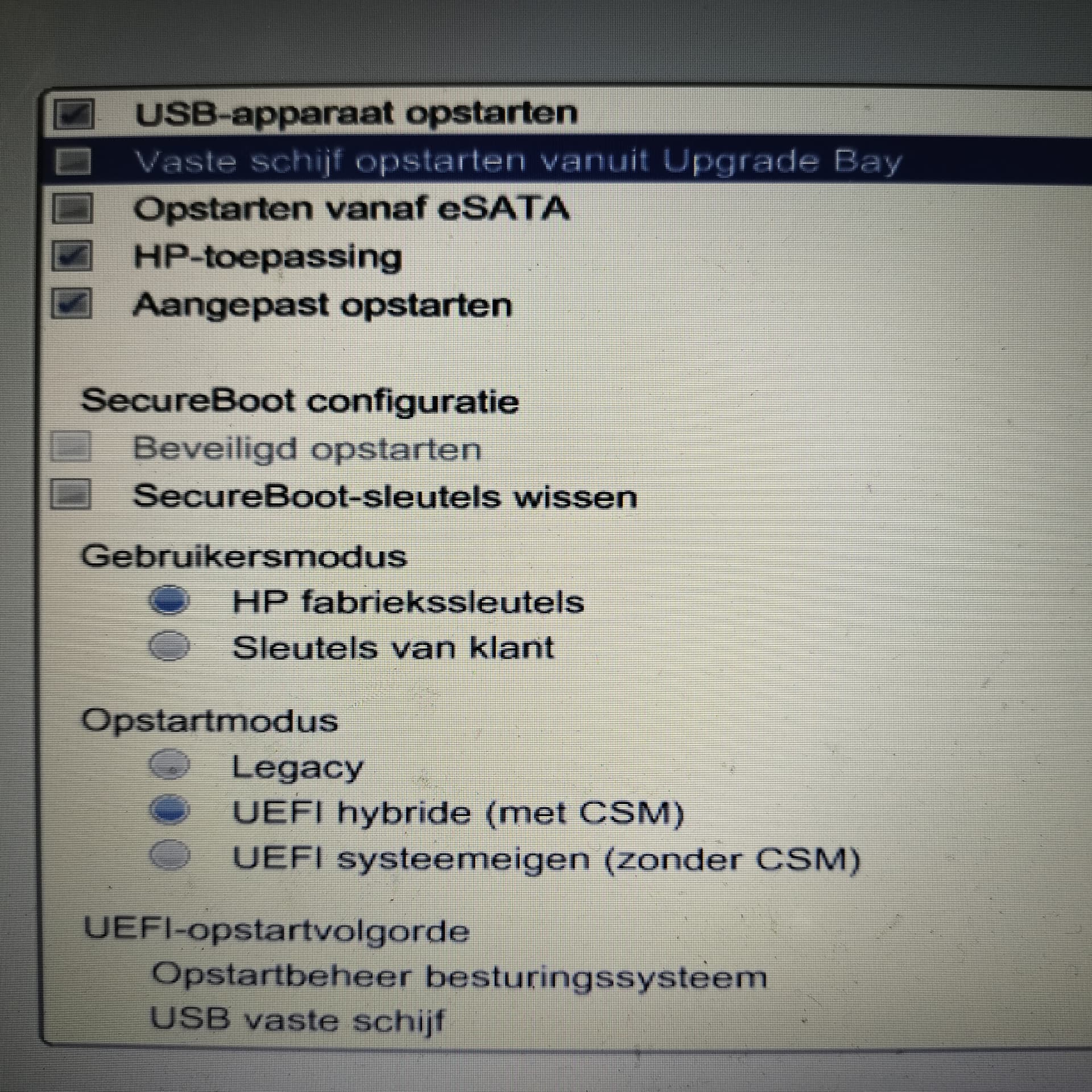
Unfortunately, Zorin booted only once. I found that out after switching to Windows to download the lshw-app (LiSt HardWare) in order to find out what wifi driver to install. I downloaded it succesfully (lshw-B.02.20.tar), but could not store it on the USB-stick. According to W10 it should be formatted, and after denying that a pop-up informed me that that drive is not accessable and does not contain a recognisable operating system. No worry, I thought, I'll reboot Zorin and will find lshw somehow. No such luck: despite different start-up settings I configure in BIOS, W10 happily starts up.
How should I configure my BIOS in order to have W10 or Zorin start up, per my choice?
My system:
HP Probook 6570b - Intel i5, 2.5Ghz x64, RAM 8 GB, 120 GB SSD
W10 Pro 22H2
Zorin-OS-18-Core-64-bit-r2
balenaEtcher-2.1.4.Setup
8GB USB-stick
When you are in Zorin, open the Terminal and type sudo lshw -C network to see what Netwaork Hardware do You have. In the ''Additional Drivers'' Tab, You can see if any Drivers are offered to You.
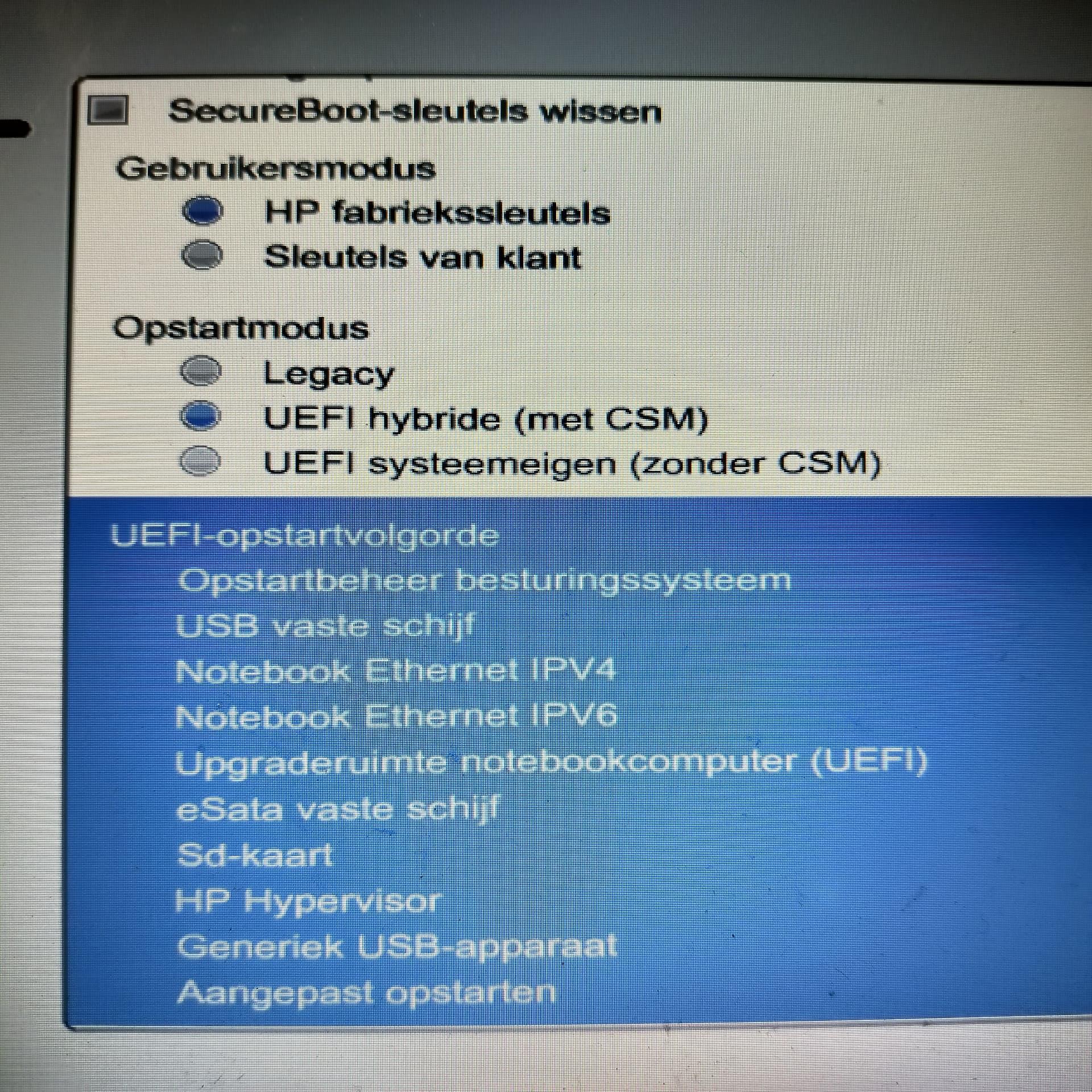
When this is Your Boot Order, set the USB Stick with Zorin on it on Position 1. To start it, plug in the USB Stick and then start Your Machine.
Only after your post I clicked the blue area and discovered I could then change the order. Before I thought the blue marking meant 'unchangeable'...
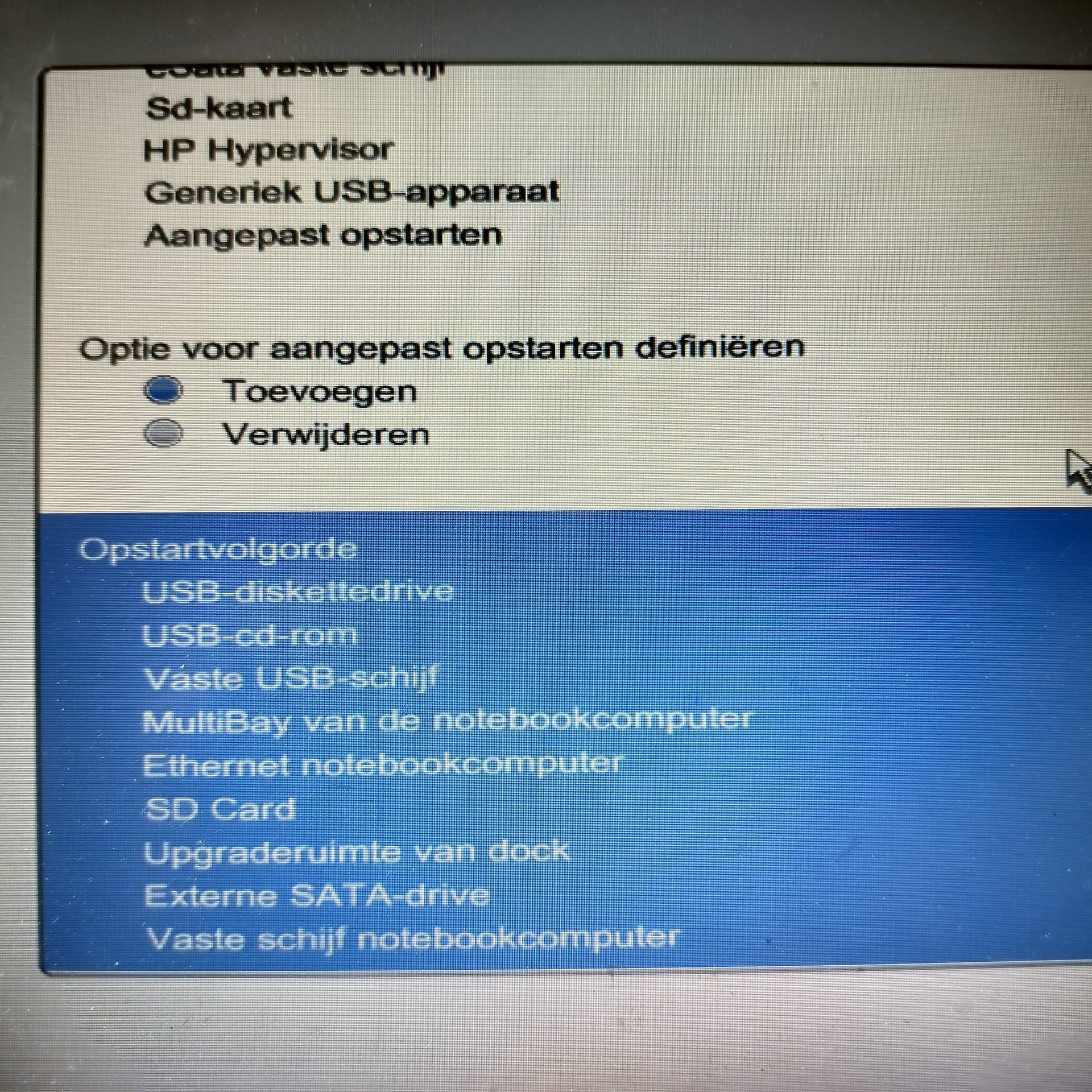
I changed the order to all USB-options first, and 'fixed disk of the notebook computer' as the very last, see the picture below.
Unfortunately Windows is the OS that starts up. I've tried Restart from Windows, Clos from Windows and manually power on both with and without the boot-USB inserted in its slot during power off.
Could it be that bootable Zorin has been removed from the USB-stick earlier by Windows?
If You don't have deleted it, it shouldn't. But You could simply create it new. Could be worth a Try. But instead of Etcher, I would recommend to use Rufus for creating the Stick. Choose there on the Option ''Partition Sheme'' GPT for Your UEFI BIOS.
And then try it again. And make sure that the plugged in USB Stick is on first Position in the Boot Order.
Selecting F10 in BIOS and changing the order of the USB-options didn't make Zorin start up.
But using F9 (Boot options) and selecting USB hard drive did mdje Zorin start up!
Also found the wifi hardware and installed its driver.
Have not yet configured the wifi connection.
Decided instead to install Zorin alongside W10, and then configure wifi and try out Zorin.