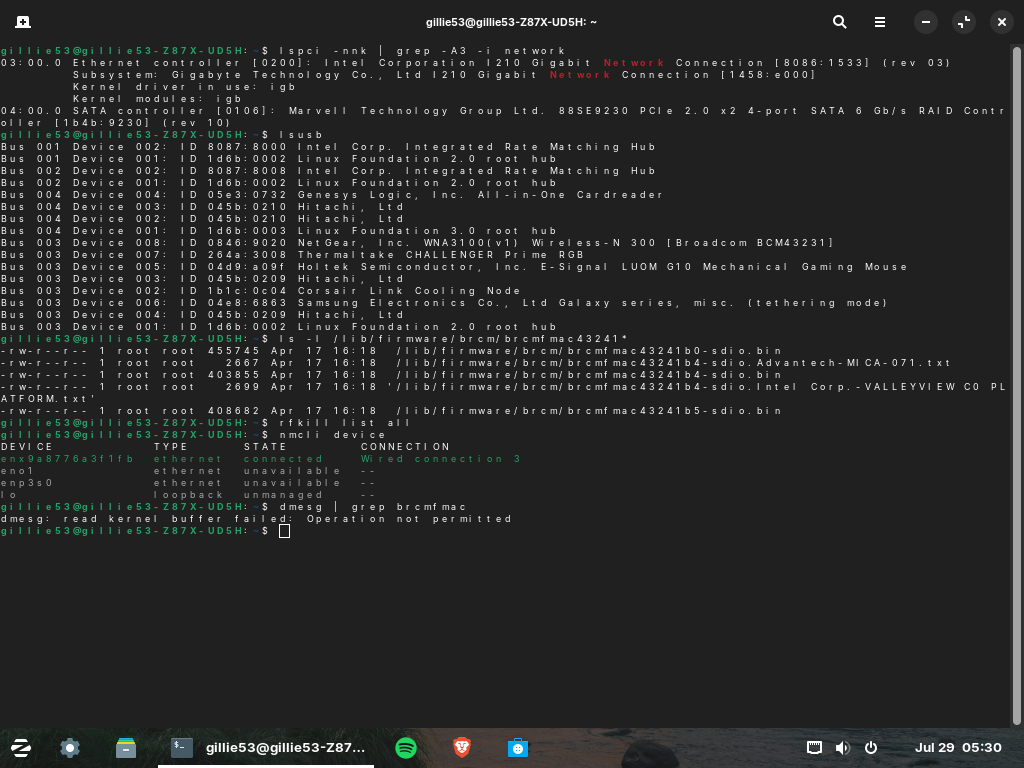
What output do you see for
nmcli device
and
dmesg | grep brcmfmac
What output do you see for
nmcli device
and
dmesg | grep brcmfmac
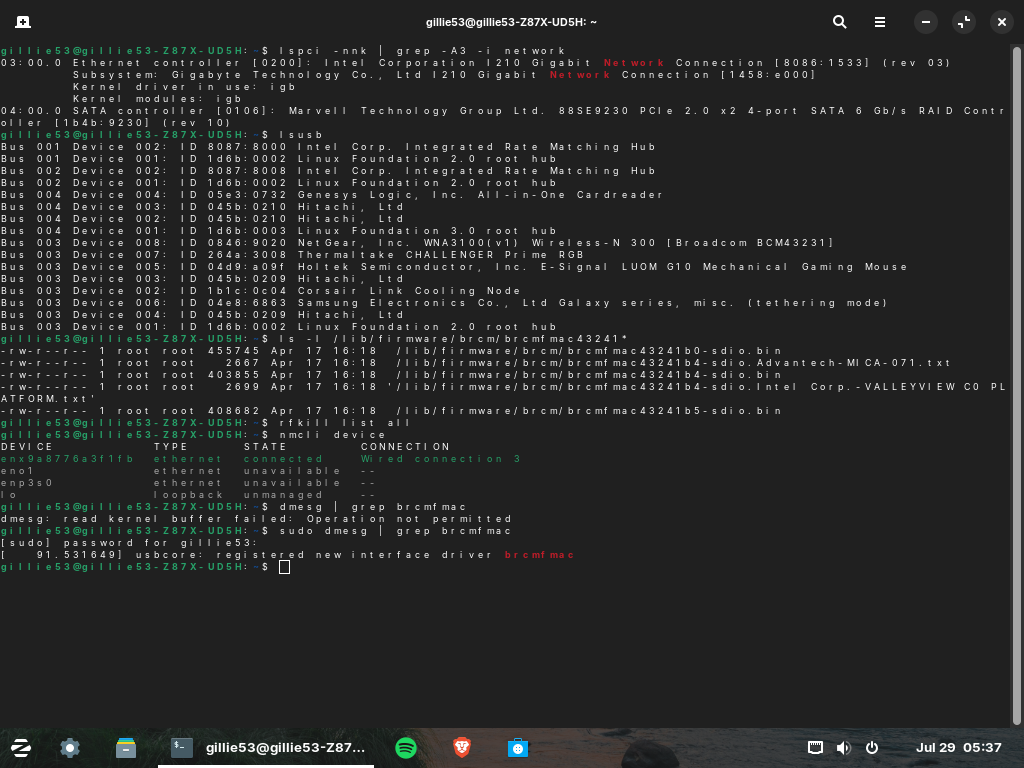
Sorry...
sudo dmesg | grep brcmfmac
Please relay the output of:
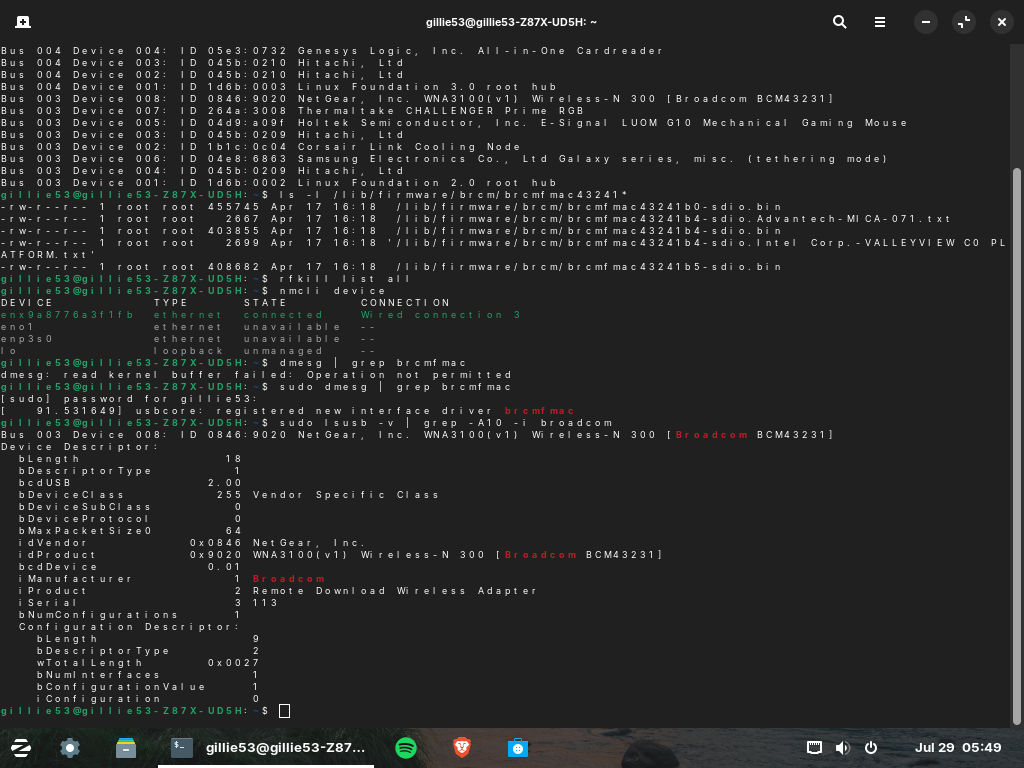
sudo lsusb -v | grep -A10 -i broadcom
Let's see if that shows the device I.D.
So far, the drivers are installed. The USB device is recognized. Modules are present. But it is not binding to the device...
When you rebooted; you did a Full Cycle boot, right? Not a Hibernate or Sleep...
This is what came back:
Yeah I believe so, I selected "Power Off" from the Zorin menu, waited for it to fully shut down then waited another half a minute then powered it back on - do you suggest a different way? Hard Reset maybe?
There it is!
WNA3100(v1) Wireless-N 300
That is the problem. It uses Broadcom BCM43231 chipset.
Broadcom only released that driver as a proprietary Windows OS Only driver. It is unsupported and unavailable for the Linux Kernel.
While it is technically possible to use ndiswrapper and install the Windows Driver, that would be prone to failure. Your best bet would be to buy a Linux Friendly USB adapter.
Searching this forum for all the times that members have asked about what USB adapters are Linux Friendly...
I just compiled a short list:
MediaTek (Ralink) MT7601U, MT7612U
Atheros AR9271
Realtek RTL8811CU / RTL8812AU
Well that's unfortunate that this one isn't compatible but I'm very glad we got to the end of it and figured out the next move; thank you so much for having the patience to work through it with me - you're an absolute legend!
I was a bit slow, seeing your output for ls -l /lib/firmware/brcm/brcmfmac43241*, but not noticing that the number in your screenshots is 43231.
This topic was automatically closed 90 days after the last reply. New replies are no longer allowed.