Just letting you all know, Ventoy got updated today to 1.1.18.
2 Likes
Interesting mine is loaded as an Appimage and is version 1.1.05 .... how to update when I click on the image I get this ....
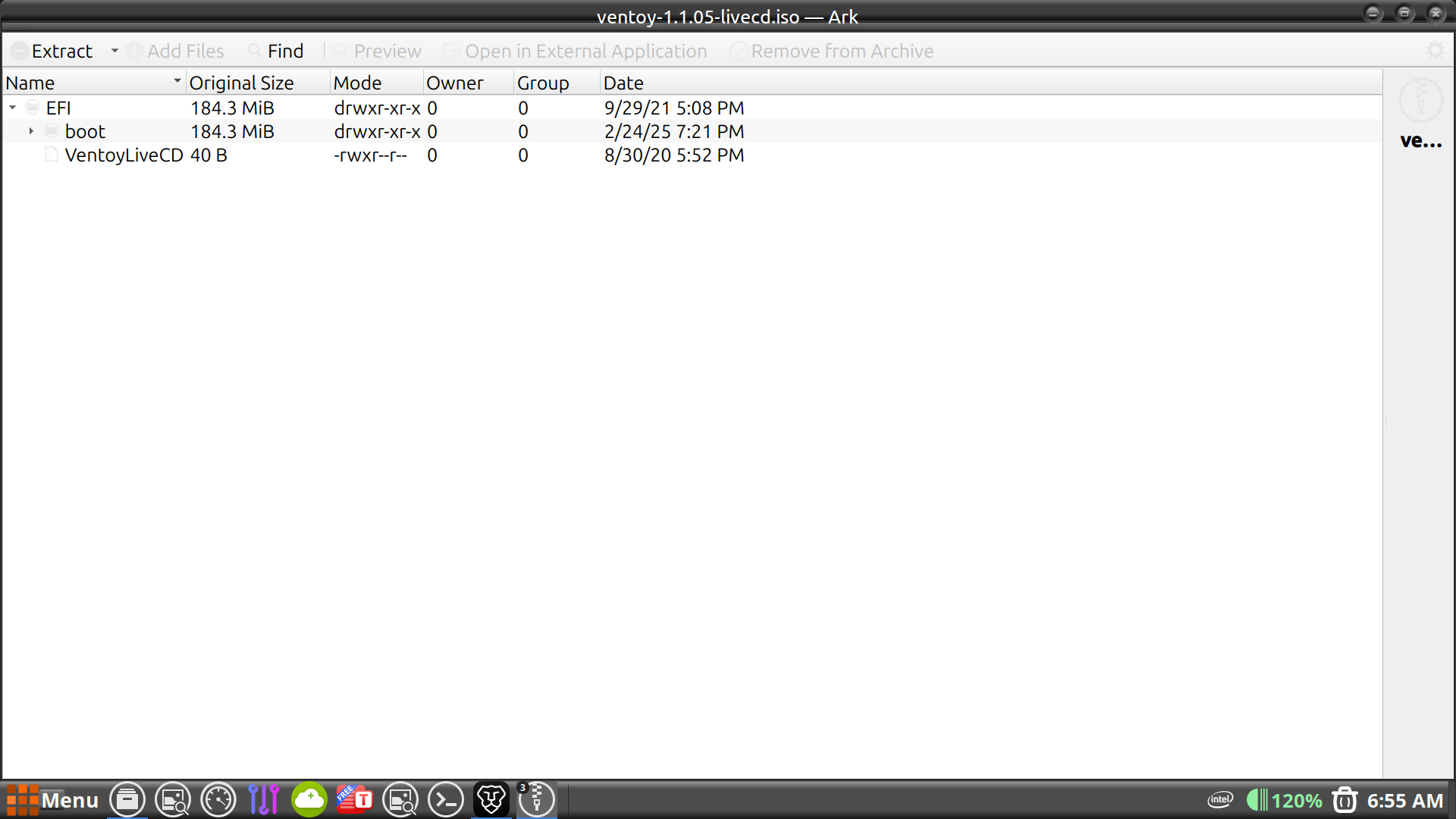
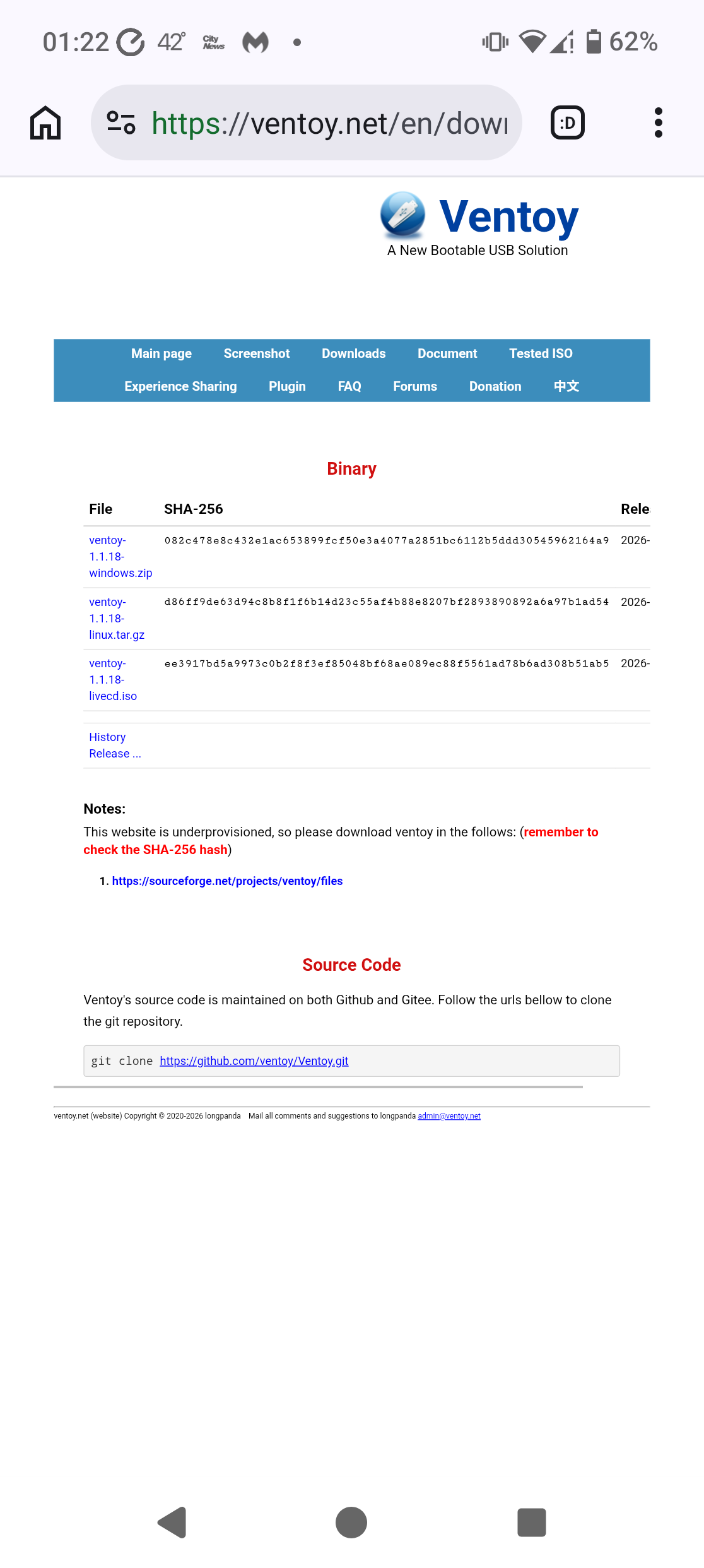
Hi @Frog , You can't update an AppImage, you have to download a current one, but the project does not offer an AppImage these days.
The project offers an .iso, a tarball, and a .zip file for Windows users:
I am very fortunate. I use PCLOS Debian that comes with Ventoy as part of the .iso for the distribution, so I get the update through simple update notifier. 
2 Likes
Boooooooo .... Hissssss .... rats ..... not fair ..... LOL .... oh well just keep using my old outdated one ..... wonder why they quit making anything for Linux M$ get to them .... I have 7-zip for downloading .zip files but like you said it is for Windows users and we can't open an .ex file .... 
You should be able to use the tarball ...
I can feel another video in the making ... Just for ...
#We All Stand Together#
1 Like
LOL .... that was cute .... never saw that one before they sure don't make'um like that any more .... awaiting your exquisite video .... another learning curve love it ..... thanks
Well I got the Ventoy .tar.gz file to extract now how to get it to run .... see photo .... or am I way out in left field as usual .... LOL
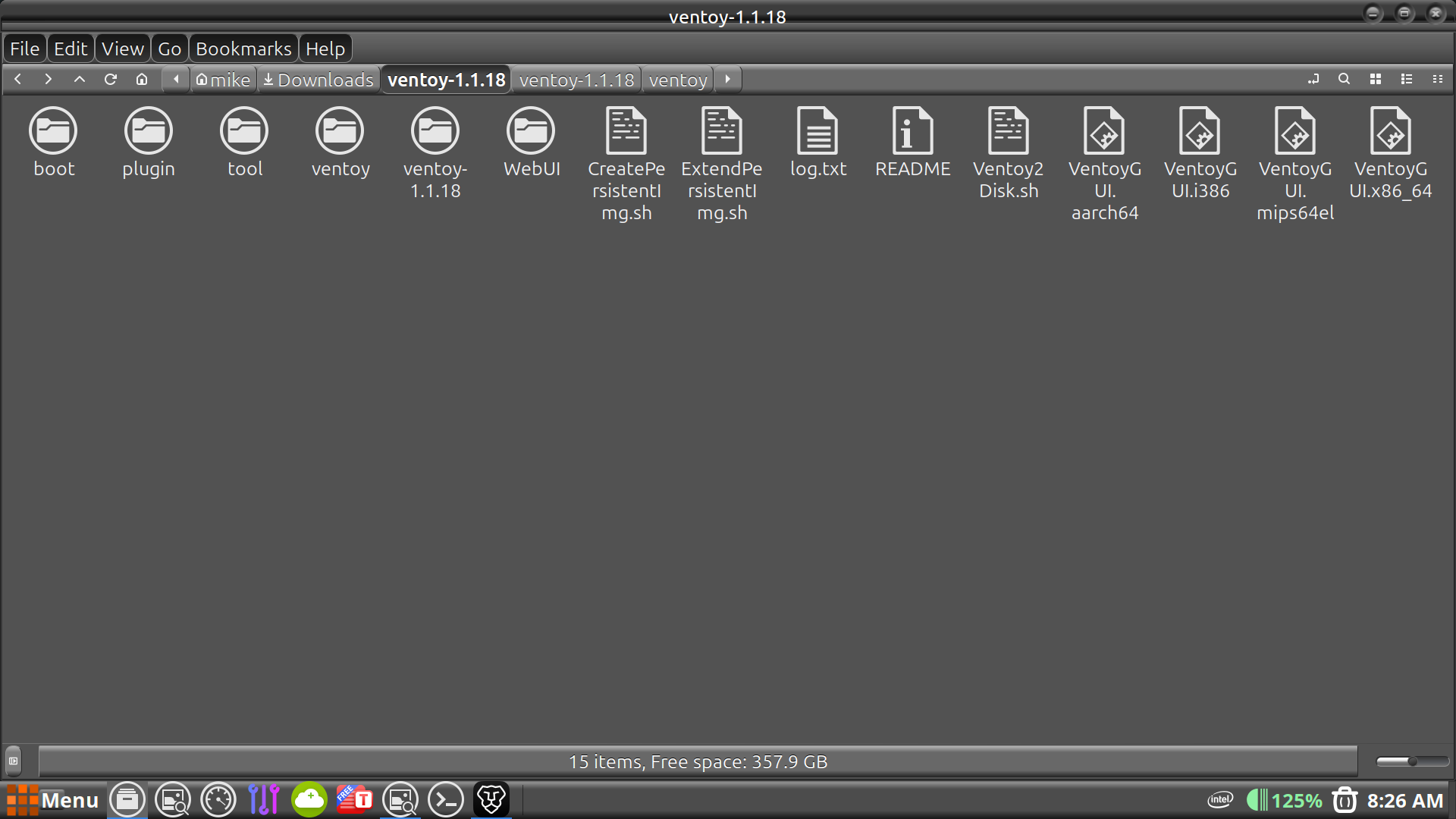
Click/doubleclick on the last file there (in the screenshot on the right side
VentoyGUI.x86_64) to launch it.
1 Like
Double clicking does nothing .... I chose properties and got the following see photos .... thanks Forpli ....
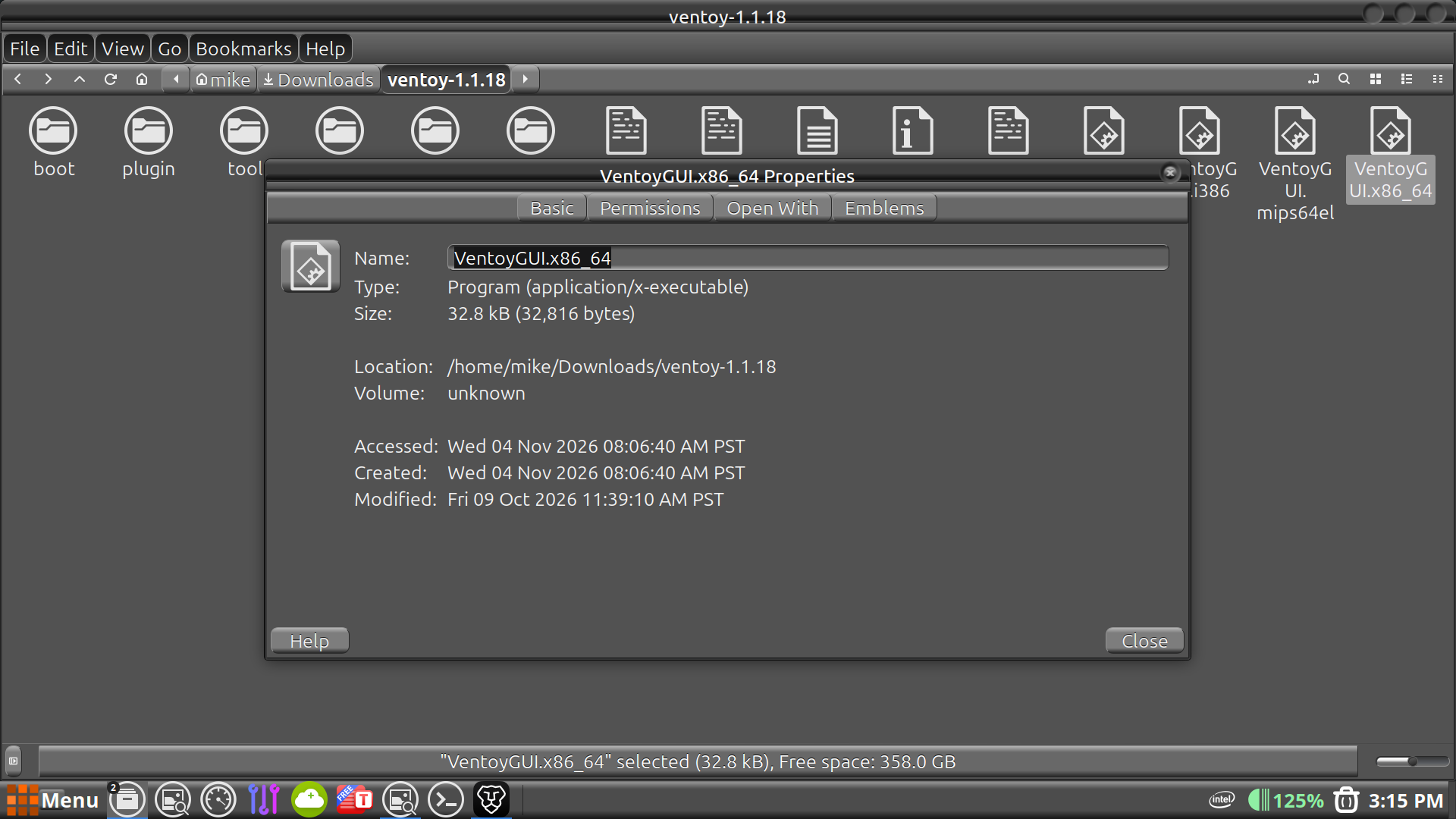
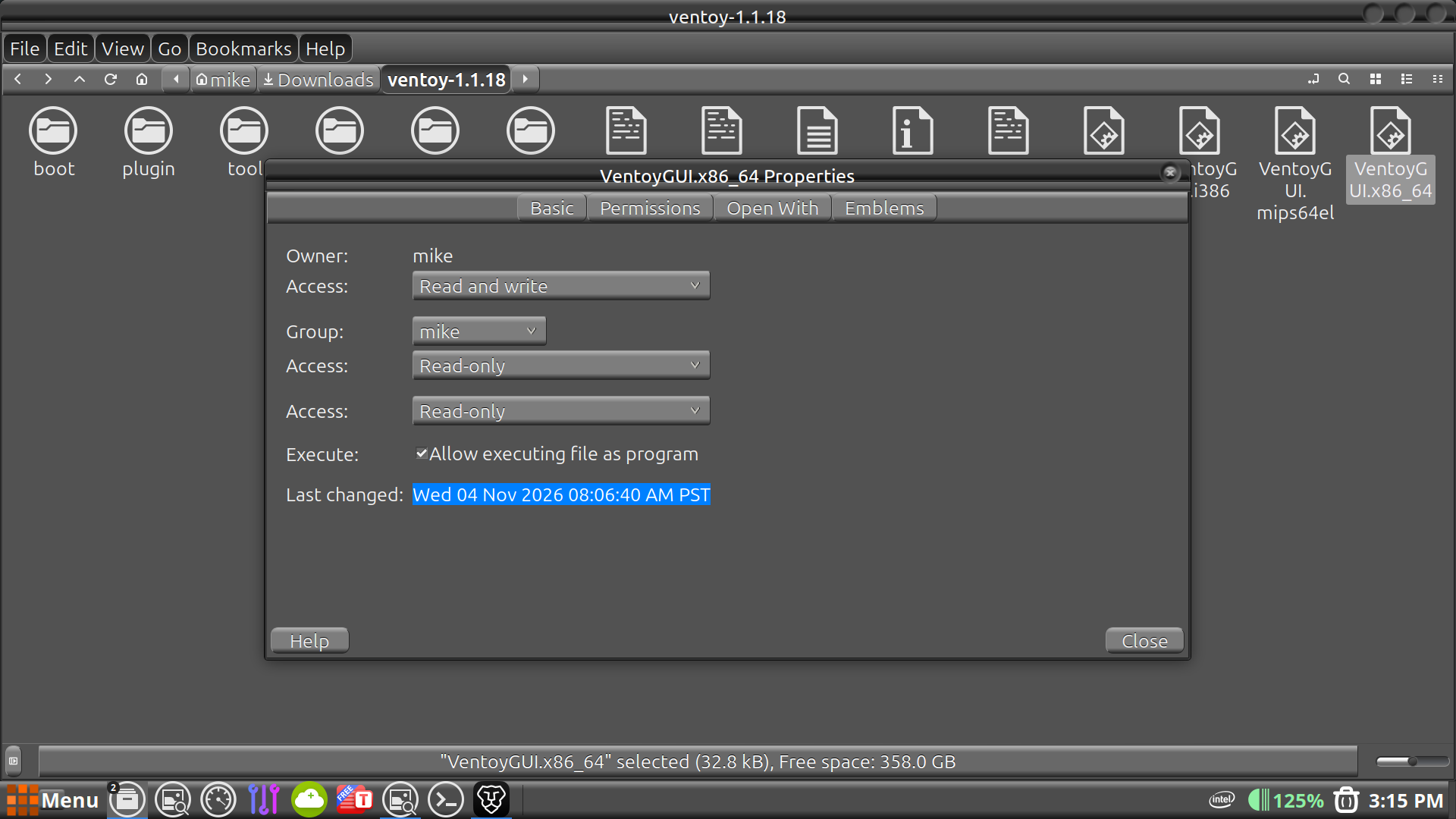
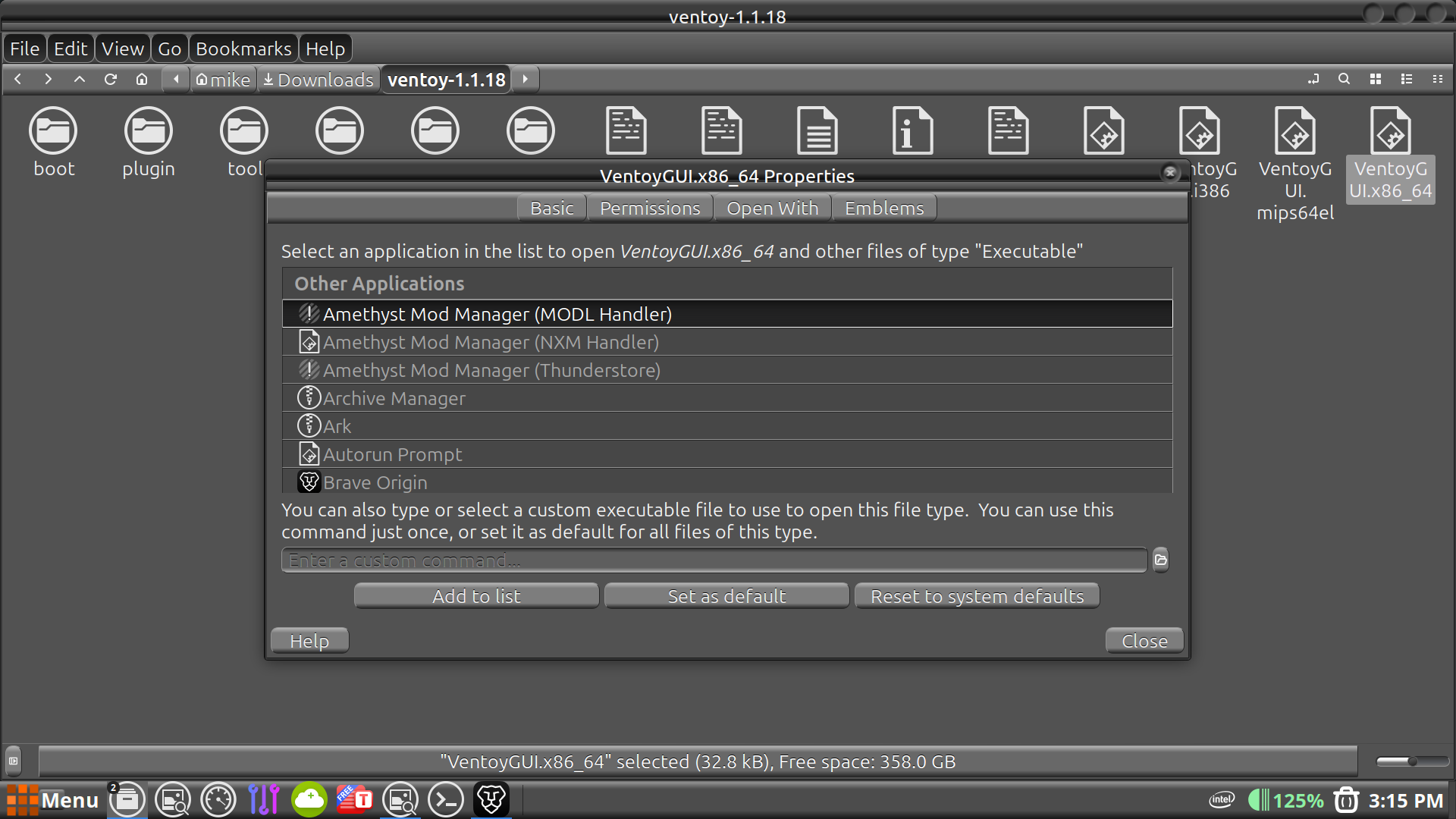
Hm, you are on Cinnamon. I'm not sure why it doesn't work. I'm running MX Linux at the moment and tested it there, and I'm prompted for my password when I run that file by double-clicking or by right-click.
You could try to open a terminal in the folder there (right-click on an empty space > open in terminal) and enter
./VentoyGUI.x86_64
I notice that you don't have the same files in your extracted ventoy 1.1.18 folder as me. Is yours the tar.gz file of ventoy?
1 Like
Yes ..... tried ./VentoyGUI.x86_64 but didn't work see photo .... also I am running Mint but that shouldn't make any difference right ??? ....
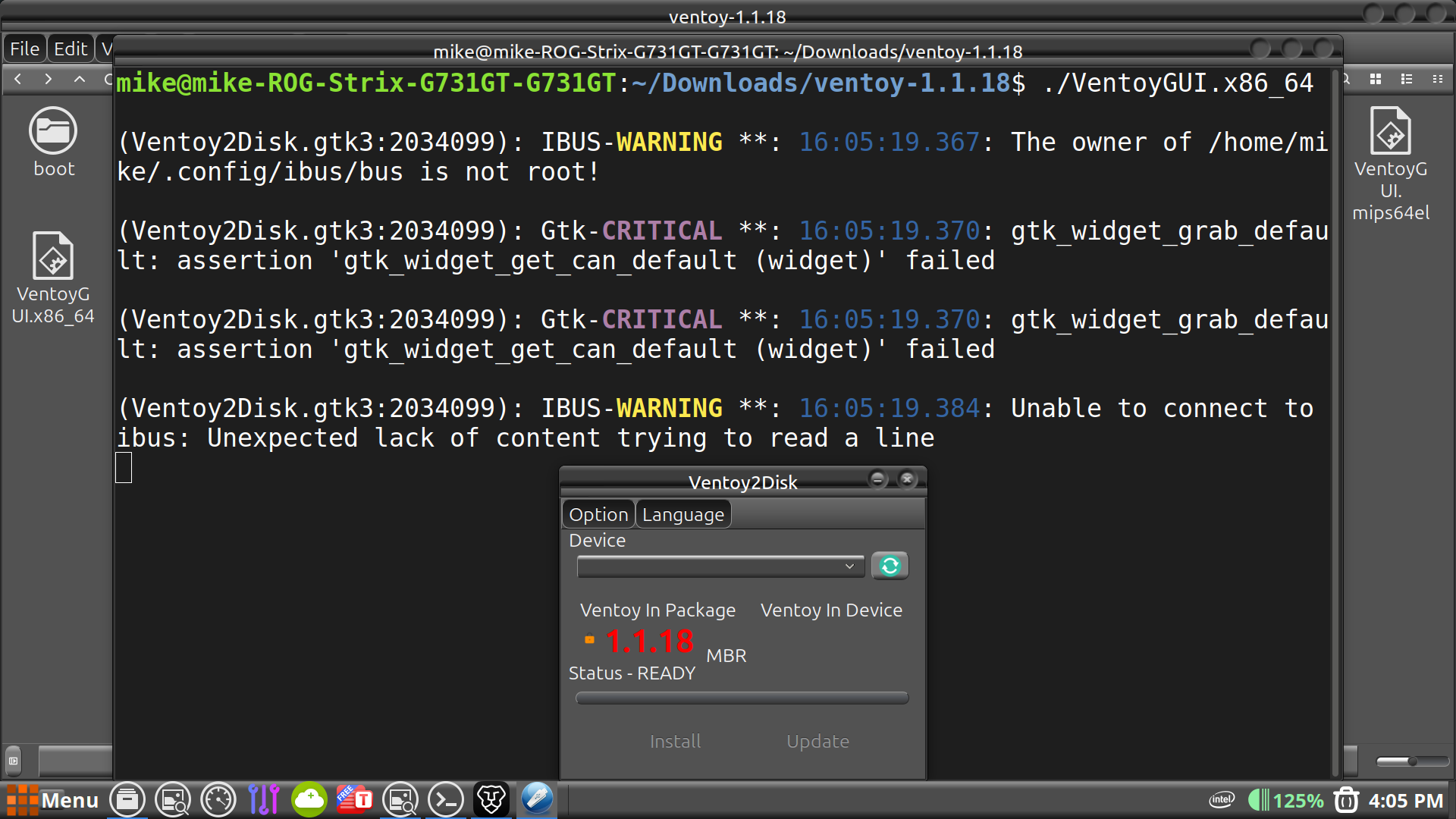
That's the right app. Does it not work? Sorry, I don't know what the errors mean. Do you have plugged in an USB stick where you want to install ventoy?
If you don't need the app now and don't want to create a Ventoy boot stick now, save the entire ventoy folder at a place where you'll find it later.
If you like, you can create a .desktop launcher with menulibre or alacarte so that you find ventoy in the start menu or app grid. As name set e.g. Ventoy and as command the path to the file VentoyGUI.x86_64.
1 Like
Sounds like a good idea I have my original Ventoy already on a USB stick I was wanting to up grade as mine is fairly old ....
No I didn't plug in a USB stick when I double clicked the app .... should I try that ???? ....
Check back with you tomorrow got go for now thanks for your help ....
If you want to update your ventoy stick to version 1.1.18, launch ventoy and then plug in your USB stick and select the correct partition scheme ((MBR/GPT) at tab options and check if you want to install it with secure boot support or not, and then click on "update". It is important that you make the same settings as in your last version so that all installed .isos on the stick work as before.
But I'm probably not the best person to ask, since I've never updated my Ventoy stick yet. My stick sometimes breaks because of the daily use of live sessions that I have to recreate Ventoy and all the .iso files from time to time anyway . I'll wait until it breaks next time or I want to put new .isos on it. I don't want to risk at the moment that my .isos no longer work. That should not happen if everything is setup right, but I'm not experienced with the procedure.
Swarfendor can tell you more.
This is a screenshot from my system. On my USB stick is ventoy version 1.1.12 at the moment, and I have downloaded version 1.1.18. I think, when I would click on "update", the old version would be replaced and updated by the new version. I have unchecked secure boot support because I don´t have secure boot enabled.
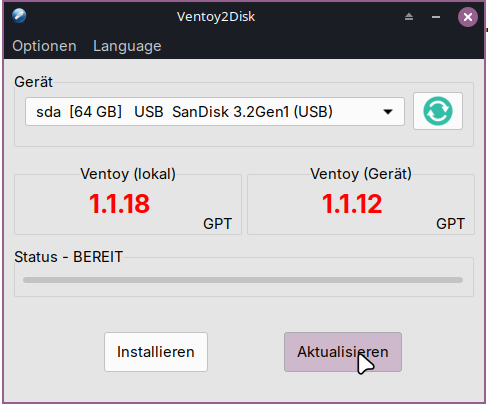
Edit: I was brave and clicked on "update". I`ll check later if the .isos still work. The process was shown as successful:
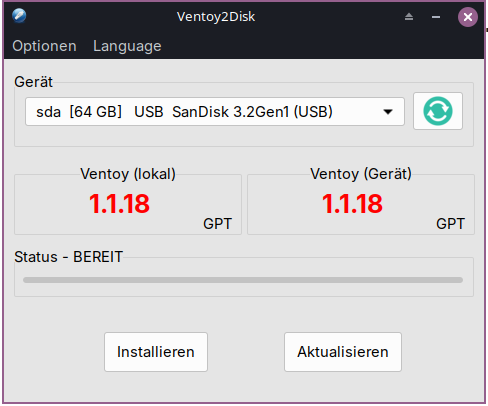
I can confirm now after a test: The .isos on my ventoy stick still work after the update.
Hi people, Didn't get chance to sit at computer yesterday, groceries then dad's taxi for hospital appointment for my eldest, then dad's taxi to take youngest home. Will do the video today ... on a VM of Linux Mint.
Here is the long-awaited video. I have posted about this solution before I seem to remember.

1 Like
You have to make it executable. When You go here:
on the Permissions Tab, do You see an Option for that?
Or: Make a Right-Click on the File and look in the Menu for an Option.
1 Like
Tried that and it didn't work. In fact when I opened the Permissions tab 'Executable' was already ticked - it made a quick terminal window flash then disappeared, hence my web browser option which works.
1 Like
Hmm ... I use this GUI every Time with no Problems. But I don't use Cinnamon. Maybe making it executable in the Terminal could help. Or: Using 1.1.17 and check if that works.
1 Like
Thank you sir I viewed the video ... nice job looks great and easy to follow .... I will tackle it later got a full plate today ....
1 Like