I just installed virtual box and want to try running MacOS on it, but as I go to open the VM for the first time, it gives me this screen
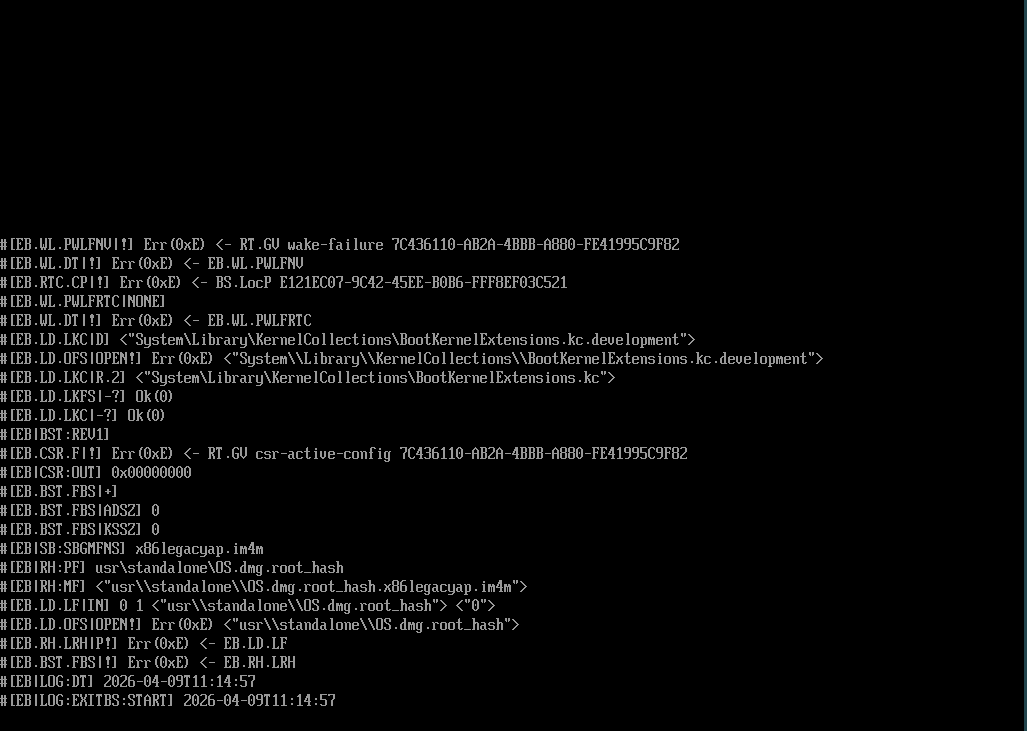
Can anyone tell me what's wrong with it and how to fix it?
I just installed virtual box and want to try running MacOS on it, but as I go to open the VM for the first time, it gives me this screen
Did You installed VB from the Repo's or did You downloaded it from their Website?
From the website. it's the newest version.
Could You please open the Terminal and type apt list virtualbox-dkms and check if there stands [installed] at the End?
This is what it gives me:
virtualbox-dkms/noble-updates 7.0.16-dfsg-2ubuntu1.3 amd64
N: 1 muu versio olemassa. Käytä kytkintä '-a' nähdäksesi sen
The ending says: N: 1 other version exists. Use '-a' to see it. Doesn't directly says installed anywhere.
Then it isn't installed. Okay, then let's try it with installing this Package:
sudo apt install virtualbox-dkms
When installed, try it again.
Okay, I did that, now when I try to open the vm it gives this error message: VirtualBox can't enable the AMD-V extension. Please disable the KVM kernel extension, recompile your kernel and reboot (VERR_SVM_IN_USE)
Hmm ... would You be willing to test a different VM to check if there is an Issue like that?
Yeah, just tried to make one with min, also the same message.