I am trying to install visual code from deb file.It blinks and goes off and doesnt install . The market place version of code works from zorin software but i want the official ms version. Any idea how to fix it?. I even installed from terminal but not opening
I think the quick answer is no, you can't install the Microsoft VS proprietary version in Wine, due to compatibility issues. With that said, all you got, is the software store version.

So you managed to install it, but is not launching? When you run sudo apt update you should see an entry for a repository that is added during the installation:
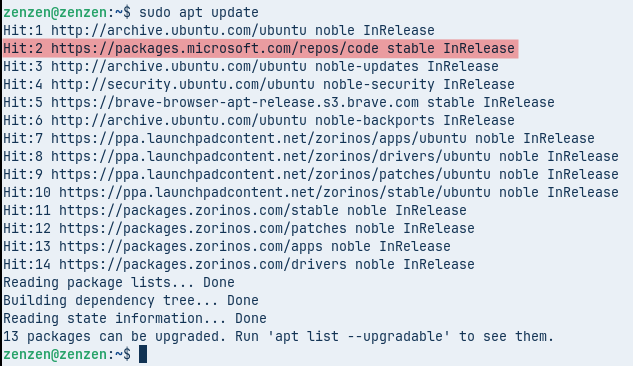
Do you have that?
Also, what happens when you launch it from the terminal? That should log any errors that may be stopping it from starting up.
I am confused as well. the .deb version is installed with
sudo apt install code
This topic was automatically closed 90 days after the last reply. New replies are no longer allowed.