I followed the link and tried to download the english version, but nothing happens.
Nothing gets downloaded, and nothing opens. I tried looking online for other options but most places just send you back to the whoknowsmy.name site.
I have not run any commands other than checks to see if I already had any of the files(i do not).
Any help would be appreciated, thank you for the time!
I think the link is not properly redirecting due to the browser in use.
To get around that, right click the link and then select to copy the link itself - then paste that link into a new tab and that should jiggle the handle and get that download going for you.
OK first off open your files area then hit control+h to see the hidden files then open the .confg folder you may have to be in root for this
sudo apt install nautilus-admin
this will give you a right click to open as administrator open the .config folder with that then make a folder named aacs after you have made this folder go to
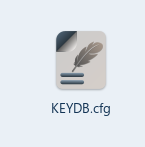
and download the english one at top, once downloaded right click it and rename it KEYDB.cfg then place that renamed file into the aacs folder your made eairlier
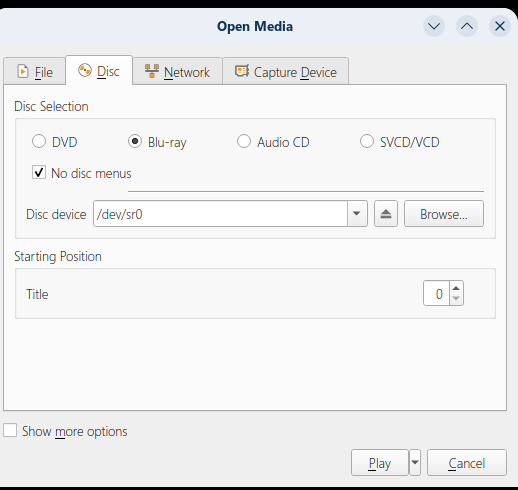
check the boxes just like in the pic blu-ray then the no disc menus then hit play at bottom right in vlc there should be a line bounce back and forth for a few moments as it looks for the proper key in the KEYDB.cfg folder and it should start playing
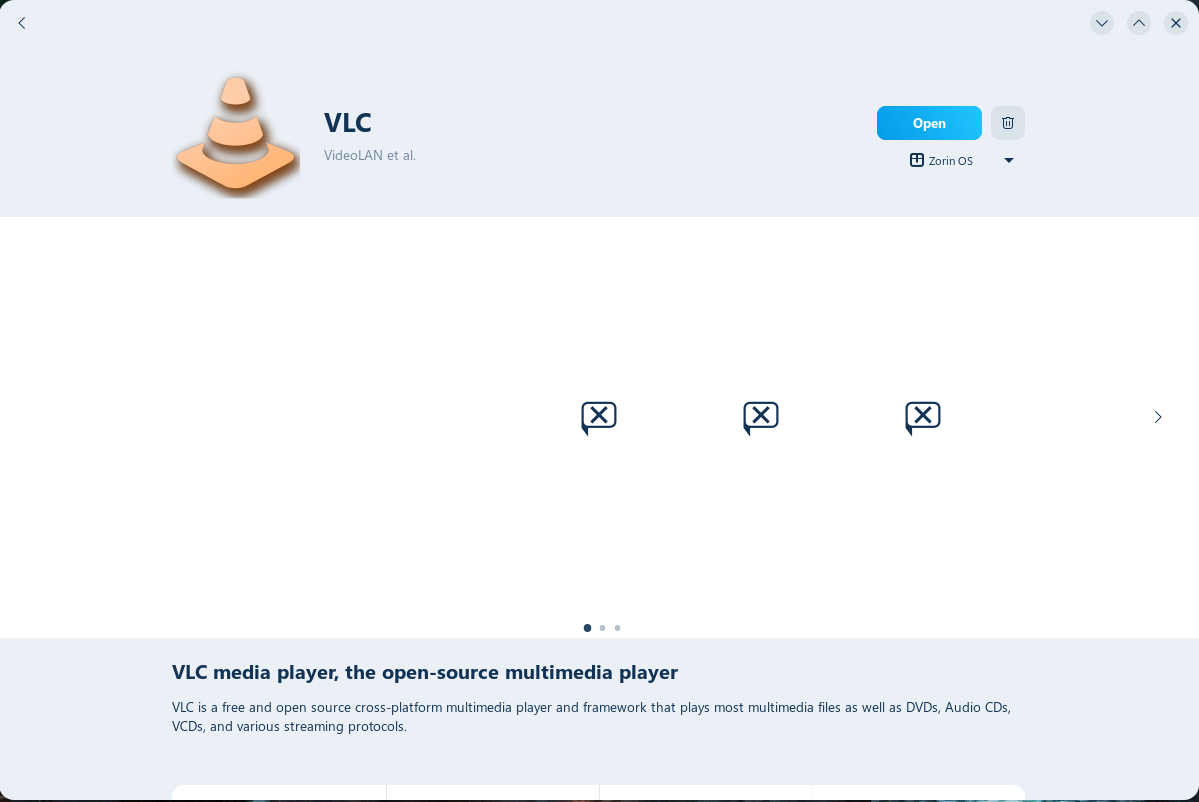
If you installed it through the Gnome Software Store... it will default to Isolated Flatpak packages instead of using the Standard APT packages.
Flatpak is being heavily pushed onto us, just like we were still on Microsoft Windows.
flatpak list
will show if it is installed as Flatpak - or you can just open Gnome Software Store and look at the VLC page and click the button for Source - and see if it is from flathub.
Flatpak packages Ignore your Home Config folder.
They are isolated and sandboxed versions of the software.
Well if i remember correctly if its the flatpack the aacs folder has to be in the .config/vlc folder in small aacs letters and the KEYDB.cfg file in the aacs folder
each version of it has it in a differnt place
I did install libaacs0
I also uninstalled the flatpak version of VLC and downloaded it through apt and moved in the aacs file. I also put the KEYDB in the aacs folder.
Now I can't open VLC...
I can find it in files, however I can't find a way to launch it. Trying to launch from terminal gives a;
no folder or directory found
I tried to open VLC, vlc, org.videolan.vlc, and org.videolan.VLC all with the same results.
Perhaps this site can help you to install it (Sorry, it is in German and I don't want to advertise the software videobyte available for purchase there).
I corrected the commands, they had too many spaces and need to be in English.
I put in the commands but got the same errors.
Either I get a No directory or file found, or I get no responce at all.
The system will install and launch VLC but that's it. I checked my spelling, tried upper and lowercase VLC, none worked.
I tried to install SMPlayer to see if that would work instead of VLC, but I just got told I "don't have permissions" and trying to download of of links only downloads a text file of the code.
I'm starting to wonder if buying a Blu-ray player meant for a TV and plugging it into my monitor would work better than trying to get VLC working.
You have mentioned lacking permissions on multiple occasions. Are you the administrator of the Zorin OS install (Did you install it yourself on your own computer?)
I should have admin. I also had the person who actually did the install (it's a second hand PC) with me and they have no clue why it's saying i don't have the permissions.
I should also clarify that It only said I didn't have permission to install after I had installed and opened SMPlayer. I could see the interface I just couldn't interact with any of it.
got a "unsupported file", but just sudo apt installing SMPlayer installed it this time, and seems to be working?
My disc drive that I was using stopped working around the 4th, and the new one seems to be only a CD player.
I'll update when I can actually get a Bluray player