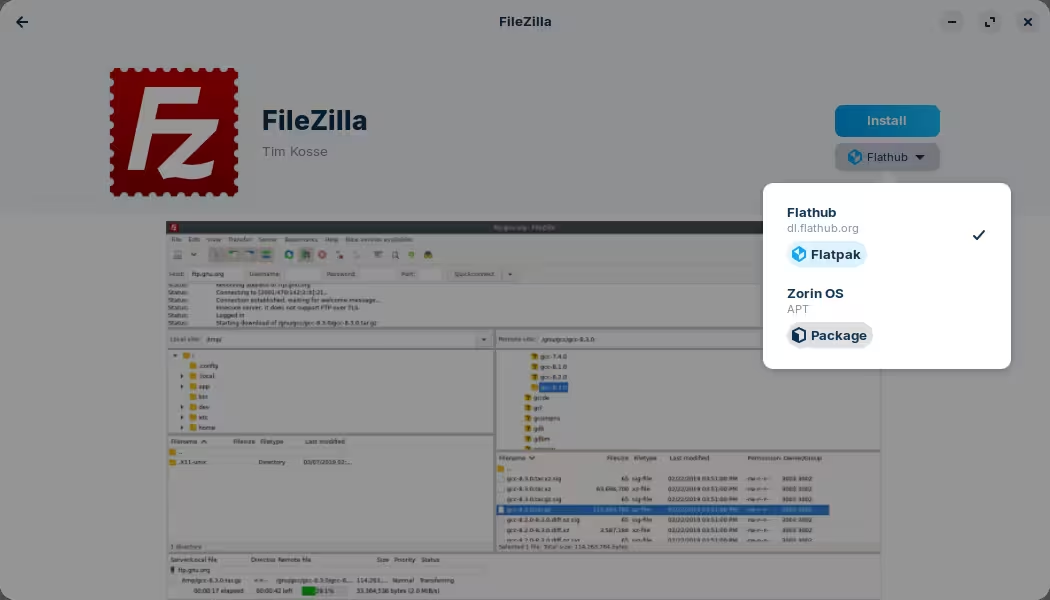
Flatpak packages are a containerized format that have restricted access to the rest of the file system by default, which tend to have this side effect of limited functionality depending on the program.
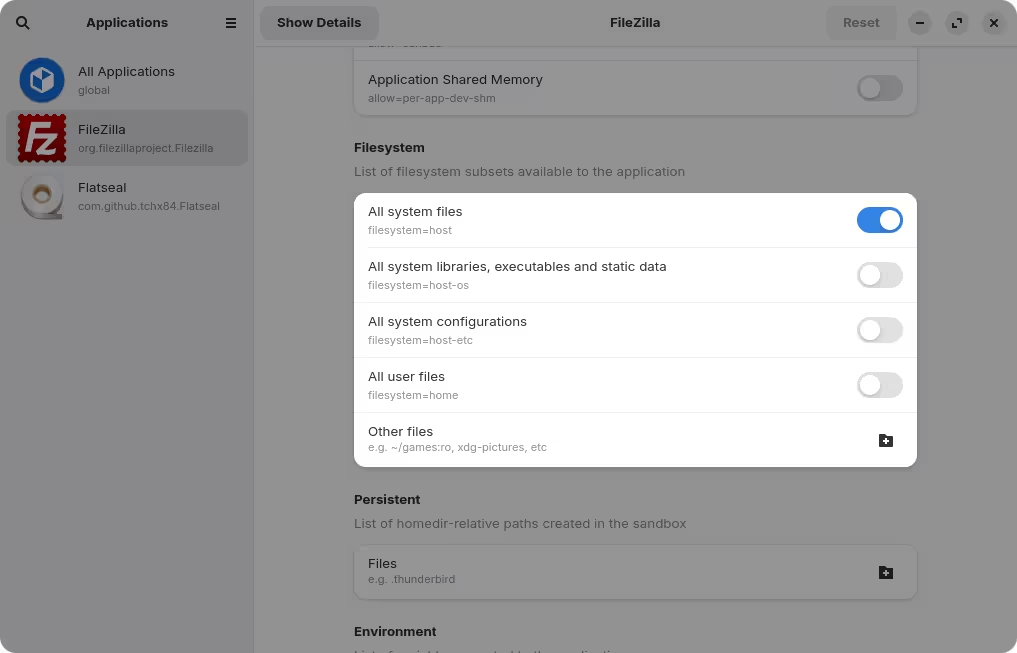
You can expand these permissions by installing another program called Flatseal. I'm not sure which permissions you need but under the Filesystem section you can play around with the different options:
Alternatively, uninstall it and then re-install selecting "Zorin OS" as the source. This will use the standard package format for Zorin OS which doesn't have this limitation, although the version of the package itself is likely lower and thus might have fewer features that you might be interested in.
Either option is fine, but as a general rule of thumb, I'd recommend sticking to the native package format to avoid weird quirks like this. Only if you really need some functionality that is not yet available, you can install Flatpak as a fallback. But, that's just my preference.
I removed the filezilla flatpak, and installed the zorin source one, still its not fixed it, its late here so ill give flatseal a go tomorrow, but I have to be careful with space atm due to awaiting a replacement (bigger) msata for my os
Then it's most likely not related to file permissions. In that case, can you give us some more details about what you're trying to do and the error message? Perhaps check in the logs at /var/log/syslog shortly after this error happens, to see if there's any leads.
If I'm not mistaked, it appears that the reason given in the image shown is that the password entered was incorrect. Is it possible it was mistyped, or maybe a key is a bit wonky working? When that happens to me I sometimes type out the password that I know works into a notepad or something similar, then once it's 100% correct, copy exactly that into the password field.
This makes sure I typed EXACTLY what I meant to type, and nothing else can go wonky in at least that portion of the login.
It might not be Zorin itself but how FileZilla handles FTP over TLS in Linux. On Windows you got the certificate prompt, but on Zorin it may be defaulting to plain FTP or rejecting the cert silently.
Open your filemanager, on the left side click on other places, then select your computer, and from there go to >var>log>syslog
Or you open filemanager, press ctrl+L, then you can enter the path
/var/log/syslog
in the topbar and then the syslog file is selected and you just need to doubleclick/click on it to open (depending on your settings).
Thanks, this is a bit beyond me tbh, I found it but pastebin wouldnt let me paste it as its to many bites, I expect it wont do well being pasted here either
In regards to the file log, let's try to simplify this a little bit. You can narrow down the amount of output by running a command like so, in the terminal:
This will read the file at /var/log/syslog and filter out lines that contain the word "filezilla". The double bracket signs (>>) means that the output will be redirected to a file called "filezilla_error.txt" but you can change this to whatever makes sense to you.
This file should be much smaller in size, enough to share it here directly maybe, but can be uploaded to pastebin or something similar.
Do you have access to read the logs on the server as well? Those probably contain even more detailed information about the error, although be careful with sharing those logs as they probably also contain far more sensitive information.
What operating system is the server running?
As an aside, you might be interested in setting up access through SFTP instead, which is essentially creating a connection through SSH (Secure SHell). The advantage is that you can use a similar technology than TLS, based on cryptographic keys, which would allow you to login securely without a password. If you are interested I can give you a quick summary on how to set this up.
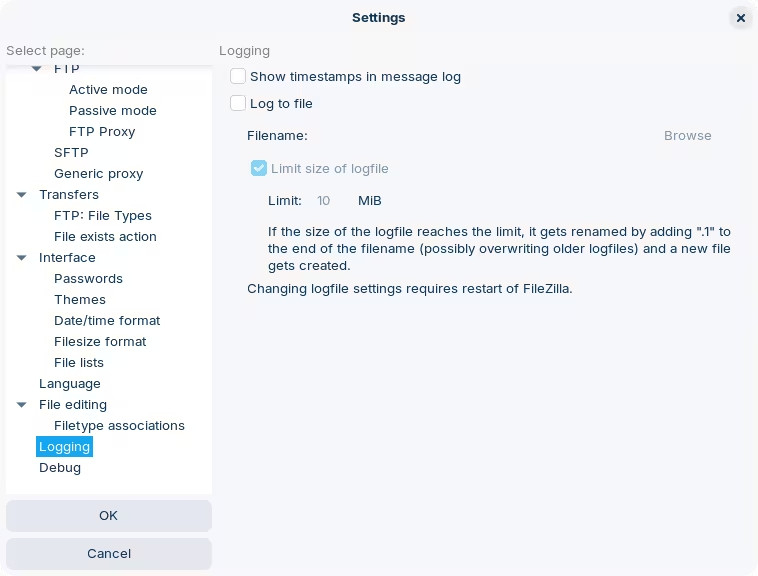
Looking around the settings I just noticed that Filezilla offers to create this file for you in Settings → Logging. Try this option and specify the file from there. This might actually be better as it's pretty much guaranteed that all records are coming from Filezilla.
Specify the file in the "Log to file" option, and try again:
Be sure to check the file for any sensitive data before sharing it or uploading it anywhere.
By the way, I've also noticed that the default protocol is FTP and then it offers to protect the connection with TLS. That's fine, but have you also tried using SFTP? The part where you need to accept a certificate sounds like it might actually need to do this, as SFTP works with SSH which will prompt you to accept the fingerprint to another system.