I've recently noticed that the GNOME Software application has a weird shadow border around it. Other windows don't, just this one application. The screenshot below shows what I mean (Text Editor window also included for comparison purposes). While harmless, it is peculiar. Does anyone have any ideas as to why?
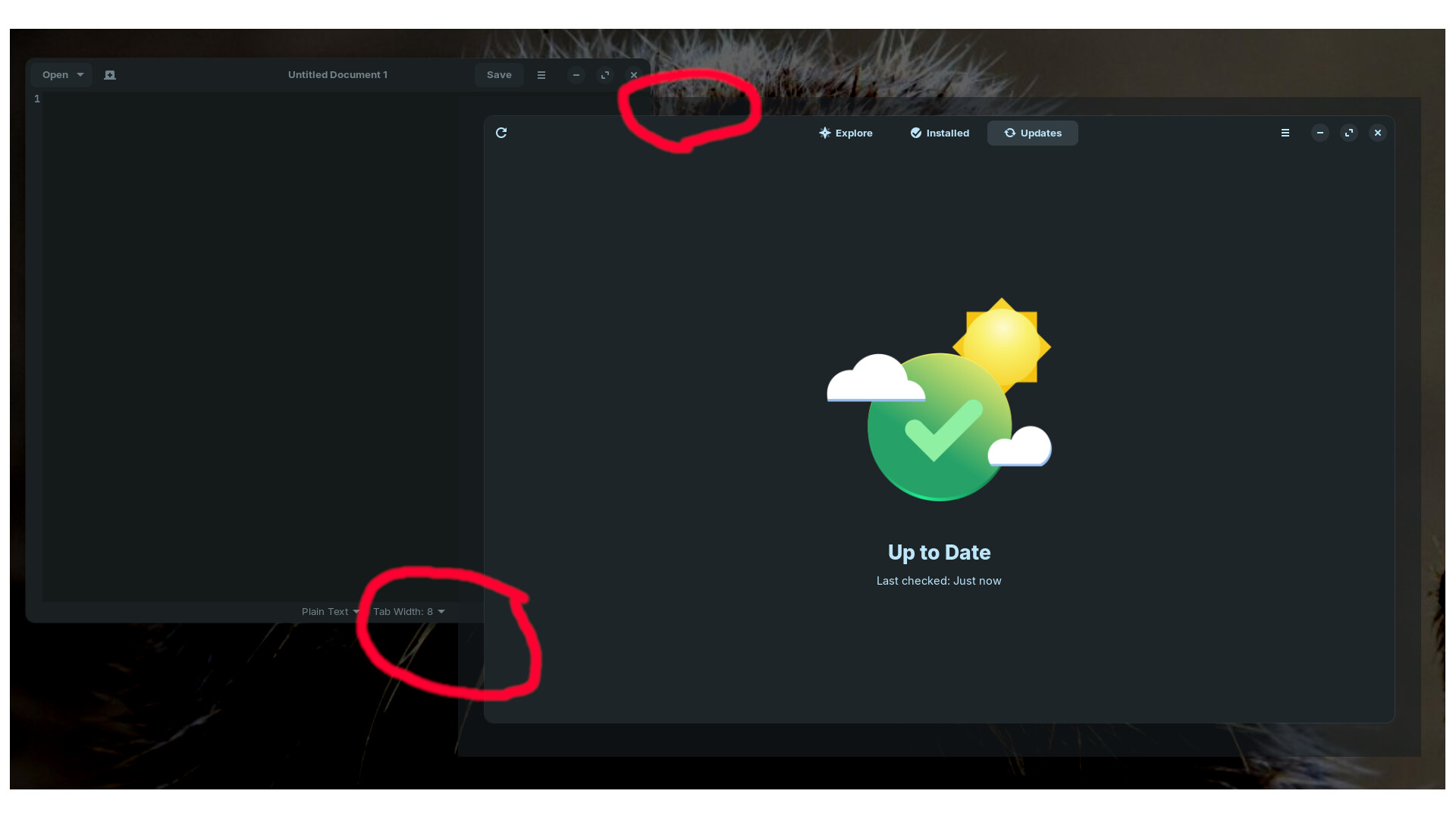
Gnome Software store is one of the few GTK4 applications included on Zorin OS.
As Gnome tries to dump as much responsibility for Desktop Actions as they possibly can... This includes making individual applications render elements that should be handled by a window manager (like Mutter).
With LibAdwaita and GTK4, this is even more aggressive.
What you might try to get rid of the harmless shadow:
Create a new file (if one does not exist) named gtk.css in ~/.config/gtk-4.0/
Paste into the file:
window {
  box-shadow: none;
}
Save the file and reload the desktop or reboot - then test the Software Store.
Do you have installed an extension, e.g. rounded window corners? There can be enabled shadows around windows.
1 Like
I've also experienced such an issue when I had rounded corners extension a while ago
1 Like
Do You have any additional Gnome Extensions installed? If yes, turn them off one by one and see when the shadow disappears and then uninstall the Extension.
1 Like
No GNOME extensions installed. Good thought though.
1 Like
This is the solution - thank you very much.
1 Like
This topic was automatically closed 90 days after the last reply. New replies are no longer allowed.